dBASE on the Kaypro II
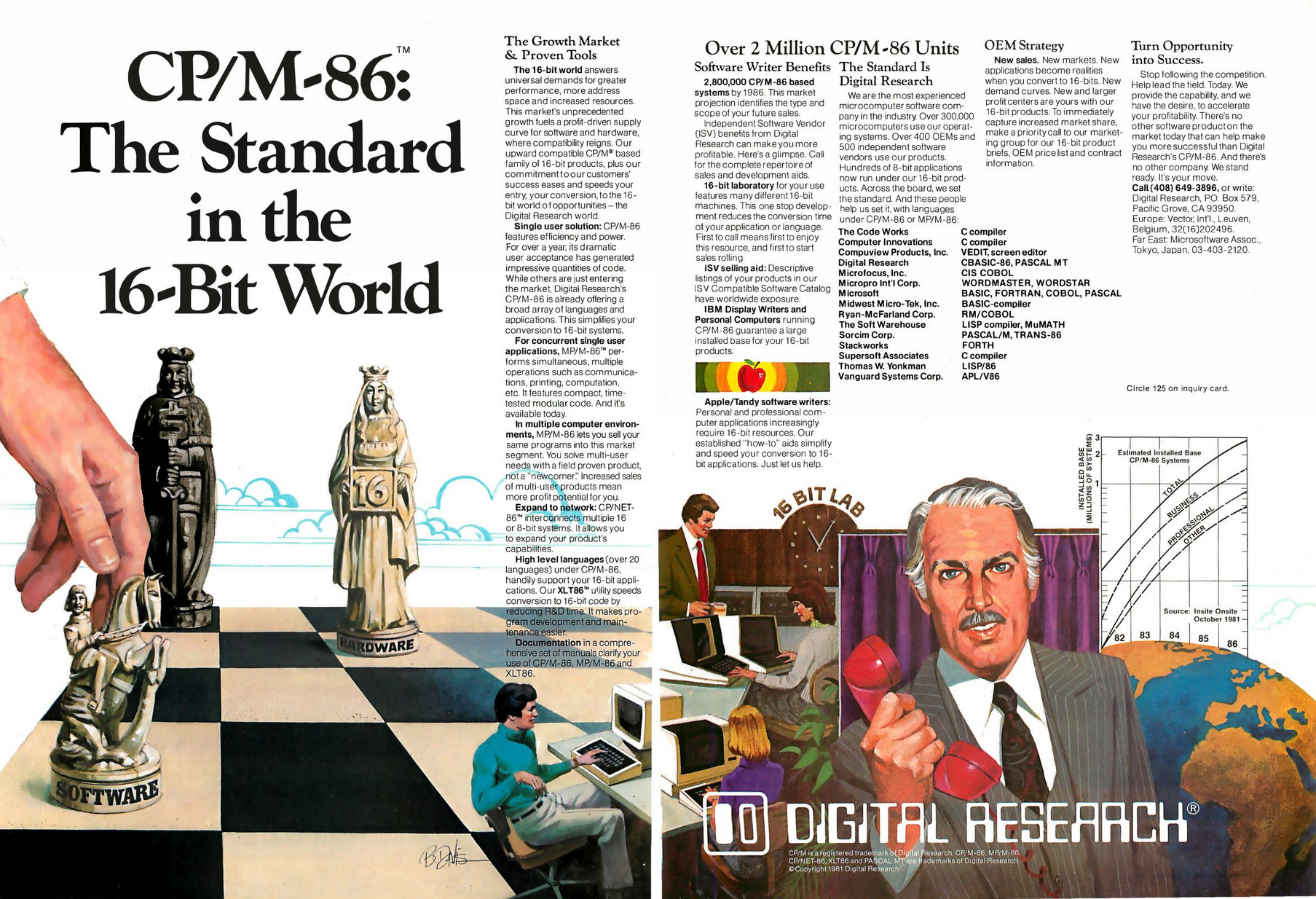
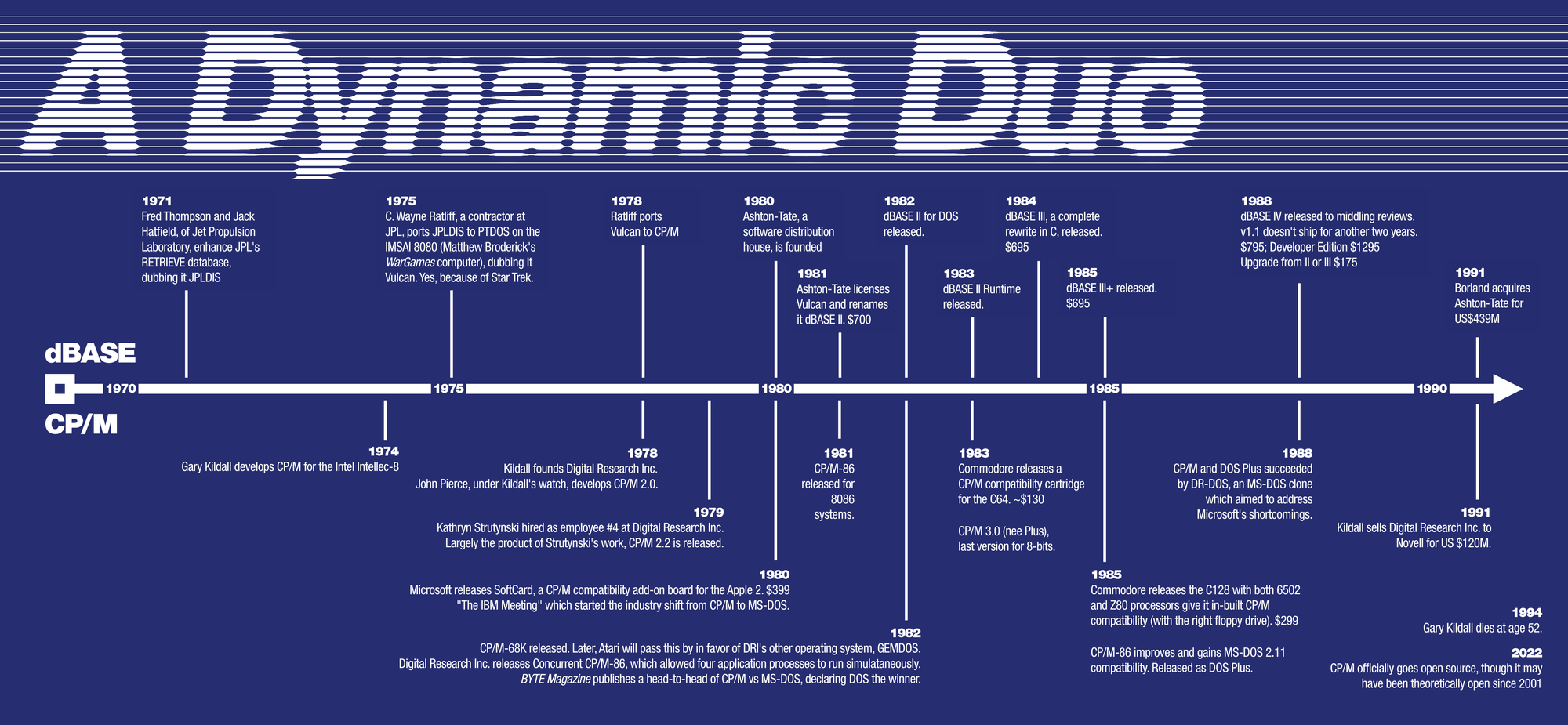
CP/M and dBASE were industry giants with everything to lose, and they did. For a time they were the power couple to beat.

The world that might have been has been discussed at length.
In one possible world, Gary Kildall's CP/M operating system was chosen over MS-DOS to drive IBM's then-new "Personal Computer." As such, Bill Gates's hegemony over the trajectory of computing history never happened. Kildall wasn't constantly debunking the myth of an airplane joyride which denied him Microsoft-levels of industry dominance. Summarily, he'd likely be alive and innovating the industry to this day.
Kildall's story is pitched as a "butterfly flaps its wings" inflection point that changed computing history. The truth is, of course, there were many points along our timeline which led to Kildall's fade and untimely death.
Rather, I'd like to champion what Kildall did.

Kildall did co-host Computer Chronicles with Stewart Chiefet for seven years. Kildall did create the first CD-ROM encyclopedia. Kildall did develop (and coin the term for) what we know today as the BIOS. Kildall did create CP/M, the first wide-spread, mass-market, portable operating system for microcomputers, possible because of said BIOS. CP/M did dominate the business landscape until the DOS era, with 20,000+ software titles in its library. Kildall did sell his company, Digital Research Inc., to Novell for US $120M.
Kildall did good.
Systems built to run Kildall's CP/M were prevalent, all built around the same 8-bit limits: an 8080 or Z80 processor and up to 64KB RAM. The Osborne 1, a 25lb (11kg) "portable" which sold for $1795 ($6300 in 2026), was the talk of the West Coast Computer Faire in 1981. The price was sweet, considering it came bundled with MSRP $1500 in software, including Wordstar and Supercalc.
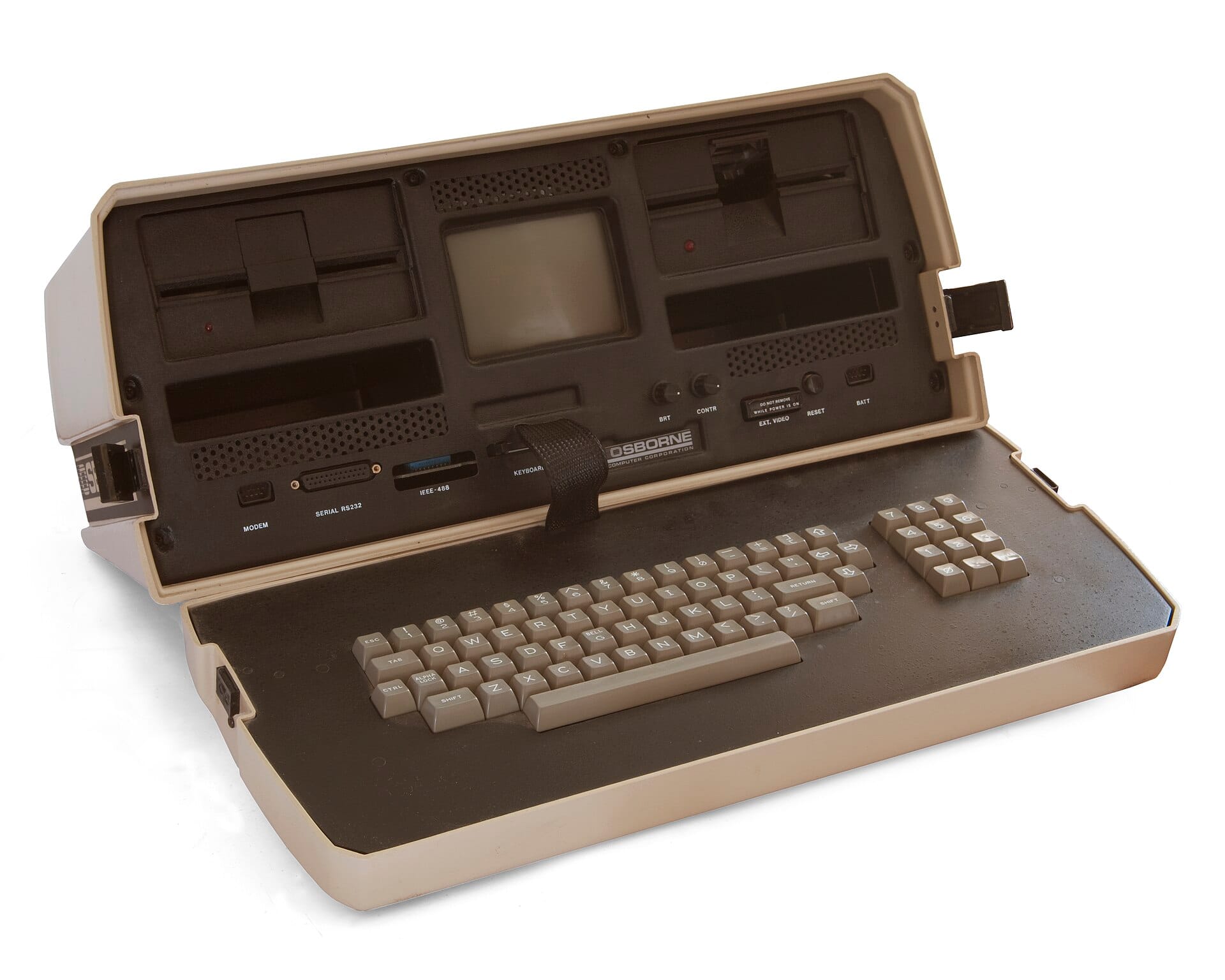
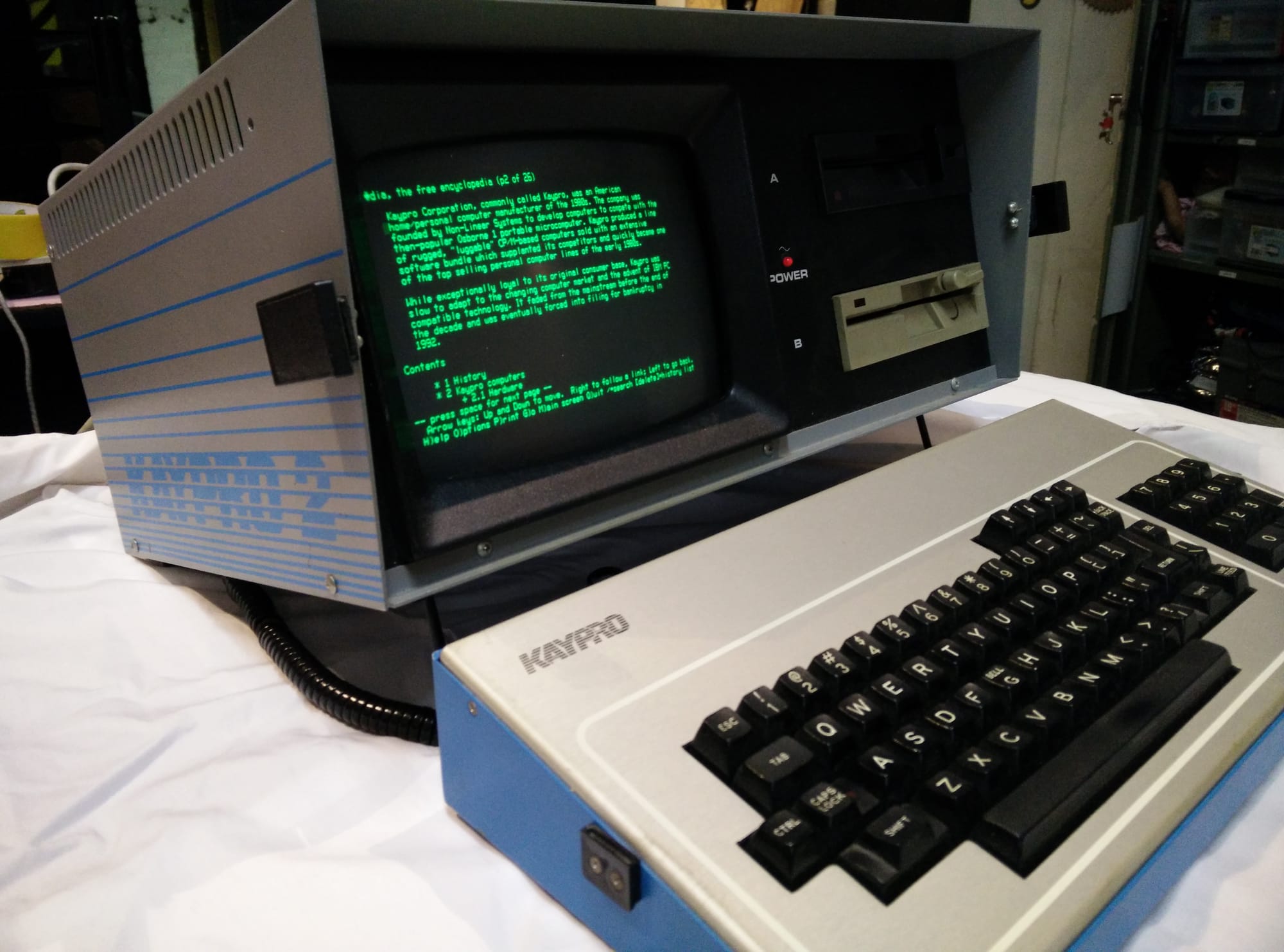
Andy Kay's company, Non-Linear Systems, debuted the Kaypro II (the "I" only existed in prototype form) the following year at $1595, $200 less (and four pounds heavier) than the Osborne. Though slower than an Osborne, it arguably made it easier to do actual work, with a significantly larger screen and beefier floppy disk capacity.
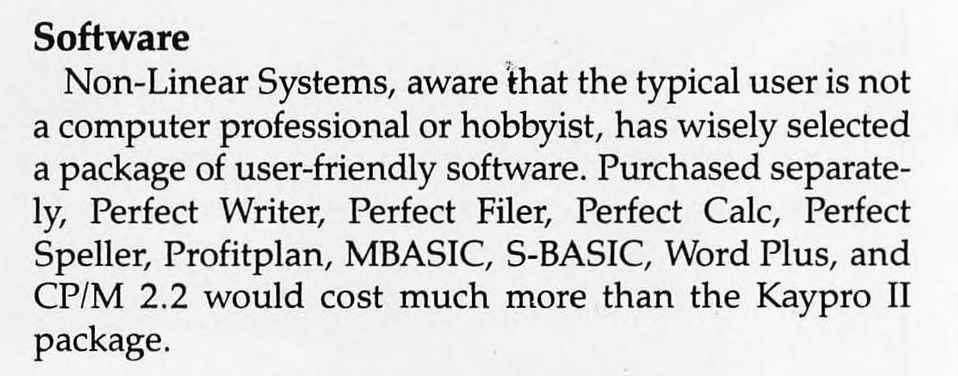
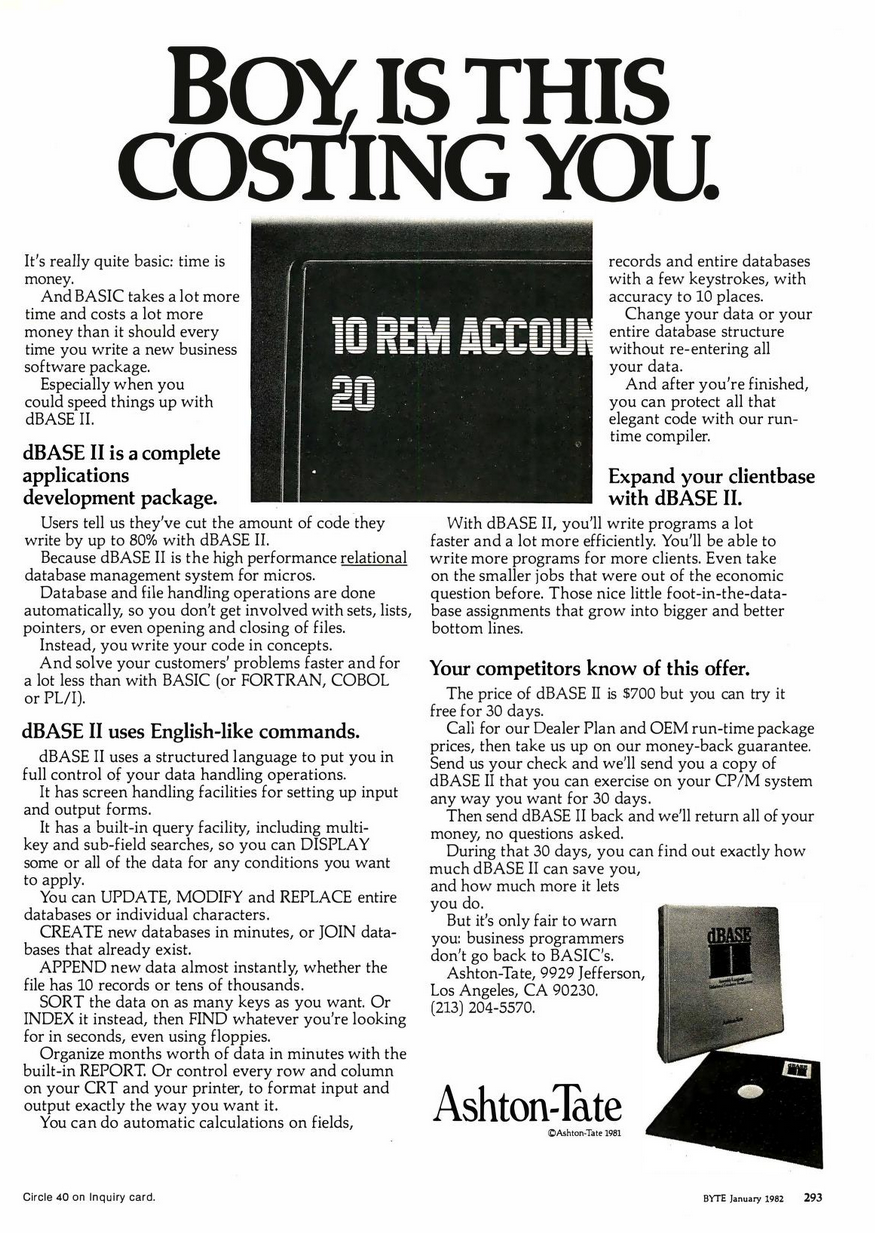
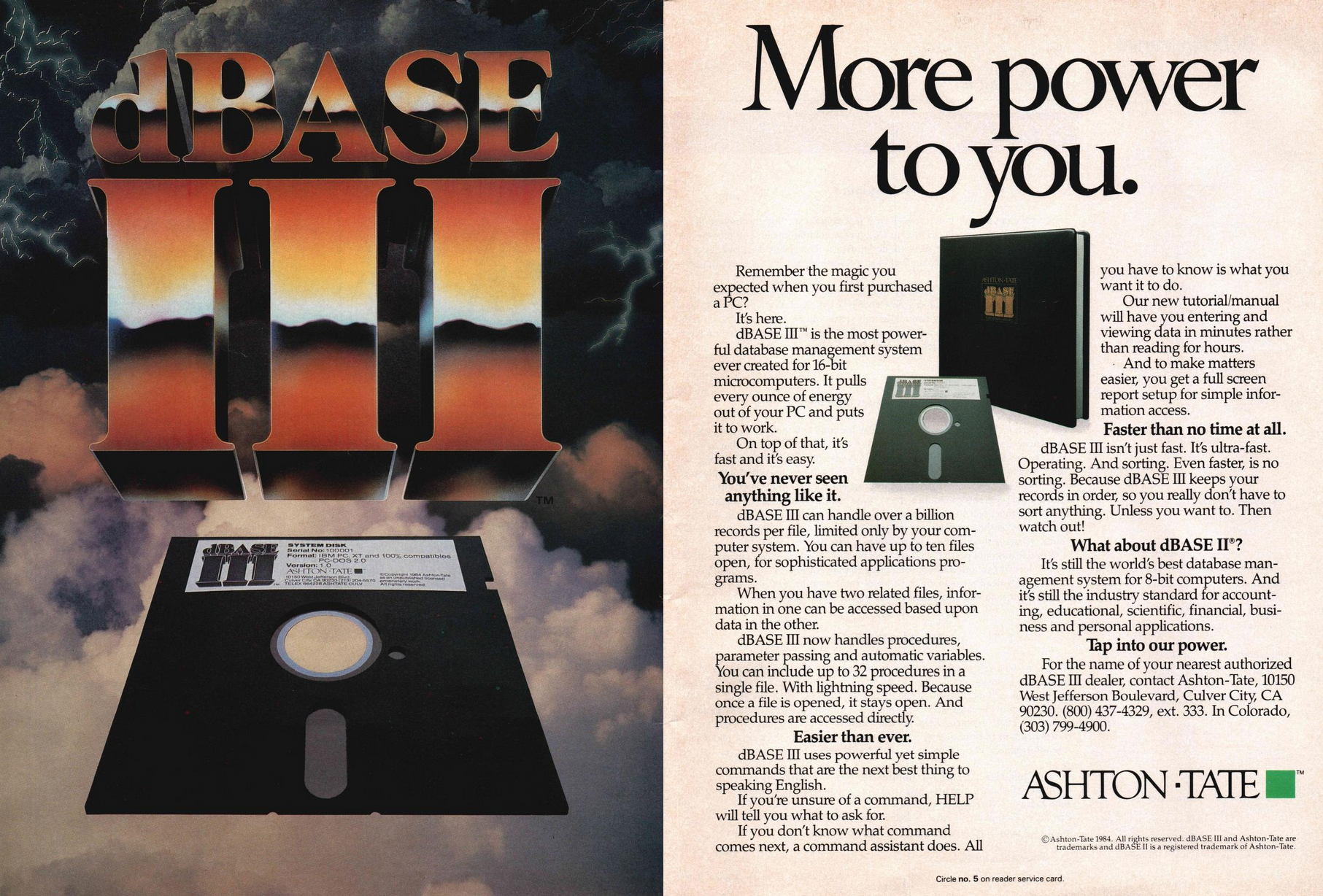
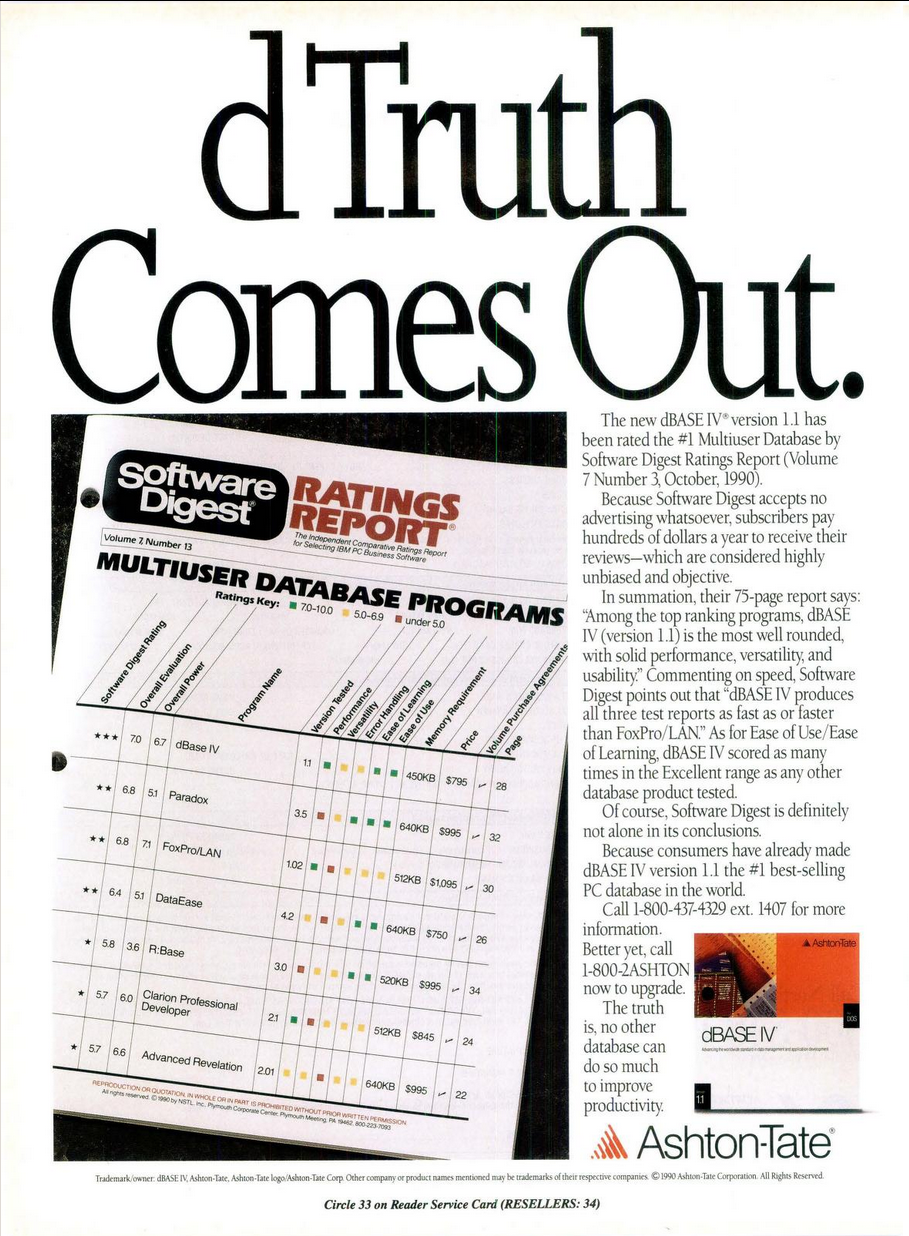
Within the major operating system of its day, on popular hardware of its day, ran the utterly dominant relational database software of its day. PC Magazine, February 1984, said, "Independent industry watchers estimate that dBASE II enjoys 70 percent of the market for microcomputer database managers." Similar to past subjects HyperCard and Scala Multimedia, Wayne Ratcliff's dBASE II was an industry unto itself, not just for data-management, but for programmability, a legacy which lives on today as xBase.
Strangely enough, dBASE also decided to attach "II" to its first release; a marketing maneuver to make the product appear more advanced and stable at launch. I'm sure the popularity of the Apple II had nothing to do with anyone's coincidentally similar roman numeral naming scheme whatsoever.
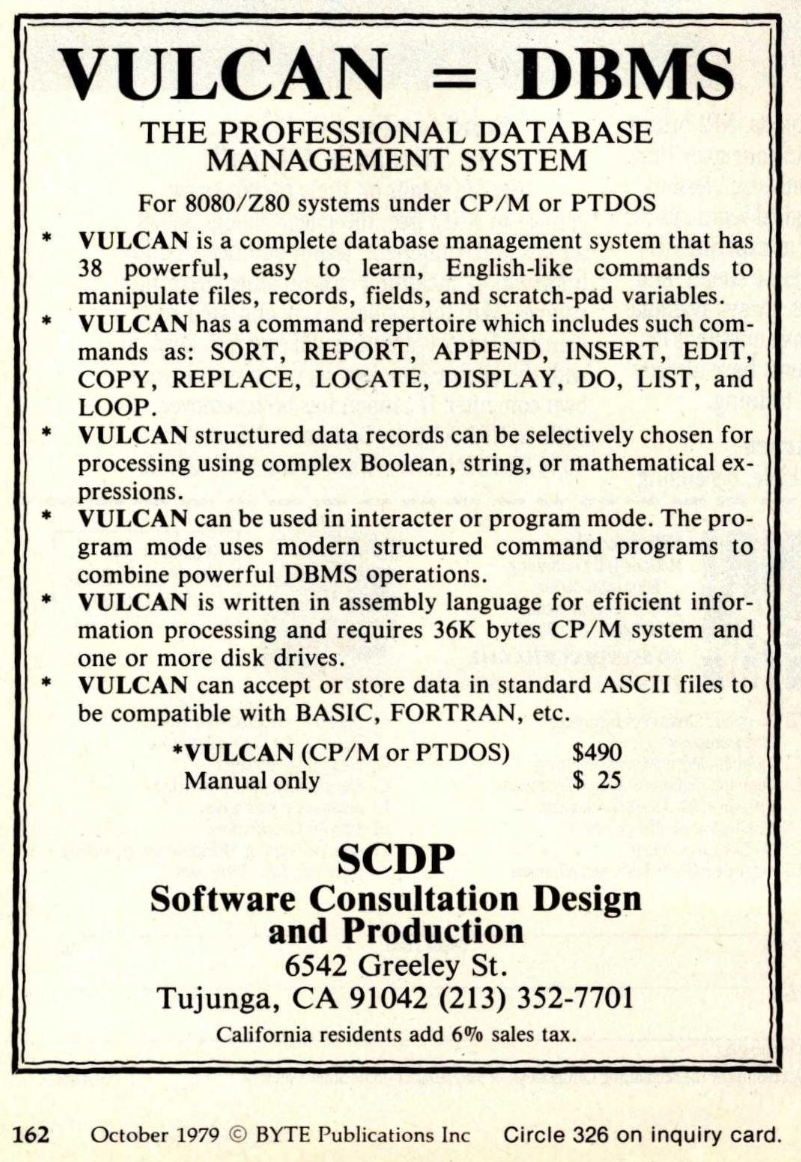
Written in assembly, dBASE II squeezed maximum performance out of minimal hardware specs. This is my first time using both CP/M and dBASE. Let's see what made this such a power couple.
Historical Context
Today's Rig
- Kaypro II emulation running in MAME. Default setup includes
- Dual floppies
- 64K RAM
- Z80 CPU at 2.4MHz
- dBase II v2.4
- See "Sharpening the Stone" at the end of this post for how to get this going. Personally, I found this to be a tricky process to learn.
Let's Get to Work
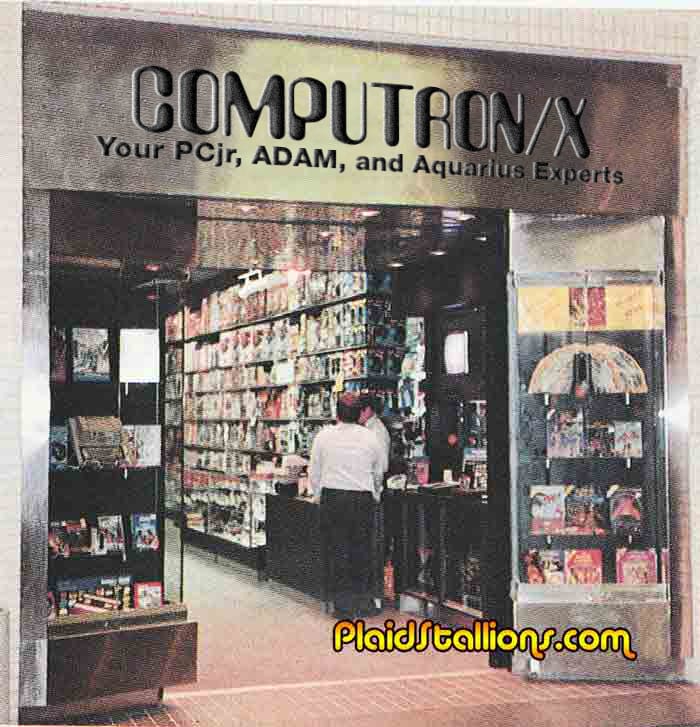
I'm putting on my tan suit and wide brown tie for this one. As the owner of COMPUTRON/X, a software retail shop, I'm in Serious Businessman Mode™. I need to get inventory under control, snake the employee toilet, do profit projections, and polish a mind-boggling amount of glass and chrome.
For now, I'll start with inventory and pop in this laserdisc to begin my dBASE journey. While the video is technically for 16-bit dBASE III, our host, Gentry Lee of Jet Propulsion Laboratory, assures us that 8-bit dBASE II users can do everything we see demonstrated, with a few interface differences.
This is Gail Fisher, a smarty pants who thinks she's better than me.
Tony Lima, in his book dBASE II for Beginners, concurs with the assessment of dBASE II and III's differences being mostly superficial.

Lima's book is pretty good, but I'm also going through Mastering dBASE II The Easy Way, by Paul W. Heiser, the official Kaypro dBASE II Manual, and dBase II for the First Time User by Alan Freedman. That last one is nicely organized by common tasks a dBASE user would want to do, like "Changing Your Data" and "Modifying Your Record Structure." I find I return to Freedman's book often.
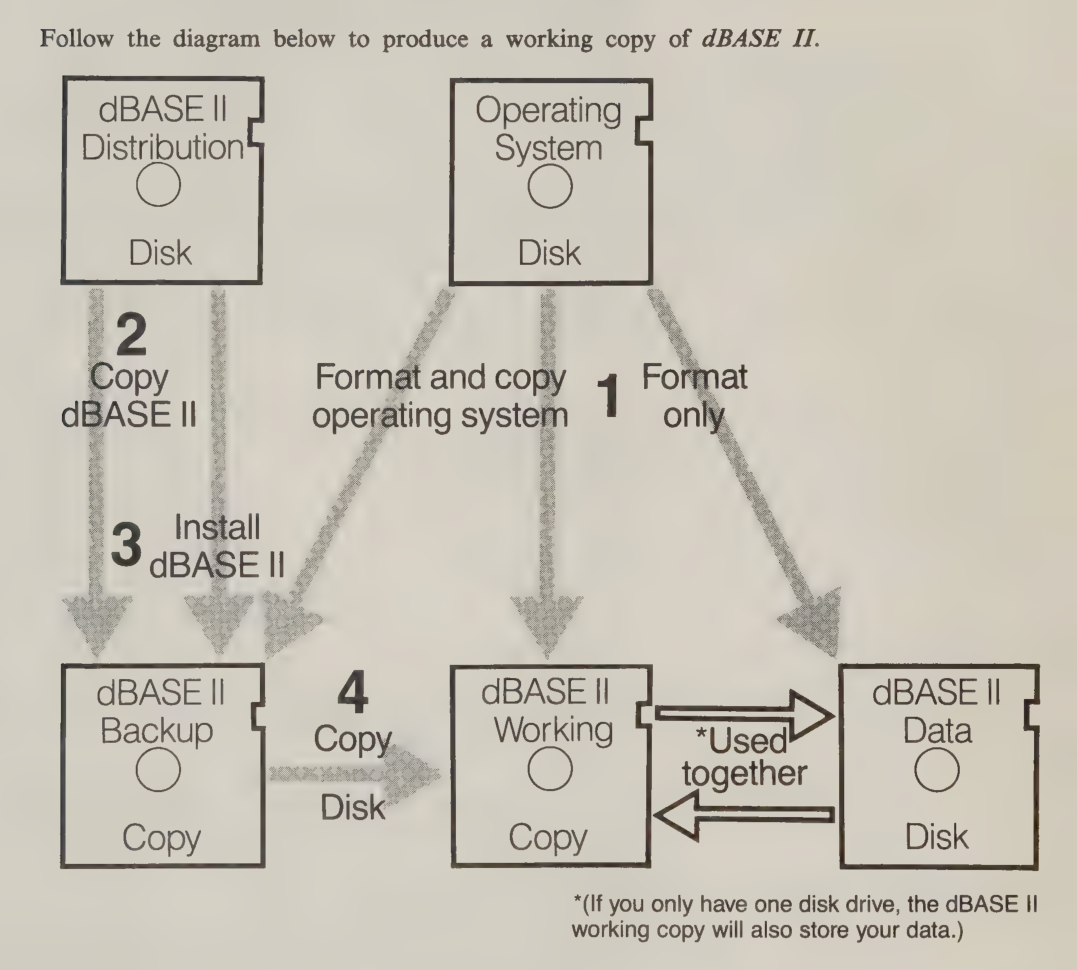
As I understand from my time learning CP/M, making custom bootable CP/M + <your_software_of_choice> diskettes was the common practice. dBASE II is no different, and outright encourages this, lest we risk losing US$2000 (in 2026 dollars) in software.
Dot product
Being of its time and place in computing history, dBASE uses the expected UI. You know it, you love it, it's "a blinking cursor," here called "the dot prompt."
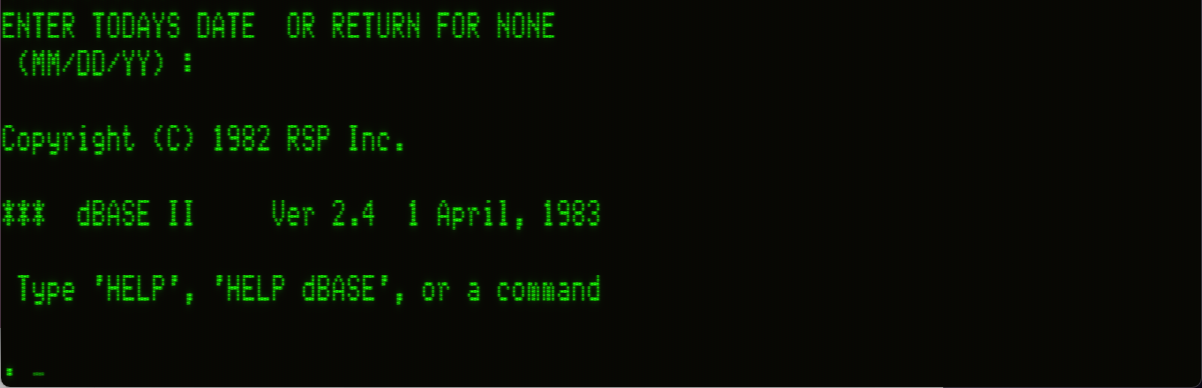
While in-program HELP is available, going through the video, books, and manual is a must. dBASE pitches the dot prompt as a simple, English language interface to the program. SET DEFAULT TO B for example sets the default save drive to the B: drive. You could never intuit that by what it says, nor guess that it even needs to be done, but when you know how it works, it's simple to remember. It's English only in the sense that English-like words are strung together in English-like order. That said, I kind of like it?
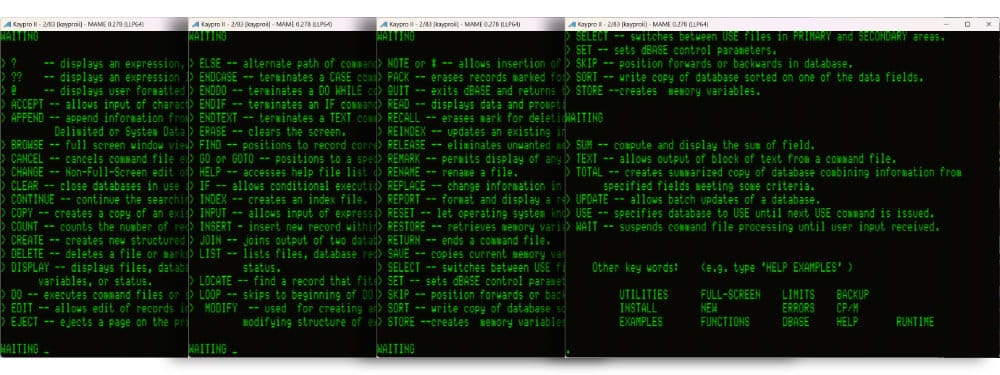
HELP shows every command possible, but not the usage. It's really not an overwhelming amount to learn, though there is deep complexity hidden in some of those.Dream of fields
CREATE creates a new database, prompting first for a database name, then dropping me into a text entry prompt to start defining fields. This is a nice opportunity for me to feign anger at The Fishers, the family from the training video. Fancy-pants dBASE III has a more user-friendly entry mode, which requires no memorization of field input parameters. Prompts and on-screen help walk Gail through the process.
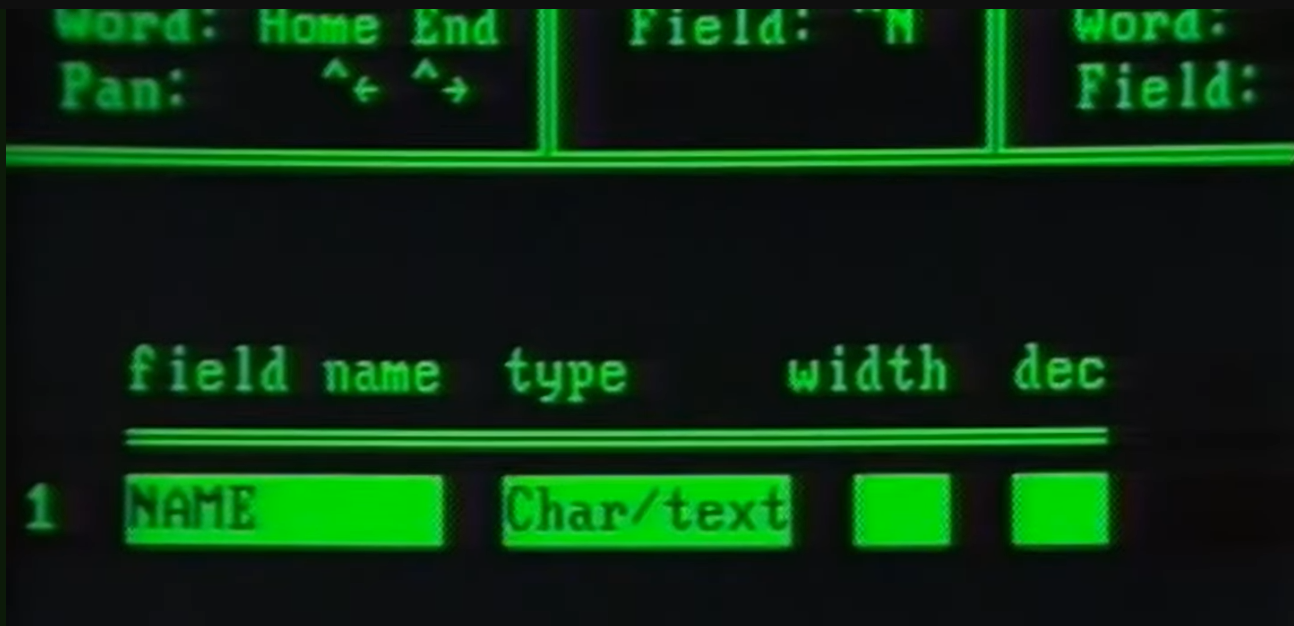
In dBASE II, a field is defined by a raw, comma-delimited string. Field definitions must be entered in the order indicated on-screen. TYPE is the data type for the field, as string, number, or boolean. This is set by a one-letter code which will never be revealed at any time, even when it complains that I've used an invalid code. Remind me to dog-ear that page of the manual.

For my store, I'm scouring for games released for CP/M. Poking through Moby Games digs up roughly 30 or so commercial releases, including two within the past five years. Thanks, PunyInform! My fields are defined thusly, called up for review by the simple LIST STRUCTURE command.
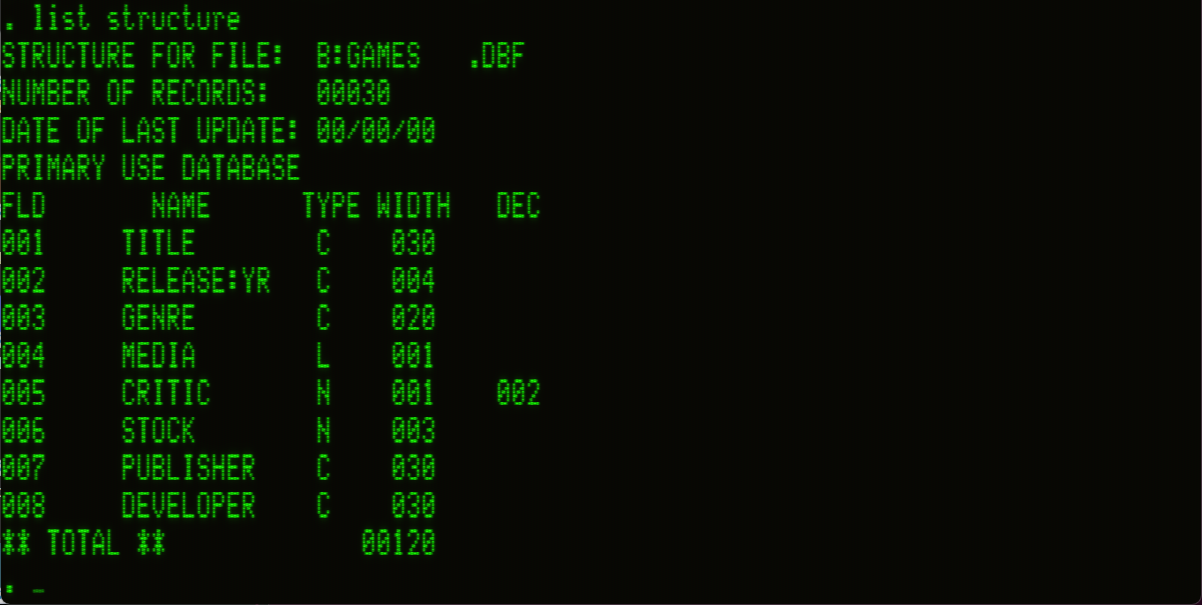
LIST STRUCTURE returns the field definitions. "C"haracter string, "L"ogical (boolean), "N"umber. I'm using "L" for "Media" with the understanding "T" means "floppy" and "F" means "tape".Port of entry
The most frustrating part about examining database software is that it doesn't do anything useful until I've entered a bunch of data. At this stage in my learning, this is strictly a manual process. Speaking frankly, this part blows, but it also blows for Gail Fisher, so my schadenfreude itch is scratched.
dBASE does its best to minimize the amount of keyboard shenanigans during this process, and in truth data entry isn't stressful. I can pop through records fairly quickly, if the raw data is before me.
The prompt starts at the first field and <RETURN> (not <TAB> !) moves to the next. If entry to a field uses the entire field length (as defined by me when setting up the fields earlier), the cursor automatically jumps to the next field with a PC-speaker beep. I guess dBASE is trying to "help," but when touch typing I'm looking at my data source, not the screen. I don't know when I'm about to hit the end of a field, so I'm never prepared when it switches input fields and makes that ugly beep.
More jarring is that if the final field of a record is completely filled, the cursor "helpfully" jumps to the beginning of a new record instantly, with no opportunity to read or correct the data I just input. It's never not annoying.
Gail doesn't have these issues with dBASE III and her daughter just made dinner for her. Well, I can microwave a burrito as well as anyone so I'm not jealous.
I'm not.
Business ineptitude
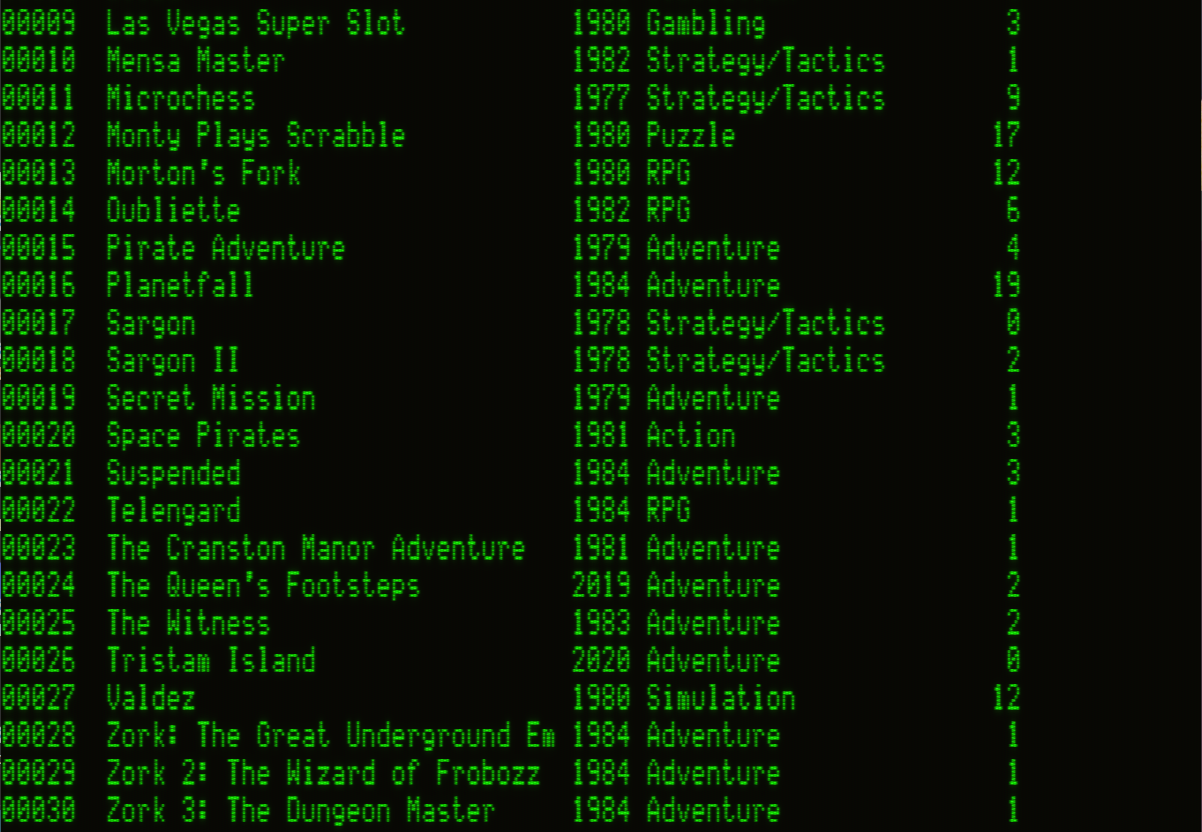
LIST TITLE, RELEASE:YR, GENRE, STOCK generates this terse report. I'm kind of itching to try Valdez. (yes, that Valdez)In defining the fields, I have already made two mistakes. First, I wanted to enter the critic score as a decimal value so I could get the average. Number fields, like all fields, have a "width" (the maximum number of characters/bytes to allocate to the field), but also a "decimal places" value and as I type these very words I see now my mistake. Rubber ducking works.
I tricked myself into thinking "width" was for the integer part, and "decimal places" was appended to that. I see now that, like character fields, I need to think of the entire maximum possible number as being the "width."
Suppose in a value we expect to record 0.39. There are 2 decimal places, and a decimal point, and a leading 0, and potentially a sign, as + or -. So that means the "width" should be 5, with 2 "decimal places" (of those 5).
Though I'm cosplaying as a store owner, I'm apparently cosplaying as a store owner that sucks! I didn't once considered pricing! Gah, Gail is so much better at business than I am!
Business acumen
Time to get "sorta good." Toward that end, I have my to-do list after a first pass through data entry.
- Change the
TYPEof the rating field and add in that data. - Add pricing fields and related data.
- Add more games.
Modifying dBASE "structures" (the field/type definitions) can be risky business. If there is no data yet, feel free to change whatever you want. If there is pre-existing data, watch out. MODIFY STRUCTURE will at least do the common decency of warning you about the pile you're about to step into.
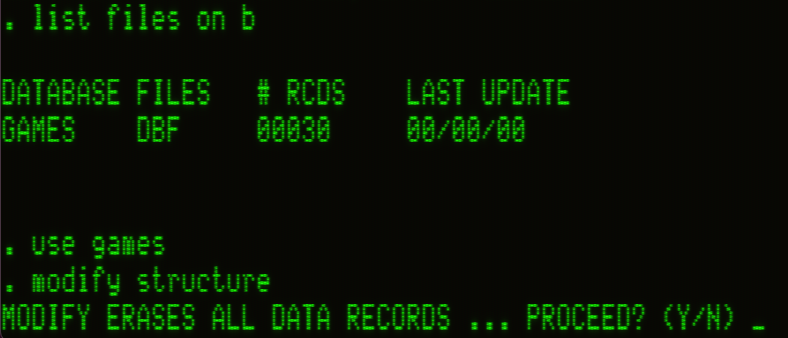
Modifying a database structure is essentially verboten, rather we must juggle files to effect a structure change. dBASE let's us have two active files, called "work areas," open simultaneously: a PRIMARY and a SECONDARY. Modifications to these are read from or written to disk in the moment; 64K can't handle much live data. It's not quite "virtual memory" but it makes the best of a tight situation.
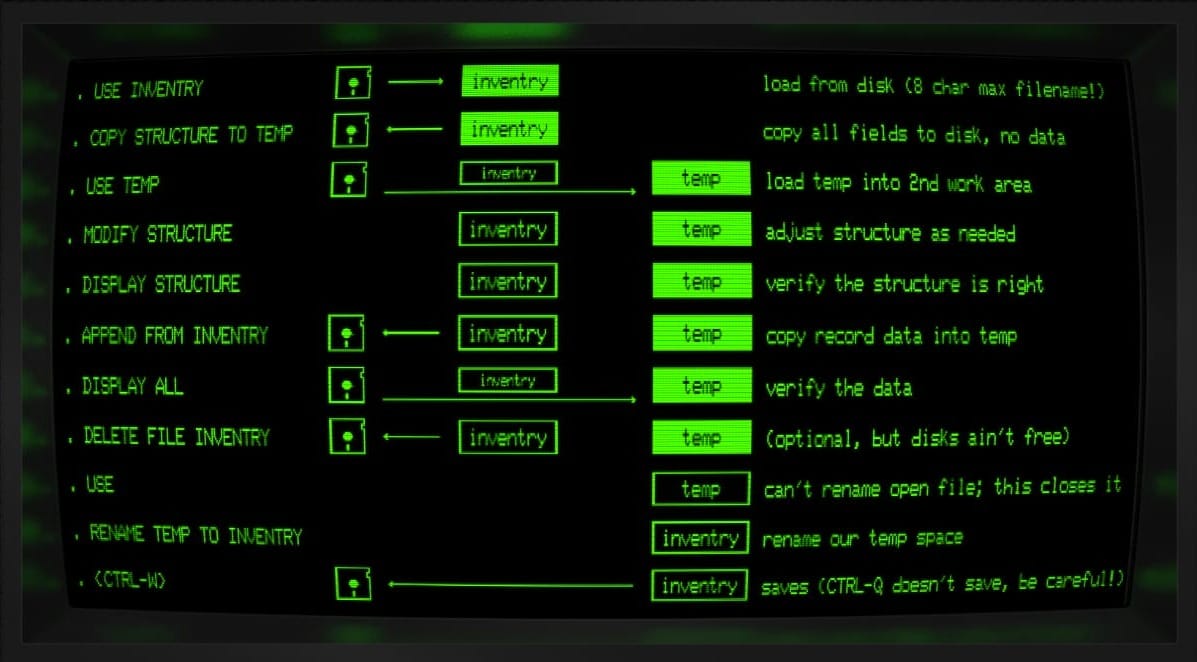
COPY STRUCTURE TO TEMP. That only makes a file on disk, so we must USE it to open it for writing.When wanting to change data in existing records, the EDIT command sounds like a good choice, but BROWSE actually winds up being more useful. BROWSE FIELD TITLE, CRITIC will focus in on specified fields for immediate editing across all records. It's simple to <RETURN> through fields making changes.
I could BROWSE FIELD TITLE, CRITIC, MY:PRICE, RETAIL to edit everything at once, but I'm finding it safer while learning to make small incremental changes or risk losing a large body of work. Make a targeted change, save, make another change, save, etc.
I laughed every time Gentry Lee showed up, like he's living with The Fishers as an invisible house gremlin. They never acknowledge his presence, but later he eats their salad!
Being a novice at dBASE is a little dangerous, and MAME has its own pitfalls. I have been conditioned over time to ESC when I want to "back out" of a process. This shuts down MAME instantly. When it happens, I swear The Fishers are mocking me, just on the edge of my peripheral vision, while Gentry Lee helps himself to my tuna casserole.
Pass the join
dBASE is a relational database. Well, let's be less generous and call it "relational-ish." The relational model of data was defined by Edgar F. Codd in 1969 where "relation is used here in its accepted mathematical sense." It's all set theory stuff; way over my head. Skimming past the nerd junk, in that paper he defines our go-to relationship of interest: the join.
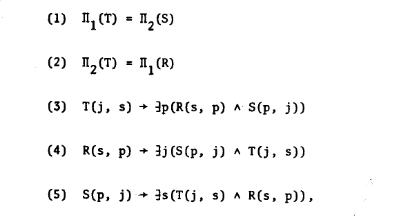
As a relational database, dBASE keeps its data arranged VisiCalc style, in rows and columns. So long as two databases have a field in common, which is defined, named, and used identically in both, the two can be "joined" into a third, new database.
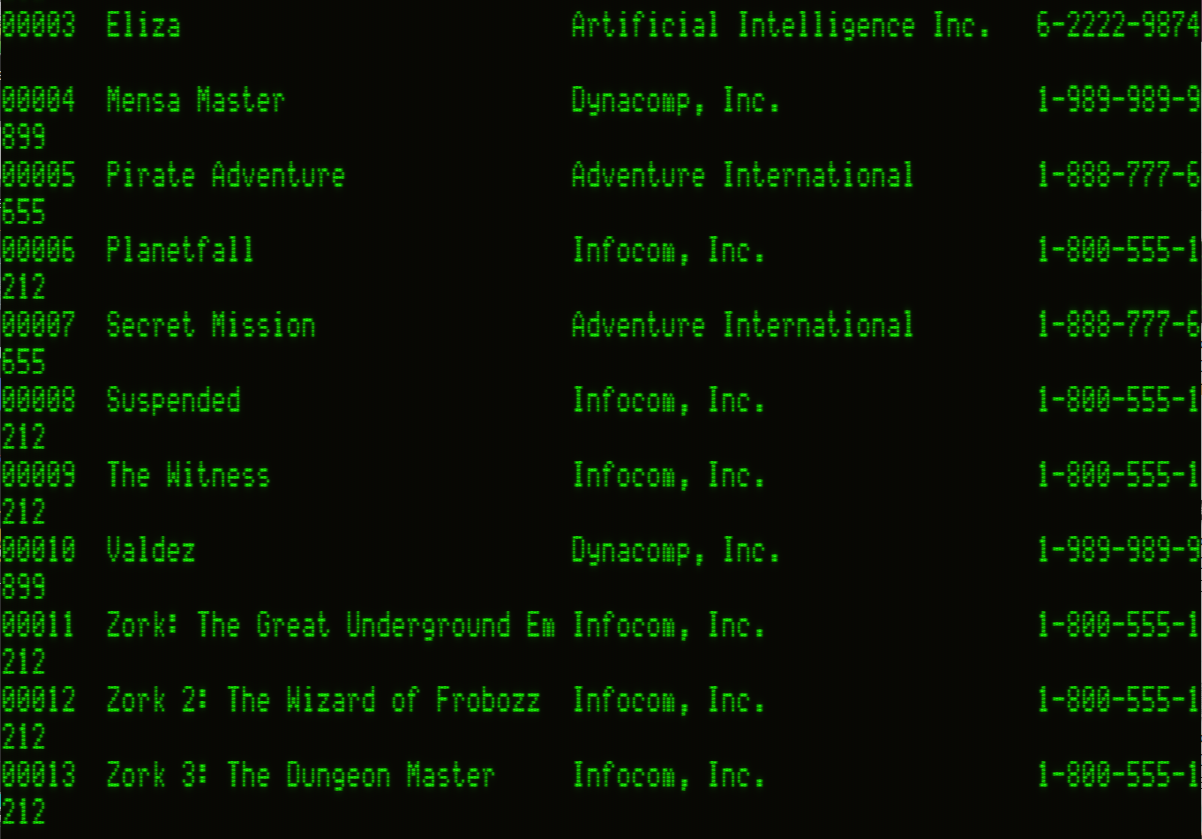
I've created a mini database of developer phone numbers so I can call and yell at them for bugs and subsequent lost sales. I haven't yet built up the grin-and-bear-it temperament Gail possesses toward Amanda Covington. Heads will roll! You hear me, Lebling? Blank?!

64K (less CP/M and dBASE resources) isn't enough to do an in-memory join. Rather, joining creates and writes a completely new database to disk which is the union of two databases. The implication being you must have space on disk to hold both original databases as well as the newly joined database, and also the new database cannot exceed dBASE's 65,535 record limit after joining.
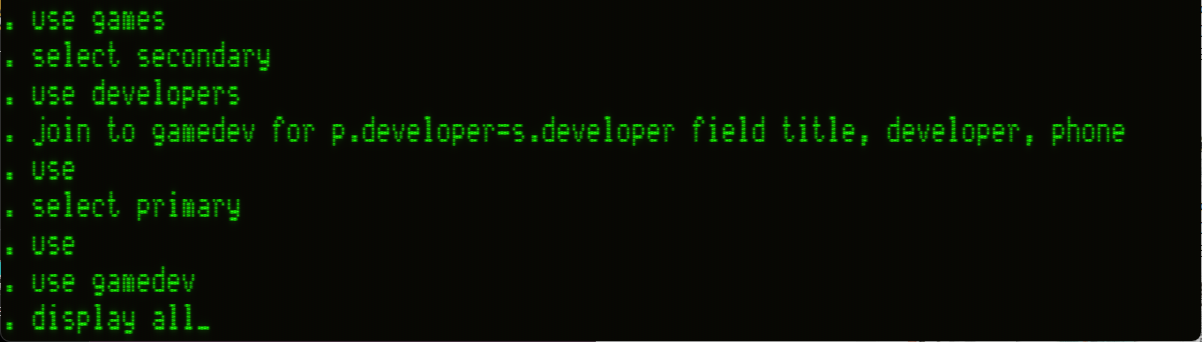
In the above JOIN , p. means PRIMARY and s. means SECONDARY , so we can precisely specify fields and their work area of origin. This is more useful for doing calculations at JOIN time, like to join only records where p.price > 9.99 .and. s.country = USA
Gone, but not forgotten
DELETE deletes specific records, if we know the record number, like DELETE RECORD 31. Commands in dBASE stack, so a query can define the target for a command, as one would hope and expect in 2026.
DELETE for developer = 'Infocom, Inc.'
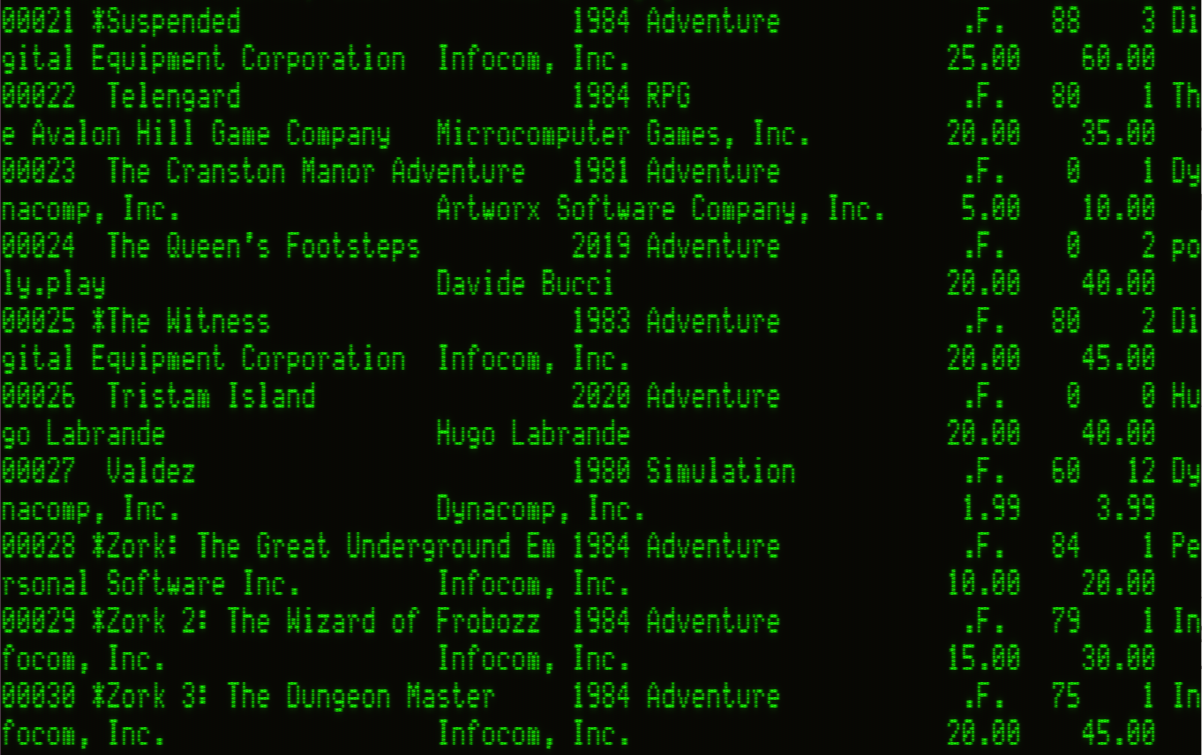
*Comparisons and sub-strings can be used as well. So, rather than deleting "Infocom, Inc." we could:
DELETE for ('Info' $ Developer)
The $ command looks for the left-hand string as a case-sensitive sub-string in the right-hand string. We can be a little flexible in how data may have been input, getting around case sensitivity through booleans. Yes, we have booleans!
DELETE for ('Info' $ Developer .or. 'info' $ Developer) or maybeDELETE for .not. ('Zork' $ Title)

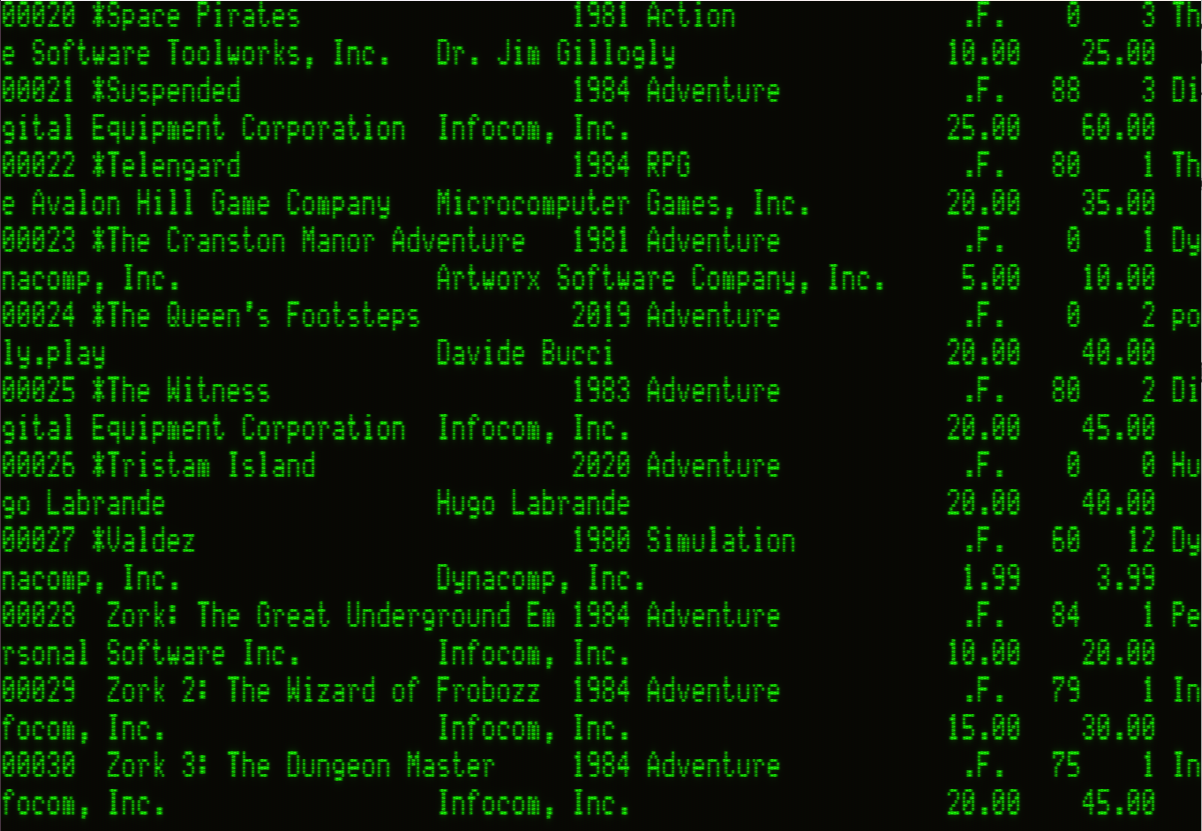
Wait, why am I deleting any Infocom games? I love those! What was I thinking?!

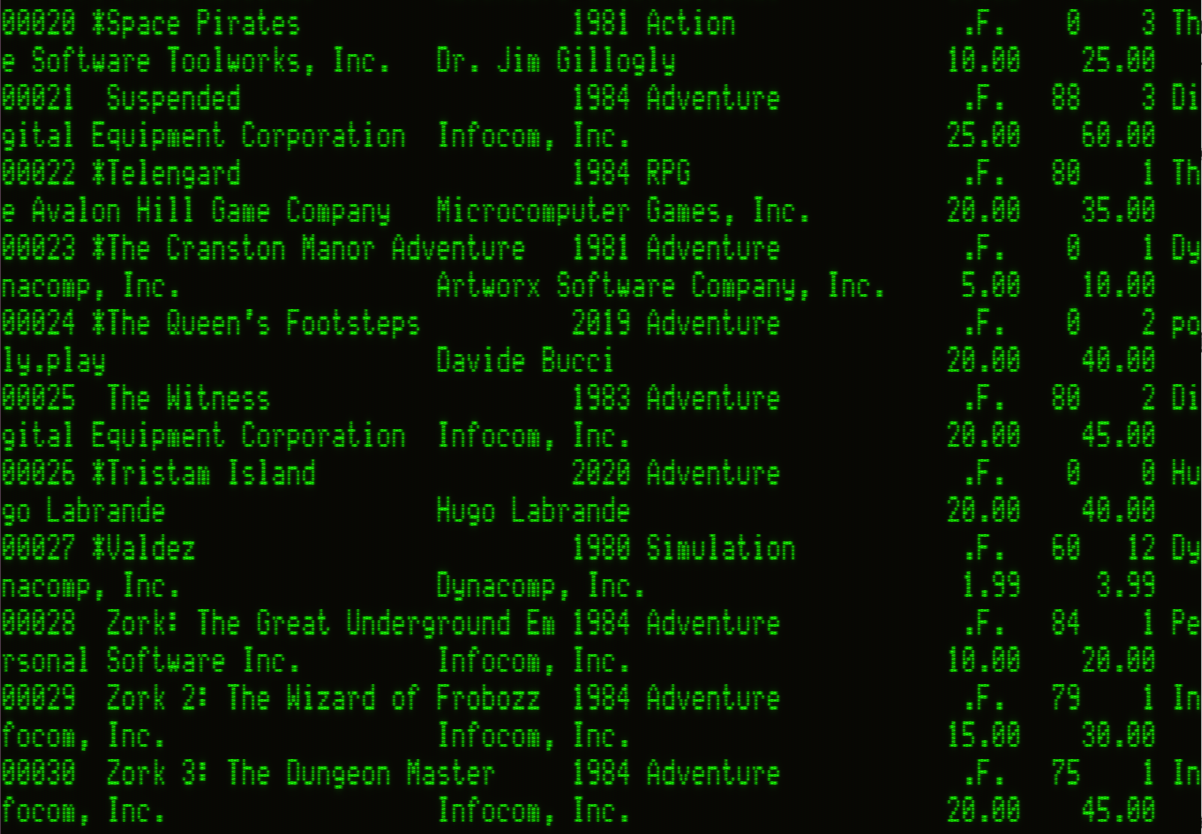
Once everything is marked for deletion, that's all it is: marked for deletion. It's still in the database, and on disk, until we do real-deal, non-reversible, don't-forget-undo-doesn't-exist-in-1982, destruction with PACK.
Search party
Until now, I've been using the DISPLAY command as a kind of ad-hoc search mechanism. It goes through every record, in sequence, finding record matches. Records have positions in the database file, and dBASE is silently keeping track of a "record pointer" at all times. This represents "the current record" and commands without a query will be applied to the currently pointed record.
Typing in a number at the dot prompt moves the pointer to that record.
. 3
. DISPLAY
That moves me to record #3 and display its contents. When I don't know which record has what I want, LOCATE will move the pointer to the first match it finds.
. LOCATE for ('Witness' $ Title)
RECORD: 00025
At this point I could EDIT that record, or BROWSE to see a list of records from the located record onward. Depending on the order of the records, that may or may not be useful. Right now, the order is just "the order I typed them into the system." We need to teach dBASE different orders of interest to a stripmall retail store.
While the modern reaction would be to use the SORT command, dBASE's Sort can only create entirely new database files on disk, sorted by the desired criteria. Sort a couple of times on a large data set and soon you'll find yourself hoarding the last of new-old 5 1/4" floppy disk stock from OfficeMax, or being very careful about deleting intermediary sort results.
SQL brainiacs have a solution to our problem, which dBASE can also do. An "index" is appropriate for fast lookups on our columnar data. We can index on one or more fields, remapping records to the sort order of our heart's desire. Only one index can be used at a time, but a single index can be defined against multiple fields. It's easier to show you.
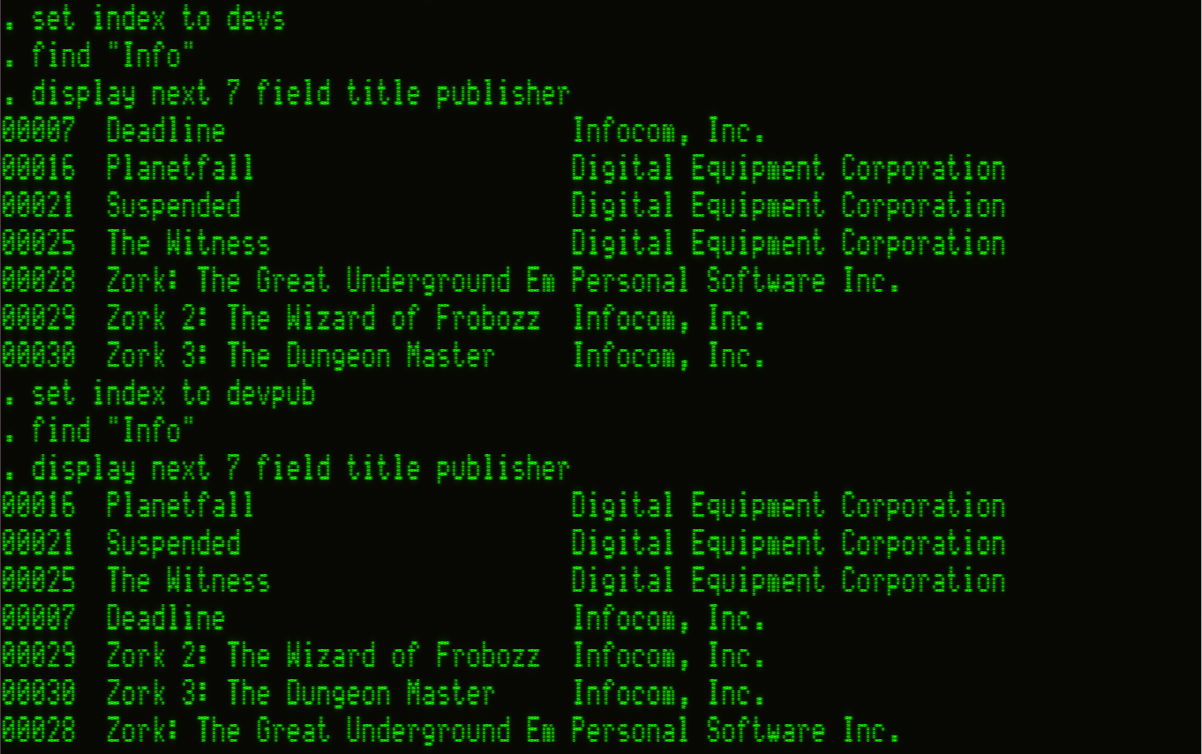
When I set the index to "devs" and FIND 'Info', that sets the record pointer to the first record which matches my find. I happen to know I have seven Infocom games, so I can DISPLAY NEXT 7 for fields of interest. Both indexes group Infocom games together as a logical block, but within that block Publisher order is different.
Don't get confused, the actual order of files in the database is betrayed by the record number. Notice they are neither contiguous nor necessarily sequential. SORT would rearrange them into strict numerical record order. An Index only relates to the current state of our data, so if any edits occur we need to rebuild those indexes.
Please, contain your excitement.
= opportunities
Munging data is great, but I want to understand my data. Let's suppose I need the average rating of the games I sell. I'll first need a count of all games whose rating is not zero (i.e. games that actually have a rating), then I'll need a summation of those ratings. Divide those and I'll have the average.
COUNT does what it says. SUM only works on numeric fields, and also does what it says. With those, I basically have what I need. Like deletion, we can use queries as parameters for these commands.
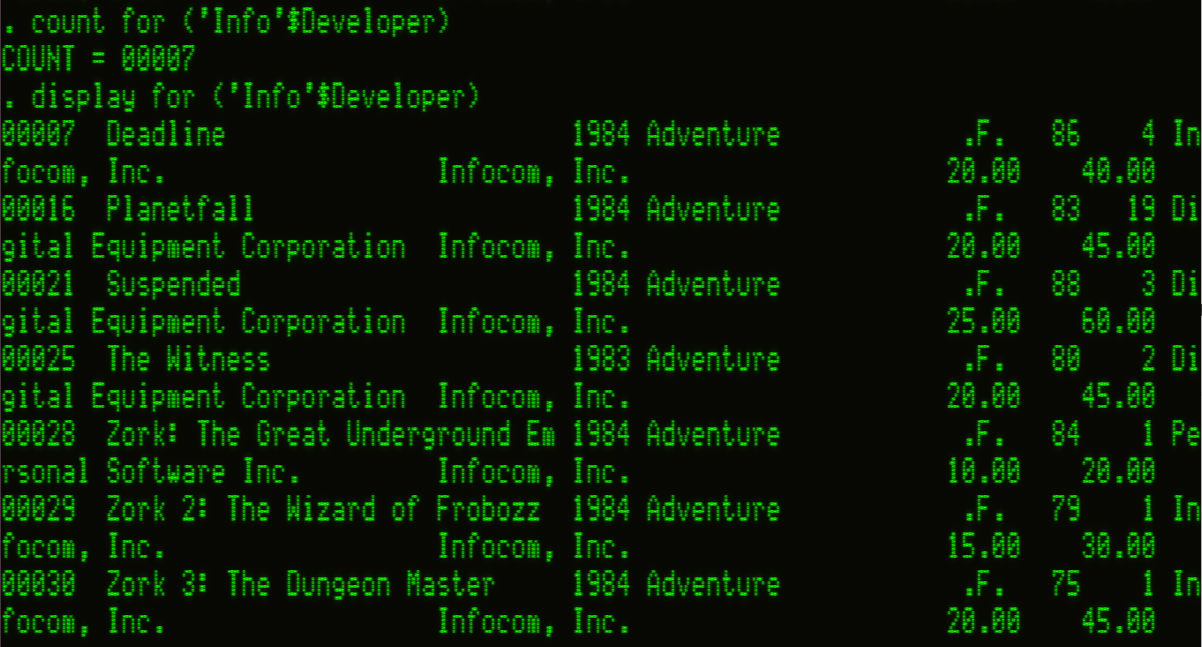
dBASE has basic math functions, and calculated values can be stored in its 64 "memory variables." Like a programming language, named variables can be referenced by name in further calculations.
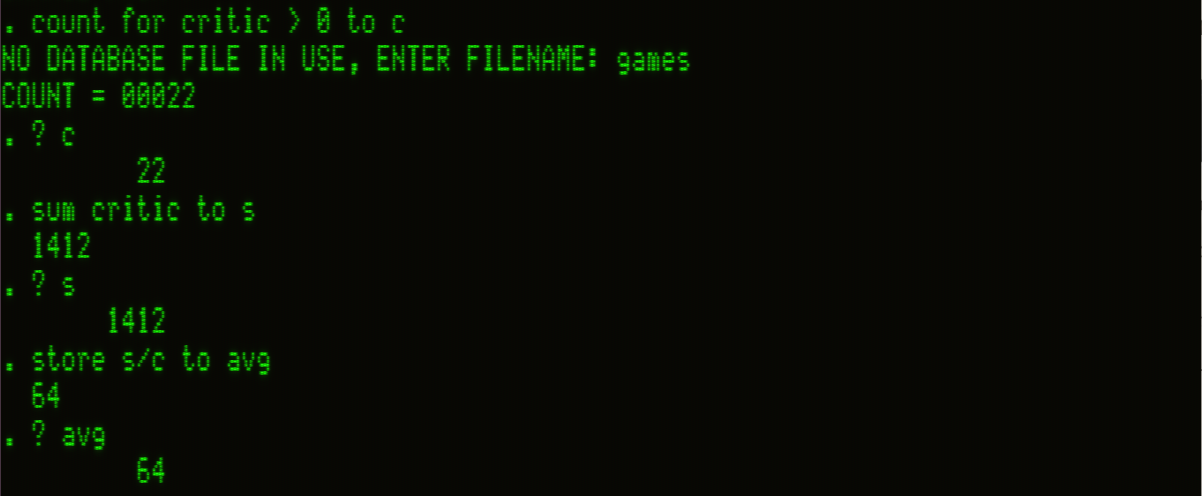
Many functions let us append a TO clause which shoves a query result into a memory variable, though array results cannot be memorized this way. STORE shoves arbitrary values into memory, like STORE 1999 TO PRINCE or STORE 'Voyager 6' TO VGER. As you can see in the screenshot above, the avg rating of CP/M games is 64 (of 100). Higher than I expected, to be perfectly honest.
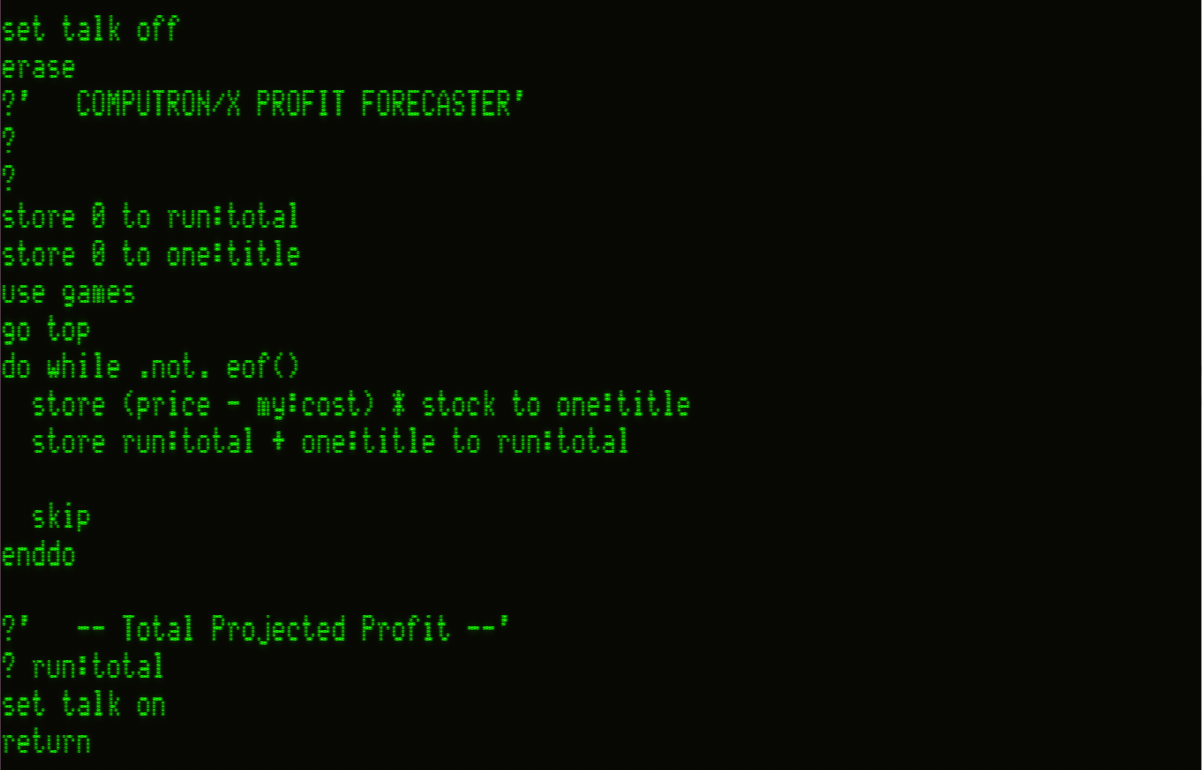
As proprietor of a hot (power of positive thinking!) software retail store, I'd like to know how much profit I'll make if I sold everything I have in stock. I need to calculate, per-record, the following (sell price - my price) * number in stock but this requires stepping through records and keeping a running tally.
I sure hope the next section explains how to do that!
.CMD & cnqr
Flipping through the 1,000 pages of Kaypro Software Directory 1984, we can see the system, and CP/M by extension, was not lacking for software. Interestingly, quite a lot was written in and for dBASE II, bespoke database solutions which sold for substantially more than dBASE itself. Shakespeare wrote, "The first thing we do, let's kill all the lawyers." Judging from these prices, the first thing we should do is shake them down for their lunch money.
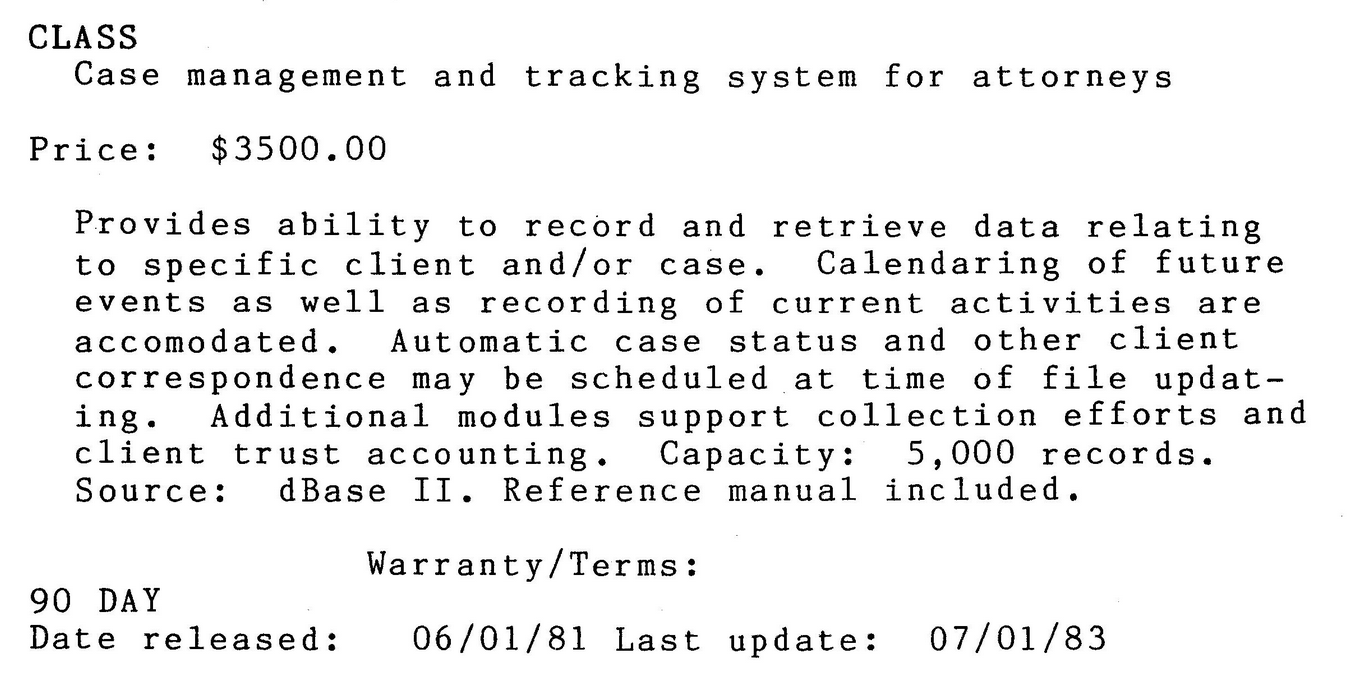
In the HyperCard article I noted how an entire sub-industry sprung up in its wake, empowering users who would never consider themselves programmers to pick up the development reigns. dBASE paved the way for HyperCard in that regard. As Jean-Pierre Martel noted, "Because its programming language was so easy to learn, millions of people were dBASE programmers without knowing it... dBASE brought programming power to the masses."
dBASE programs are written as procedural routines called Commands, or .CMD files. dBASE helpfully includes a built-in (stripped down) text editor for writing these, though any text editor will work. Once written, a .CMD file like profit.cmd can be invoked by DO profit.
As Martel said, I seem to have become a dBASE programmer without really trying. Everything I've learned so far hasn't just been dot prompt commands, it has all been valid dBASE code. A command at the dot prompt is really just a one-line program. Cool beans!
Some extra syntax for the purpose of development include:
IF ELSE ENDIFandDO CASEallow decision branchingDO WHILEdoes iterationsWAITandINPUTwill grab a character or string from the user@ <line> <col> SAYprints text to screen at a specific character positionPEEKandPOKEgive control over system memoryCALLwill run an assembly routine at a known memory location
With these tools, designing menus which add a veneer of approachability to a dBASE database are trivial to create.
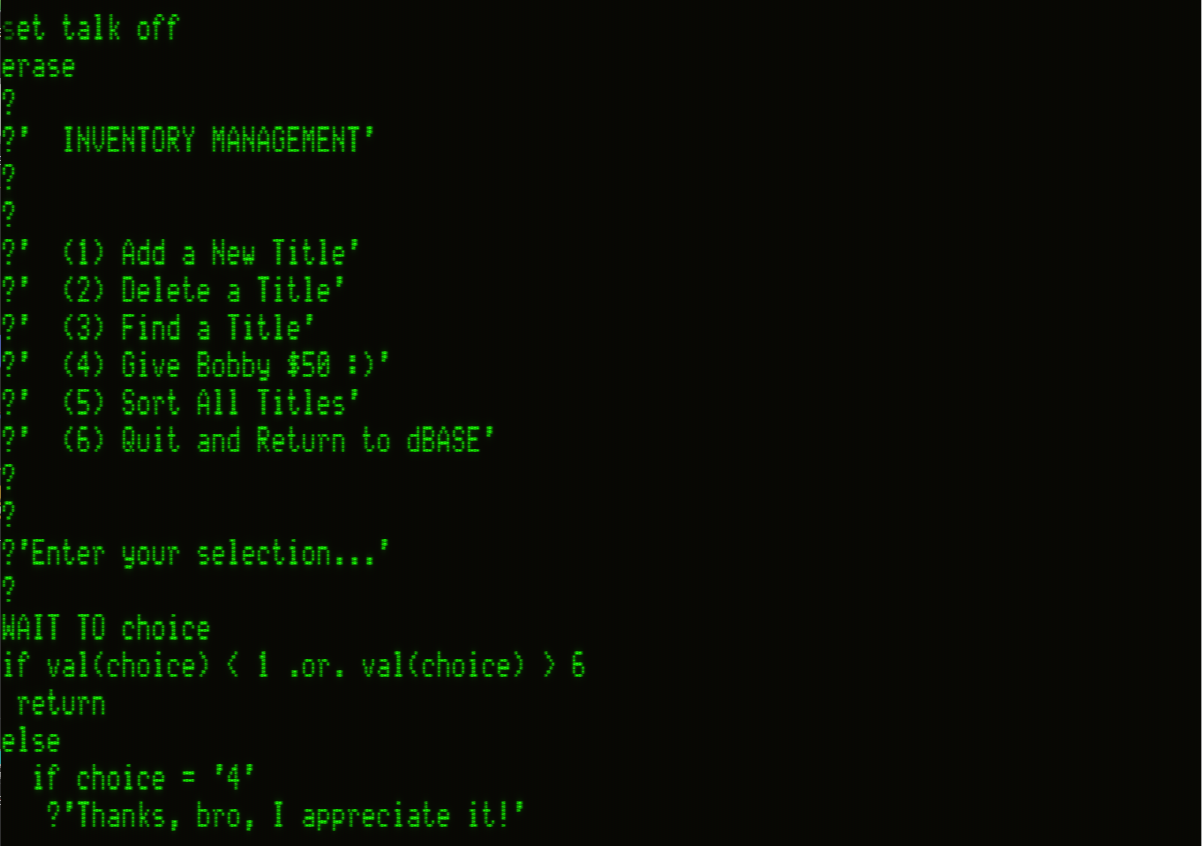
Commands are interpreted, not compiled (that would come later), so how were these solutions sold to lawyers without bundling a full copy of dBASE with every Command file? For a while dBASE II was simply a requirement to use after-market dBASE solutions.
The 1983 release of dBASE Runtime changed that, letting a user run a file, but not edit it. A Command file bundled with Runtime was essentially transformed into a standalone application. Knowing this, we're now ready to charge 2026 US$10,000 per seat for case management and tracking systems for attorneys.
Hey, look at that, this section did help me with my profit calculation troubles. I can write a Command file and bask in the glow of COMPUTRON/X's shining, profitable future.

Catching up to the past
During the 8 -> 16-bit era bridge, new hardware often went underutilized as developers came to grips with what the new tools could do. Famously, Visicalc's first foray onto 16-bit systems didn't leverage any of the expanded RAM on the IBM-PC and intentionally kept all known bugs from the 8-bit Apple II version. The term "stop gap" comes to mind.
Corporate America couldn't just wait around for good software to arrive. CP/M compatibility add-ons were a relatively inexpensive way to gain instant access to thousands of battle-tested business software titles.
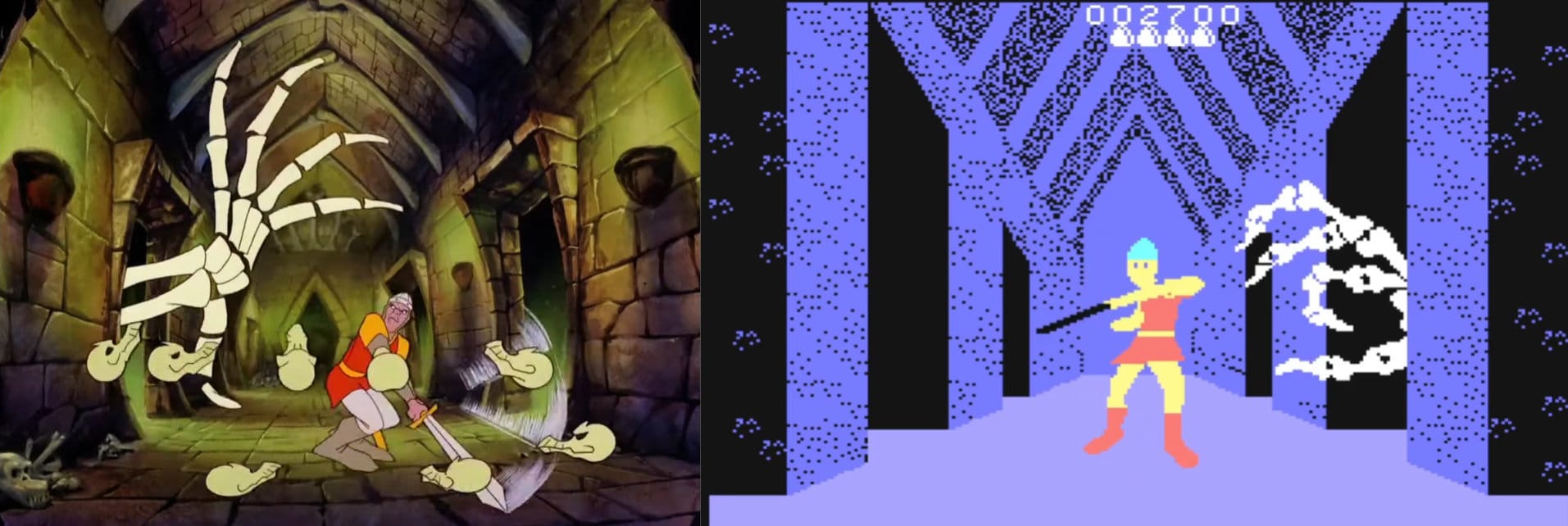
Even a lowly Coleco ADAM could, theoretically, run WordStar and Infocom games, the thought of which kept me warm at night as I suffered through an inferior Dragon's Lair adaptation. They promised a laserdisc attachment!
Baby Blue for the IBM-PC
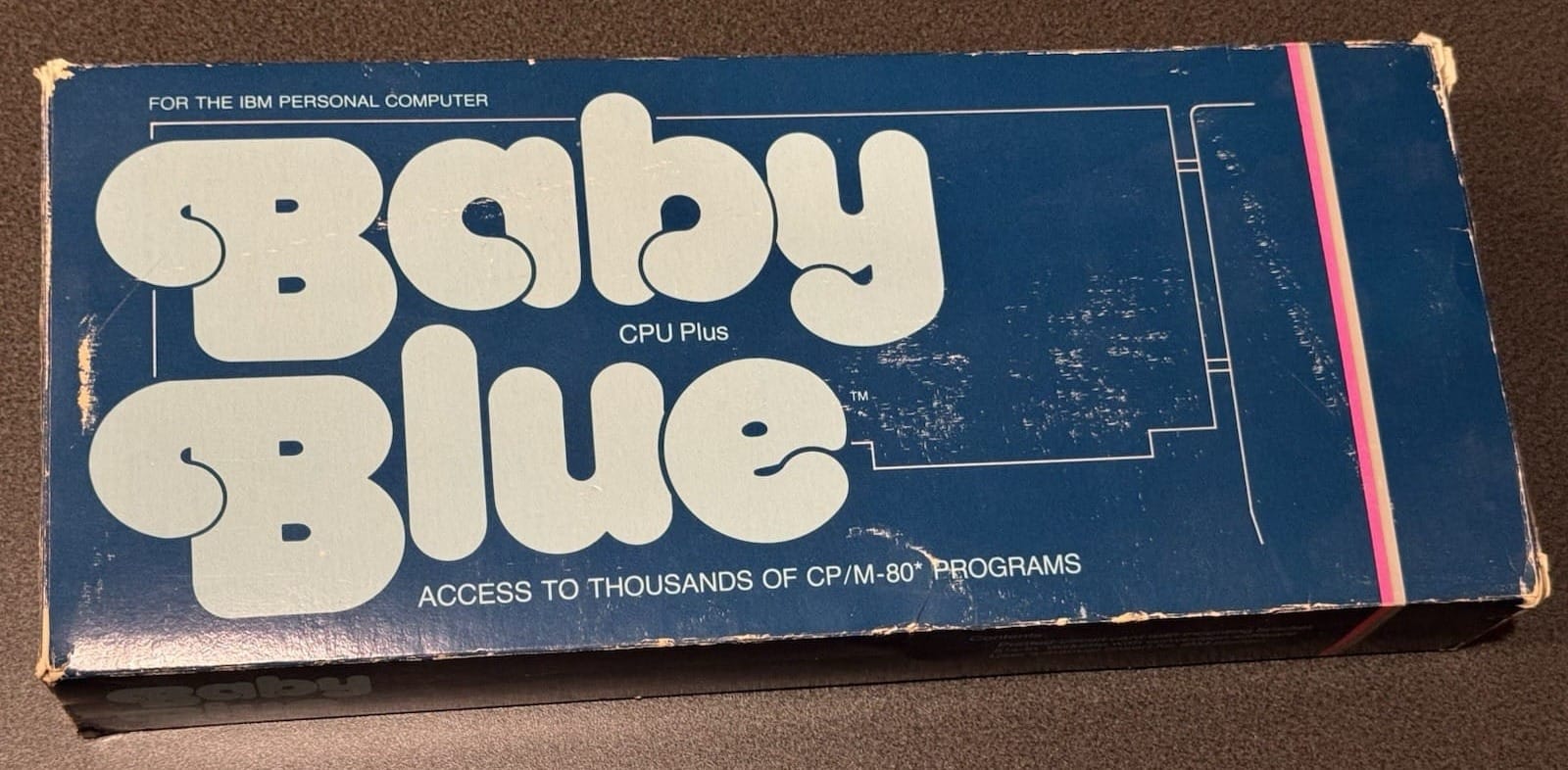
For US$600 in 1982 ($2,000 in 2026) your new-fangled 16-bit IBM-PC could relive the good old days of 8-bit CP/M-80. Plug in XEDEX's "Baby Blue" ISA card with its Z80B CPU and 64K of RAM and the world is your slowly decaying oyster. That RAM is also accessible in 16-bit DOS, serving dual-purpose as a memory expansion for only $40 more than IBM's own bare bones 64K board.
PC Magazine's February 1982 review seemed open to the idea of the card, but was skeptical it had long-term value. XEDEX suggested the card could someday be used as a secondary processor, offloading tasks from the primary CPU to the Z80, but never followed through on that threat, as far as I could find.
Microsoft Softcard for the Apple 2
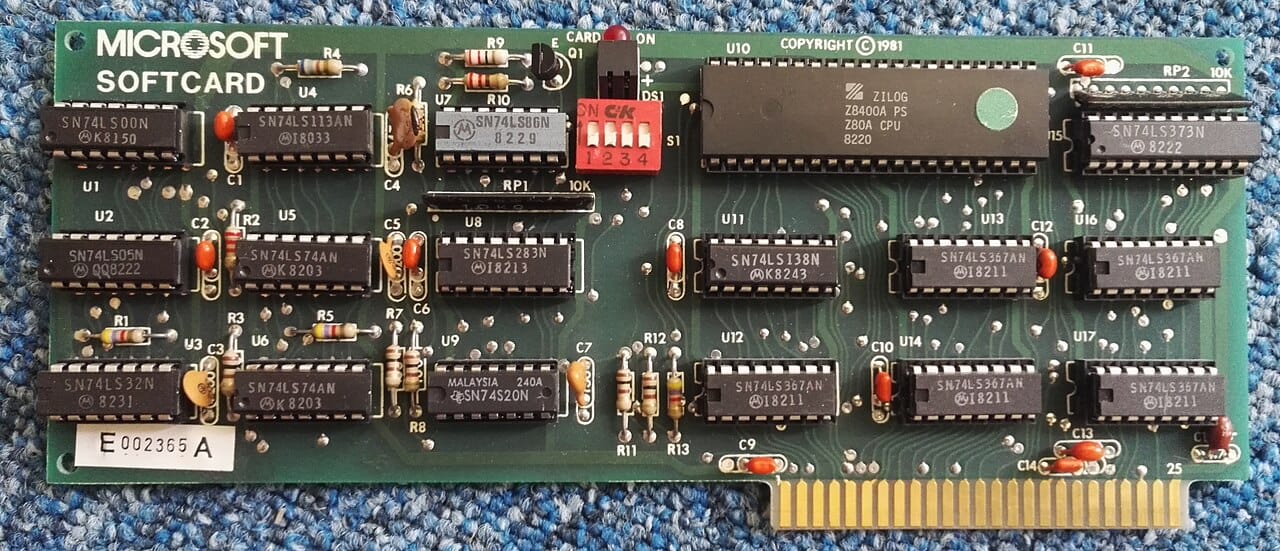
Own an Apple II with an 8-bit 6502 CPU but still have 8-bit Z80 envy? Microsoft offered a Z80 daughter-card with 64K RAM for US$399 in 1981 ($1,413 in 2026). It doesn't provide the 80-column display you need to really make use of CP/M software, but is compatible with such add-ons. It was Bill Gates's relationship with Gary Kildall as a major buyer of CP/M for this very card that started the whole ball rolling with IBM, Gates's purchase of QDOS, and the rise of Microsoft.
A 16K expansion option could combine with the Apple II's built-in 48K memory, to get about 64K for CP/M usage. BYTE Magazine's November 1981 review raved, "Because of the flexibility it offers Apple users, I consider the Softcard an excellent buy." Good to know!
Commodore CP/M Cartridge for the C64
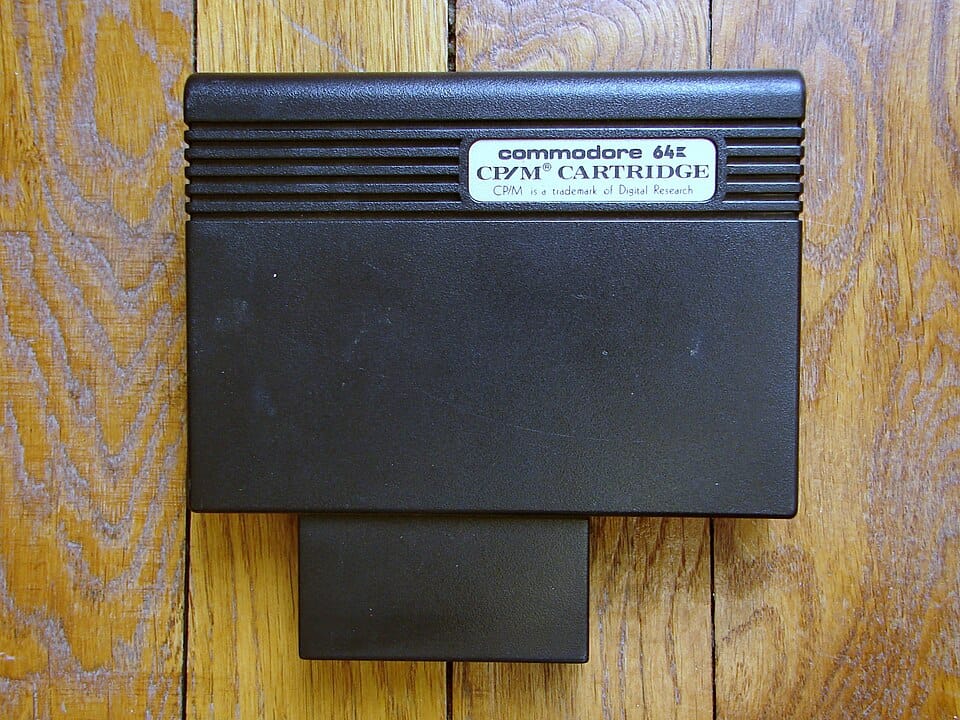
How does one add a Z80 processor to a system with no expansion slots? Shove a Z80 computer into a cartridge and call it a day, apparently.
This interesting, but limited, footnote in CP/M history does what it says, even if it doesn't do it well. Compute!'s Gazette wrote, "The 64 does not make a great CP/M computer. To get around memory limitations, CP/M resorts to intensive disk access. At the speed of the 1541, this makes programs run quite slowly,"
Even worse for CP/M users is that the slow 1541 can't read CP/M disks. Even if it could, you're stuck in 40-column mode. How were users expected to get CP/M software loaded? We'll circle back to that a little later.
At any rate, Commodore offered customers an alternative solution.
Stock Commodore 128
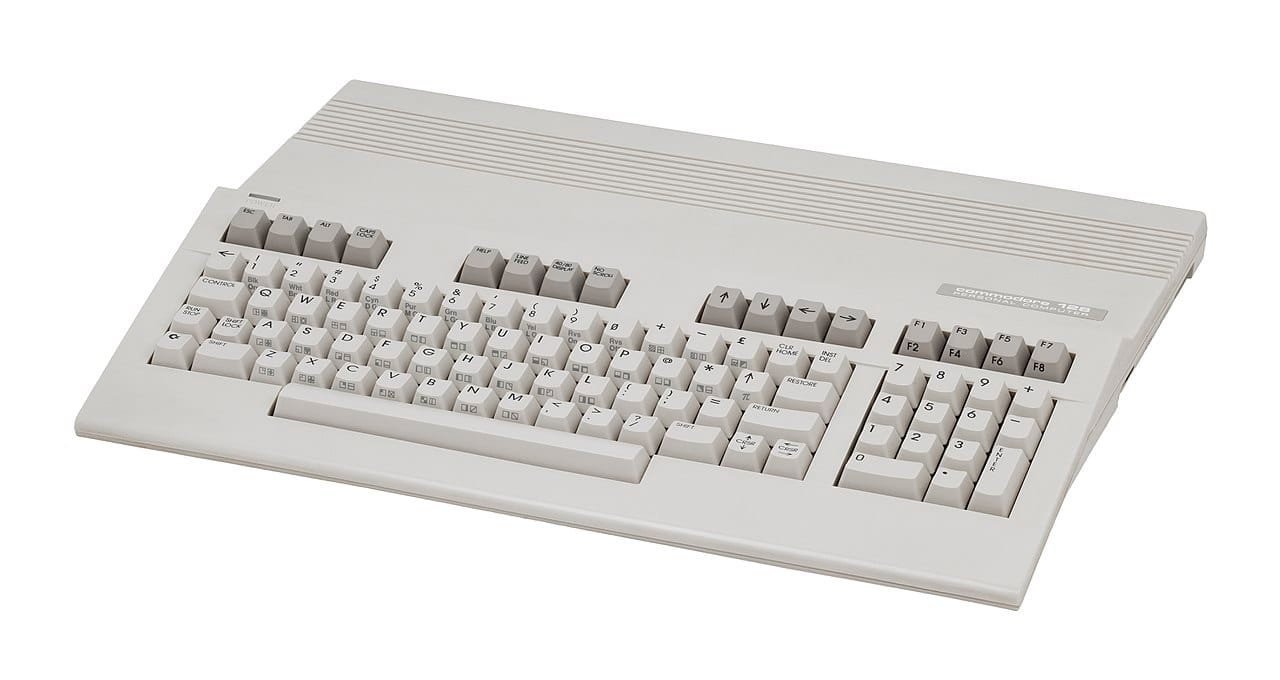
Where it's older brother had to make do with a cartridge add-on, the C128 takes a different approach. To maintain backward compatible with the C64 it includes a 6510 compatible processor, the 8502. It also wants to be CP/M compatible, so it needs a Z80 processor. What to do, what to do? Maybe they could put both processors into the unit? Is that allowed? Could they do that?
They could, so they did.
CP/M came bundled with the system, which has a native 80-column display in CP/M mode. It is ready to go with the newer, re-programmable 1571 floppy drive. Unfortunately, its slow bus speed forces the Z80 to run at only 2MHz, slower even than a Kaypro II.
Compute!'s Gazette said in their April 1985 issue, "CP/M may make the Commodore 128 a bargain buy for small businesses. The price of the Commodore 128 with the 1571 disk drive is competitive with the IBM PCjr."
I predict rough times ahead for the PCjr if that's true!
ATR8000 for the Atari 8-bits
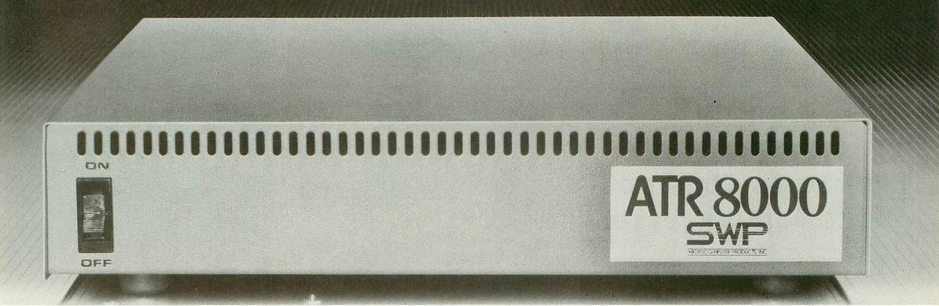
Atari peripherals have adorable industrial design, but were quite expensive thanks to a strange system design decision. The 8-bit system's nonstandard serial bus necessitated specialized data encoding/decoding hardware inside each peripheral, driving up unit costs. For example, the Atari 910 5 1/4" floppy drive cost $500 in 1983 (almost $2,000 in 2026) thanks to that special hardware, yet only stored a paltry 90K per disk.
SWP straightened out the Atari peripheral scene with the ATR8000. Shenanigans with special controller hardware are eliminated, opening up a world of cheaper, standardized floppy drives of all sizes and capacities. It also accepts Centronics parallel and RS-232C serial devices, making tons of printers, modems, and more compatible with the Atari. The device also includes a 16K print buffer and the ability to attach up to four floppy drives without additional controller board purchases. A base ATR8000 can replace a whole stack of expensive Atari-branded add-ons, while being more flexible and performant.
The saying goes, "Cheaper, better, faster. Pick any two." The ATR8000 is that rare device which delivered all three.
Now, upgrade that box with its CP/M compatibility option, adding a Z80 and 64K, and you've basically bought a second computer. When plugged into the Atari, the Atari functions as a remote terminal into the unit, using whatever 40/80-column display adapter you have connected. It could also apparently function standalone, accessible through any terminal, no Atari needed.
That isn't even its final form.
The Co-Power-88 is a 128K or 256K PC-compatible add-on to the Z80 CP/M board. When booted into the Z80, that extra RAM can be used as a RAM disk to make CP/M fly. When booted into the 8088, it's a full-on PC running DOS or CP/M-86.
Tricked out, this eight pound box would set you back US$1000 in 1984 ($3,000 in 2026), but it should be obvious why this is a coveted piece of kit for the Atari faithful to this day.
Micro Z80 for the BBC Micro
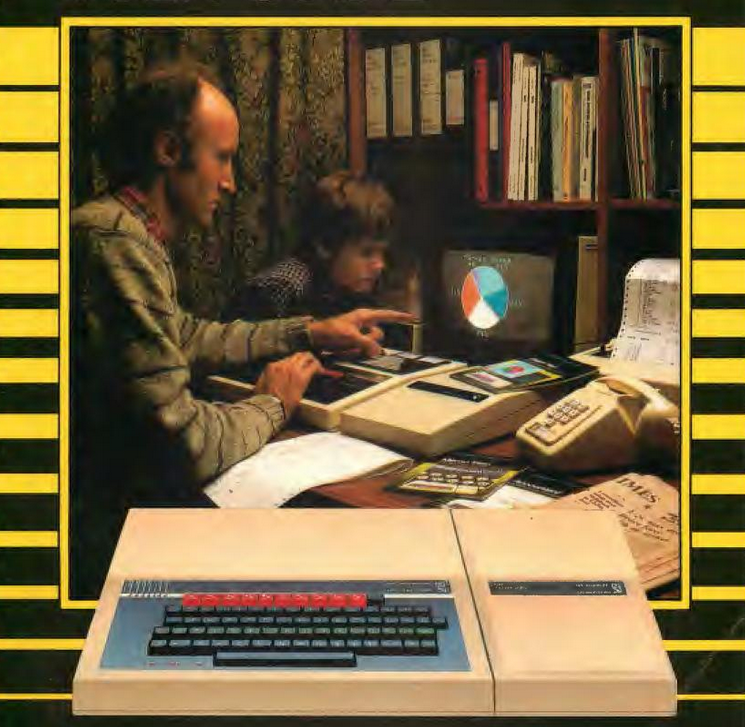
For UK£399 in 1985 (£1288 in 2026; US$1750) Acorn offered a Z80 with dedicated 64K of RAM. According to the manual, the Z80 handles the CP/M software, while the 6502 in the base unit handles floppies and printers, freeing up CP/M RAM in the process. Plugged into the side of the BBC Micro, the manual suggests desk space clearance of 5 ft wide and 2 1/2 feet deep. My god.

Acorn User June 1984 declared, "To sum up, Acorn has put together an excellent and versatile system that has something for everyone." I'd like to note that glowing review was almost exclusively thanks to the bundled CP/M productivity software suite. Their evaluation didn't seem to try loading off-the-shelf software, which caused me to narrow my eyes, and stroke my chin in cynical suspicion.
Flip through the manual to find out about obtaining additional software, and it gets decidedly vague. "You’ll find a large and growing selection available for your Z80 personal computer, including a special series of products that will work in parallel with the software in your Z80 pack."
CP/M 2.2 and Assembler for the Coleco ADAM
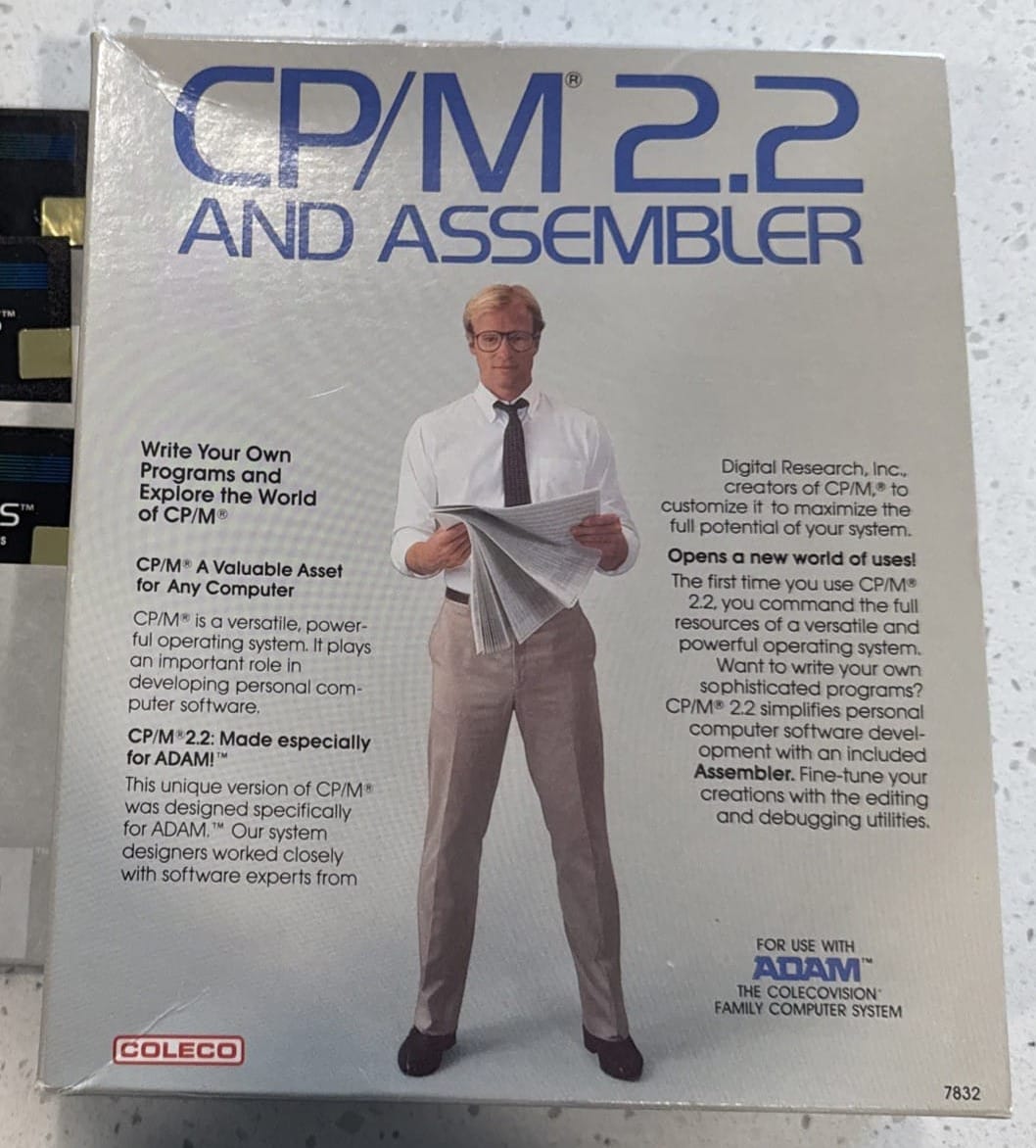
Like the C128, the Coleco ADAM was a Z80 native machine so CP/M can work without much fuss, though the box does proclaim "Made especially for ADAM!" Since we don't have to add hardware (well, we need a floppy; the ADAM only shipped with a high-speed cassette drive), we can jump into the ecosystem for about US$65 in 1985 ($200 in 2026).
Like other CP/M solutions, the ADAM really needed an 80-column adapter, something Coleco promised but never delivered. Like Dragon's Lair on laserdisc! As it stands, CP/M scrolls horizontally to display all 80 columns. This version adds ADAM-style UI for its quaint(?) roman numeral function keys.

OK, CP/M is running! Now what? To be honest, I've been toying with you this whole time, dangling the catnip of CP/M compatibility. It's time to come clean and admit the dark side of these add-on solutions.
There ain't no software!
Standardized fragmentation
Even when the CPU and CP/M version were technically compatible, floppy disc format was the sticking point for getting software to run any given machine. For example, the catalog for Kaypro software in 1984 is 896 pages long. That is all CP/M software and all theoretically compatible with a BBC Micro running CP/M. However, within that catalog, everything shipped expressly on Kaypro compatible floppy discs. Do you think a Coleco ADAM floppy drive can read Kaypro discs? Would you be even the tiniest bit shocked to learn it cannot?
Kaypro enthusiast magazine PRO illustrates the issue facing consumers back then.
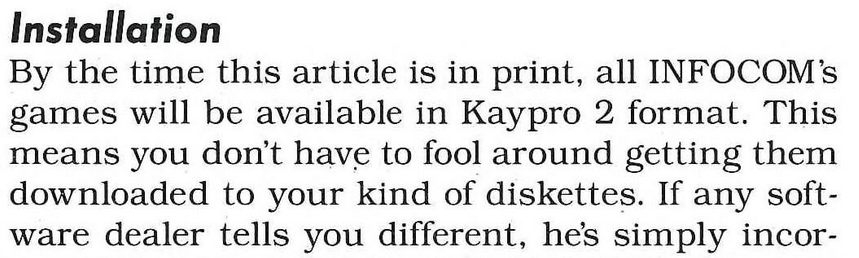
Let's check in on the Morrow Designs (founded by Computer Chronicles sometimes co-host George Morrow!) CP/M system owners. How do they fare?
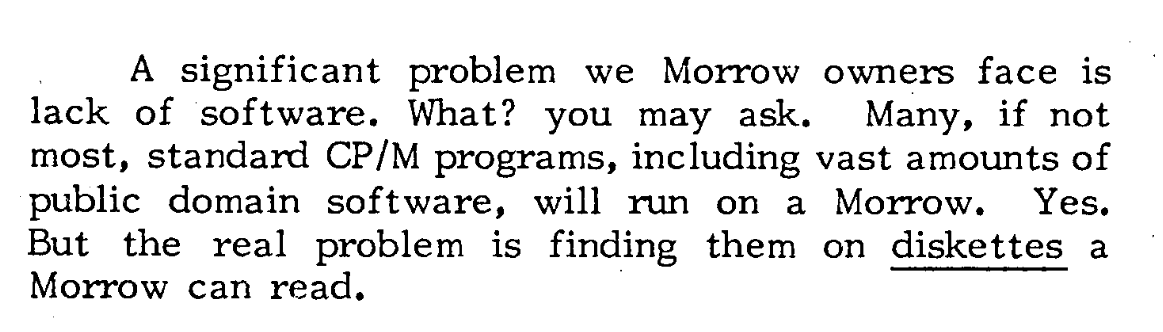
OK then, what about that Baby Blue from earlier?
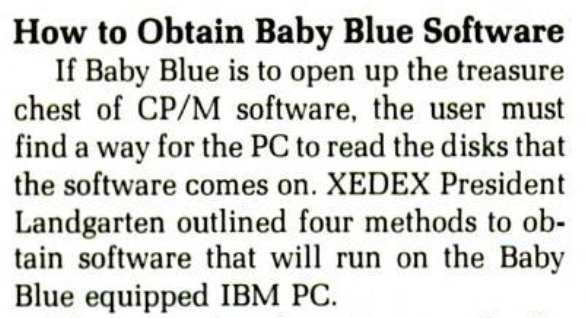
The Microsoft Softcard must surely have figured something out. The Apple II was, according to Practical Computing, "the most widespread CP/M system" of its day.
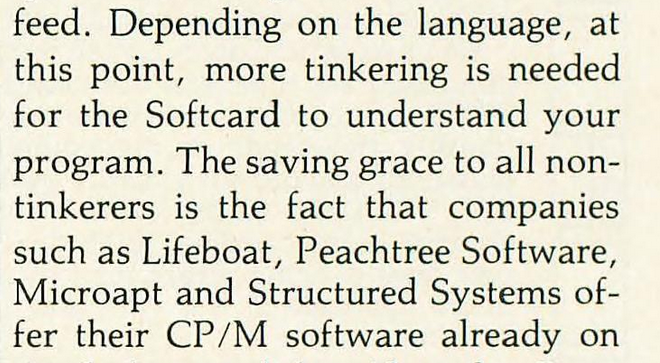
Almost every product faced the same challenge. On any given CP/M-80 software disk, the byte code is compatible with your Z8o, if your floppy drive can read the diskette. You couldn't just buy a random CP/M disk, throw it into a random CP/M system, and expect it to work, which would have been a crushing blow to young me hoping to play Planetfall on the ADAM.
So what could be done?
Bitshifting
There were a few options, none of them particularly simple or straightforward, especially to those who weren't technically-minded. Some places offered transfer services. XEDEX, the makers of Baby Blue, would do it for $100 per disk. I saw another listing for a similar service (different machine) at $10 per disk. Others sold the software pre-transferred, as noted on a Coleco ADAM service flyer.
A few software solutions existed, including Baby Blue's own Convert program, which shipped with their card and "supports bidirectional file transfer between PC-DOS and popular CP/M disk formats." They also had the Baby Blue Conversion Software which used emulation to "turn CP/M-80 programs into PC-DOS programs for fast, efficient execution on Baby Blue II."
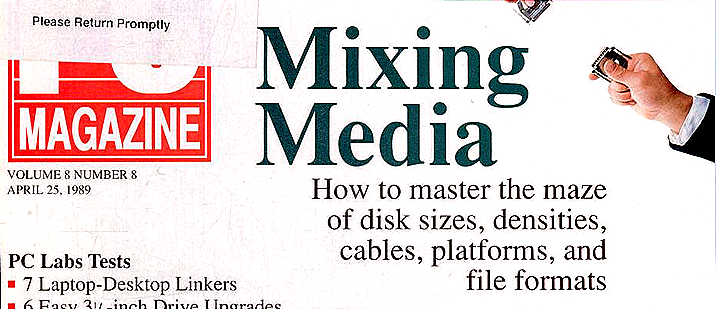
Xeno-Copy, by Vertex Systems, could copy from over 40+ disk formats onto PC-DOS for US$99.50 ($313 in 2026); their Plus version promised cross-format read/write capabilities. Notably, Apple, Commodore, Apricot, and other big names are missing from their compatibility list.
I eat serial for breakfast
The Kermit protocol, once installed onto a CP/M system disk, could handle cross-platform serial transfers, assuming you had the additional hardware necessary. "CP/M machines use many different floppy disk formats, which means that one machine often cannot read disks from another CP/M machine, and Kermit is used as part of a process to transfer applications and data between CP/M machines and other machines with different operating systems."
The Catch-22 of it all is that you have to get Kermit onto your CP/M disk in the first place. Hand-coding a bare-bones Kermit protocol (CP/M ships with an assembler) for the purposes of getting "real" Kermit onto your system so you could then transfer the actual software you wanted in the first place, was a trick published in the Kermit-80 documentation.
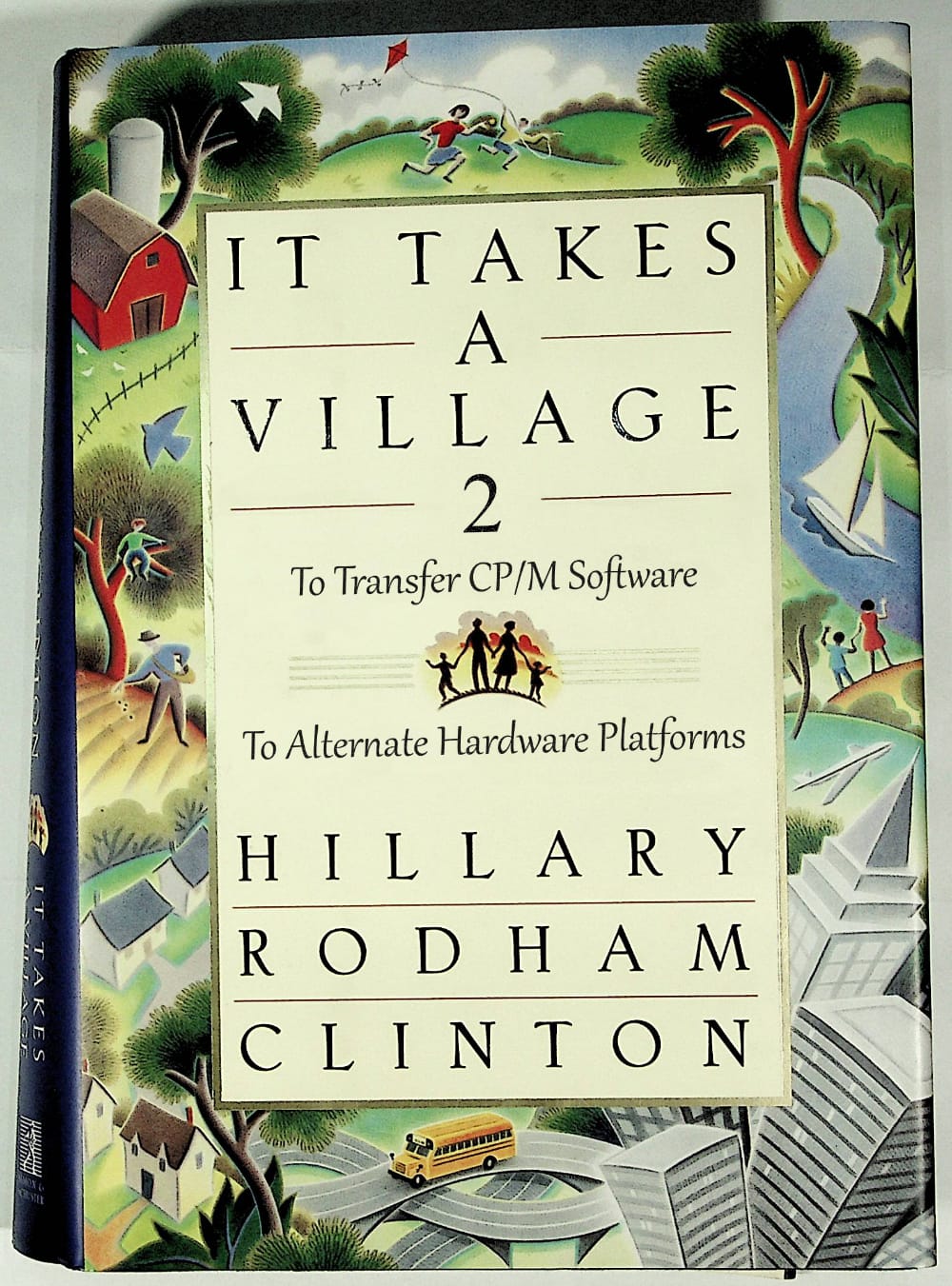
Of course, this all assumes you know someone with the proper CP/M setup to help; basically, you're going to need to make friends. Talk to your computer dealer, or better yet, get involved in a local CP/M User's Group. It takes a village to move Wordstar onto a C64.
"I am un chien andalusia"
I really enjoyed my time learning dBASE II and am heartened by the consistency of its commands and the clean interaction between them. When I realized that I had accidentally learned how to program dBASE, that was a great feeling.
What I expected to be a steep learning curve wasn't "steep" per se, but rather just intimidating. That simple, blinking cursor, can feel quite daunting at the first step, but each new command I learned followed a consistent pattern. Soon enough, simple tools became force multipliers for later tools.
The more I used it, the more I liked it. dBASE II is uninviting, but good.
On top of that, getting data out into the real world is simple, as you'll see below in "Sharpening the Stone." I'm not locked in. So what keeps me from being super enthusiastic about the experience?
It is CP/M-80 which gives me pause. The 64K memory restriction, disk format shenanigans, and floppy disk juggling honestly push me away from that world except strictly for historical investigations. Speaking frankly, I don't care for it.
CP/M-86 running dBASE III+ could probably win me over, though I would probably try DR-DOS instead. Memory constraints would be essentially erased, DOSBox-X is drag-and-drop trivial to move files in and out of the system, and dBASE III+ is more powerful while also being more user-friendly. Combine that with Clipper, which can compile dBASE applications into standalone .exe files, and there's powerful utility to be had.
By the way, did you know dBASE is still alive?
Maybe. Kinda? Hard to say. The latest version is dBASE 2019 (not a typo!), but the site is unmaintained and my appeal to their LinkedIn for a demo has gone unanswered. Its owner, dBase LTD, sells dBASE Classic which is dBASE V for DOS running in DOSBox, a confession they know they lost the plot, I'd humbly suggest.
An ignominious end to a venerable classic.

Sharpening the Stone
Ways to improve the experience, notable deficiencies, workarounds, and notes about incorporating the software into modern workflows (if possible).
Emulator Improvements
- For this article I specifically picked a period-authentic combo of Kaypro II + CP/M 2.2 + dBASE II 2.4. You don't have to suffer my pain! CP/M-86 and dBASE III+ running in a more feature-rich emulator would be a better choice for digging into non-trivial projects.
- I'm cold on MAME for computer emulation, except in the sense that in this case it was the fastest option for spinning up my chosen tools. It works, and that's all I can say that I enjoyed. That's not nothing! I find I prefer the robust settings offered in products like WinUAE, Virtual ADAM, VICE, and others.
- Emulators with in-built disk tools are a luxury I have become addicted to.
- MAME's interface is an inelegant way to manage hardware configurations and disk swapping.
- MAME has no printer emulation, which I like to use for a more holistic retro computing experience.
Troubleshooting
- Getting a working, trouble-free copy of dBASE II onto a Kaypro II compatible disk image was a non-trivial task. It's easier now that I know the situation, but it took some cajoling. I had to create new, blank disks, and copy CP/M and dBASE over from other disk images. Look below under "Getting Your Data into the Real World" to learn about
cpmtoolsand how it fits into the process. - Be careful of modern keyboard conventions, especially wanting to hit
ESCto cancel commands. In MAME this will hard quit the emulator with no warning! - Exported data exhibited strange artifacts:
- The big one: it didn't export any "logical" (boolean) field values from my database. It just left that field blank on all records.
- Field names are not exported.
- Garbage data found after the last record; records imported fine.
Getting Your Data into the Real World
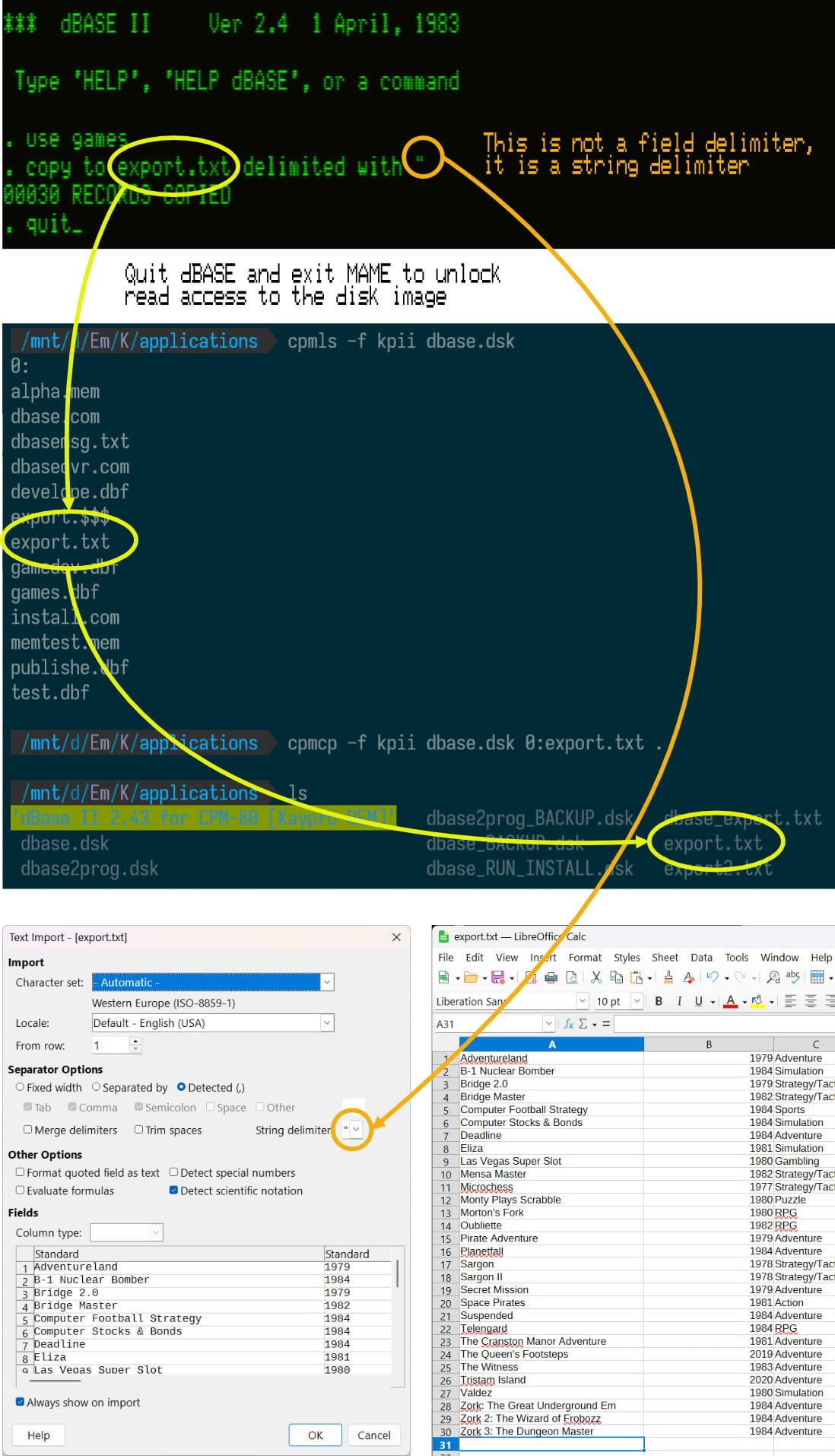
When working with CP/M disk images, get to know cpmtools. This is a set of command line utilities for creating, viewing, and modifying CP/M disk images.
- On Linux and Windows (via WSL) install thusly
sudo apt update
sudo apt install cpmtools - On macOS
brew install cpmtools
The tools mostly align with Unix commands, prefixed with cpm
cpmls: view the contents of a CP/M disk image. Use the-fflag to tell it the format of the disk, likekpiifor the Kaypro II.mkfs.cpm: format a disk image with a CP/M file systemcpmcp: copy files to/from other disk or to the host operating systemcpmrm: remove files from a CP/M disk imagedd: for making new, blank disk image files (still needs to be formatted)
Those are the commands I wound up using with regularity. If your system of choice is a "weirdo system" you may be restricted in your disk image/formatting choices; these instructions may be of limited or no help.
cpmtools knows about Kaypro II disk layouts via diskdefs. This Github fork makes it easy to browse supported types. Here's what I did.
dd if=/dev/zero of=kpdisk.dsk bs=512 count=400: makes a blank disk image to single-sided, double-density specificationmkfs.cpm -f kpii kpdisk.dsk: formats that blank image for the Kaypro IIcpmcp -f kpii kpdisk.dsk DBASE.COM 0:: copies "DBASE.COM" from the current directory of the host operating system into the Kaypro II disk image.cpmls -f kpii kpdisk.dsk: displays the contents of the diskcpmcp -f kpii kpdisk.dsk 0:FILE.TXT .: copies "FILE.TXT" from the disk image into the current directory of the host operating system (i.e..)
Now that you can pull data out of CP/M, here's how to make use of it.
- dBASE has built-in exporting functionality, so long as you use the
.txtextension when saving (copyin dBASE lingo). That creates a bog-standard ASCII text file, each record on its own line, comma-delimited (and ONLY comma-delimited).
What's Lacking?
- It is not Y2K compatible, if you're hoping to record today's date in a field. I tackled this a bit in the Superbase post. It is probably possible to hack up a Command file to work around this issue, since dates are just strings in dBASE.
- dBASE II doesn't offer the relational robustness of SQL. Many missing, useful tools could be built in the xBase programming language. It would be significant work in some cases; maybe not worth it or consider if you can do without those.
- Your needs may exceed what CP/M-80 hardware can support; its 8-bit nature is a limiting factor in and of itself. If you have big plans, consider dBASE III+ on DOS to stretch your legs. (I read dBASE IV sucks)
- The user interface helps at times, and is opaque at other times. This can be part of the fun in using these older systems, mastering esoterica for esoterica's sake, but may be a bridge too far for serious work of real value.
- Of course, when discussing older machines we are almost always excluding non-English speakers thanks to the limitations of ASCII. The world just wasn't as well-connected at the time.
Fossil Record