PipeDream on the Acorn Archimedes
A productivity suite that willfully rejects common notions on how such software should behave, on an operating system most haven't heard of, running on a processor 30 years ahead of its time.


During the "throw everything at the wall and see what sticks" years of home computing, up to around 1995, a lot was thrown and a lot failed to stick. Sometimes clumps would form that appeared to have the combined friction necessary to maintain wall grip, each holding the other up. But, like Mitch Hedberg's observation of belts and belt loops, it was difficult to discern who was helping who stick to what.
Take for example, our focus today. We have a completely novel CPU, built by a tiny team of engineers who had never designed a processor before, running a bespoke operating system squeezed out in a rush to meet the shipping deadline of a computer that wanted to carry on the legacy of a system beloved by British schoolchildren, hosting a productivity suite that completely rethought what the term "productivity suite" even meant.
Together, they formed a complete computing dead-end. Yet separately, they each achieved life beyond expectations, given their shaky beginnings.
Let's start with the hardware, Acorn Computer Ltd.'s follow-up to the famous 8-bit BBC Micro, the Archimedes. Feeling the 16-bit processors of the day didn't deliver enough bang-for-the-quid, they began an investigation into 32-bit processor options. After reading a U.C. Berkeley paper extolling the virtues of the RISC architecture, and seeing firsthand the ease with which chips could be designed, in 1983 Acorn launched the Acorn RISC Machine project to develop the 32-bit brain of their next system.
The fruit of that labor, the ARM processor, defined the Archimedes line. Try as they might, Acorn could never crack the home market the way they did education. Still, those ARM CPUs had longevity well beyond the life of the company that commissioned it. Your smartphone likely has ARM in it right now, and Apple's entire current hardware ecosystem is built on its spec.
That powerful hardware needed a preemptive multitasking operating system that befit its computing prowess. That was to be ARX, whose troubled development missed the product launch window. In the meantime, so the computer could have something driving it at launch, a stop-gap operating system called Arthur was shipped. It was similar to Acorn's previous BBC Micro MOS (Machine Operating System), with a graphical layer grafted on top; hit F12 and that text interface will peek out from behind the curtain. Over time it was decided that Arthur was doing a bang-up job and ARX was cancelled.
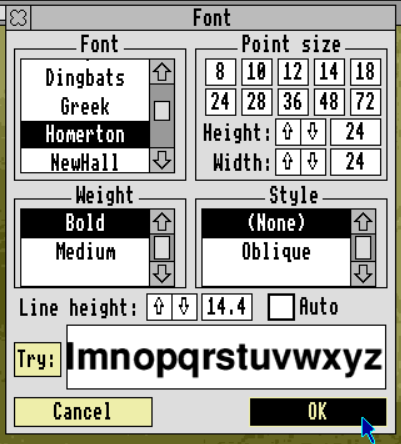
Thus was born RISC OS, a cooperative multitasking WIMP (windows, icons, menu, pointer) with possibly the first application "dock" on a home computer. Its mandatory three-button mouse summons an application's current context menu at the pointer location; there are no menu bars whatsoever. Drag-and-drop is embraced as a central file management metaphor, even to save documents. On top of all that, it was the first to offer scalable, anti-aliased font rendering, even if its fonts were a little "off brand."
On top of this unique foundation, we have PipeDream. Developer Mark Colton was convinced that the boundaries between word processor, spreadsheet, and database were artificial and could be eliminated. A document should be able to do any of those functions at any time, anywhere on the page, he posited. One might think, "Oh, like Google Sheets." but PipeDream handles word processing more elegantly. Another might think, "Oh, like Apple Pages" but the spreadsheet and database functions are more robust in PipeDream. This particular balance of the three productivity functions feels unique amongst even its modern peers.
Does a productivity suite work better when it's just a single app? Did Colton successfully execute his vision? And where is the Homerton documentary we deserve?
Historical Context

(I didn't know Ghost blogging platform forces images to 2000px max; I've revised my design workflow to mitigate this in the future. To make amends for this timeline's illegibility at 2000px, please accept this PDF version)
Testing Rig
- RPCEmu v371 on Windows 11
- RISC OS v3.7
- 1024 x 768 15-bit color
- 64MB RAM
- PipeDream v4.13
Let's Get to Work
My process when first examining unfamiliar systems is as follows:
- boot the system
- launch my application of interest
- make a dummy document
- save it
- quit the emulator entirely and reboot
- load my saved document
I do that across a variety of emulators to see which gives me the least grief; I need to be sure I can trust a basic productivity loop. I usually try to give it a go without research, to see how far I can get on pure skillz (with a Z).
It's unusual to sit down at what appears to be a computer I understand and be baffled every step of the way. I've heard this system described as "elegant" and "easy to learn." This has me questioning if maybe I'm actually a very dumb person because my impression is "uncomfortable."
You know that modern horror story, aka "creepypasta", The Backrooms? It's a hidden world that co-exists with our own, which can be entered only by clipping through a seam of reality which separates the two. In there, buzzing fluorescents light an infinite maze of featureless, yellow-wallpapered office-style floor layouts.
If one were to find a running computer there, I suspect RISC OS would drive it.
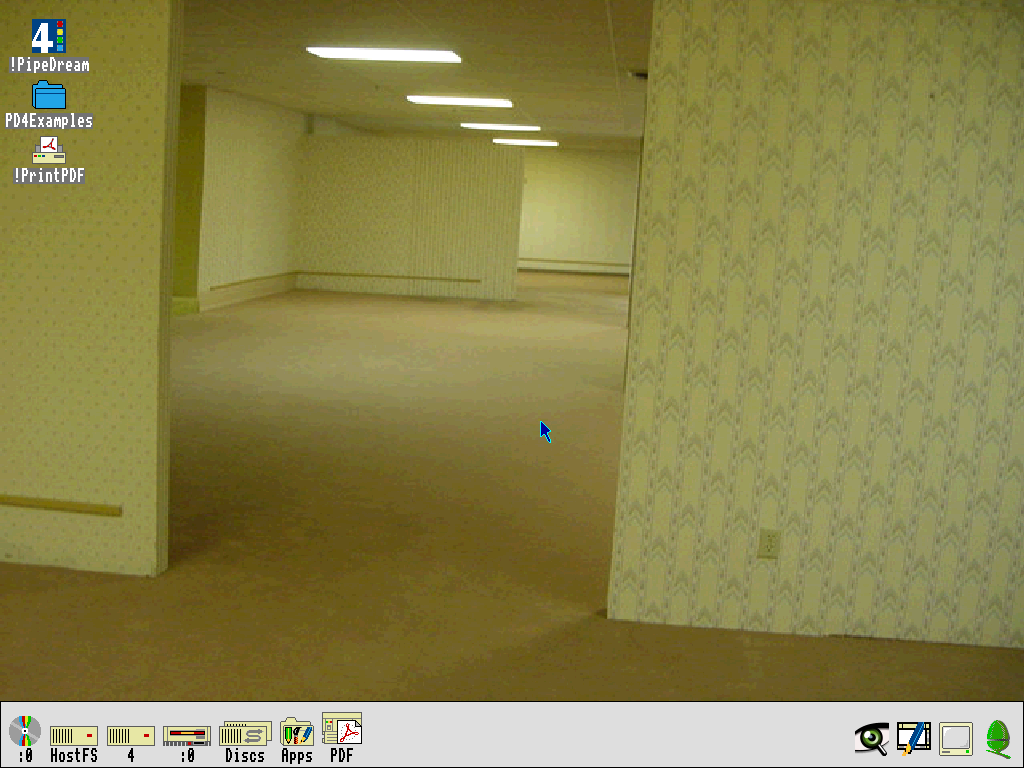
It's just common enough in its GUI metaphors to feel familiar, and just off-kilter enough to turn that familiarity against you. Liam Proven wrote in The Register, "You will find it very disorienting, especially if all you know is post-1990s OSes." My dude, I've been computing since the 1970s and I find it disorienting.
Nothing is unlearnable (I'm dumb, not incompetent), but I genuinely had to work through its manual to acclimate myself. To be clear, I enjoyed the thrill of venturing into the unknown. After all, one of the goals of this blog is to investigate the less-trodden paths in software history. Still, there are times when I feel RISC OS is "having me on." (trying to ingratiate myself with British readers in today's post)
I'll start with the three-button mouse. From left to right the buttons are "Select", "Menu", and "Adjust." After weeks working with the system, I still can't figure out what problem the "Adjust" button solves. It's semi-analogous to CTRL + Left-click on modern systems, as when clicking to add/remove elements to/from a set of selected items. Then, sometimes it does something unexpected like, "drag a window by its title bar without bringing that window to the front."
Other times it is baffling. Select-dragging a file icon to a new folder location doesn't move the file to the new location. It copies the file. If you want to move the file, you must SHIFT + Select-drag. Why are we "SHIFT" dragging anything when we have a perfectly good "Adjust" button?
Sometimes the "Adjust" button does "opposite" actions. Click a "down" scroll arrow with "Adjust" and it will to scroll up instead. Is that an "adjustment?" What does it even mean, to "Adjust" a mouse click? It seems like it could mean anything, and that's kind of my point. It's unguessable and unintuitive.
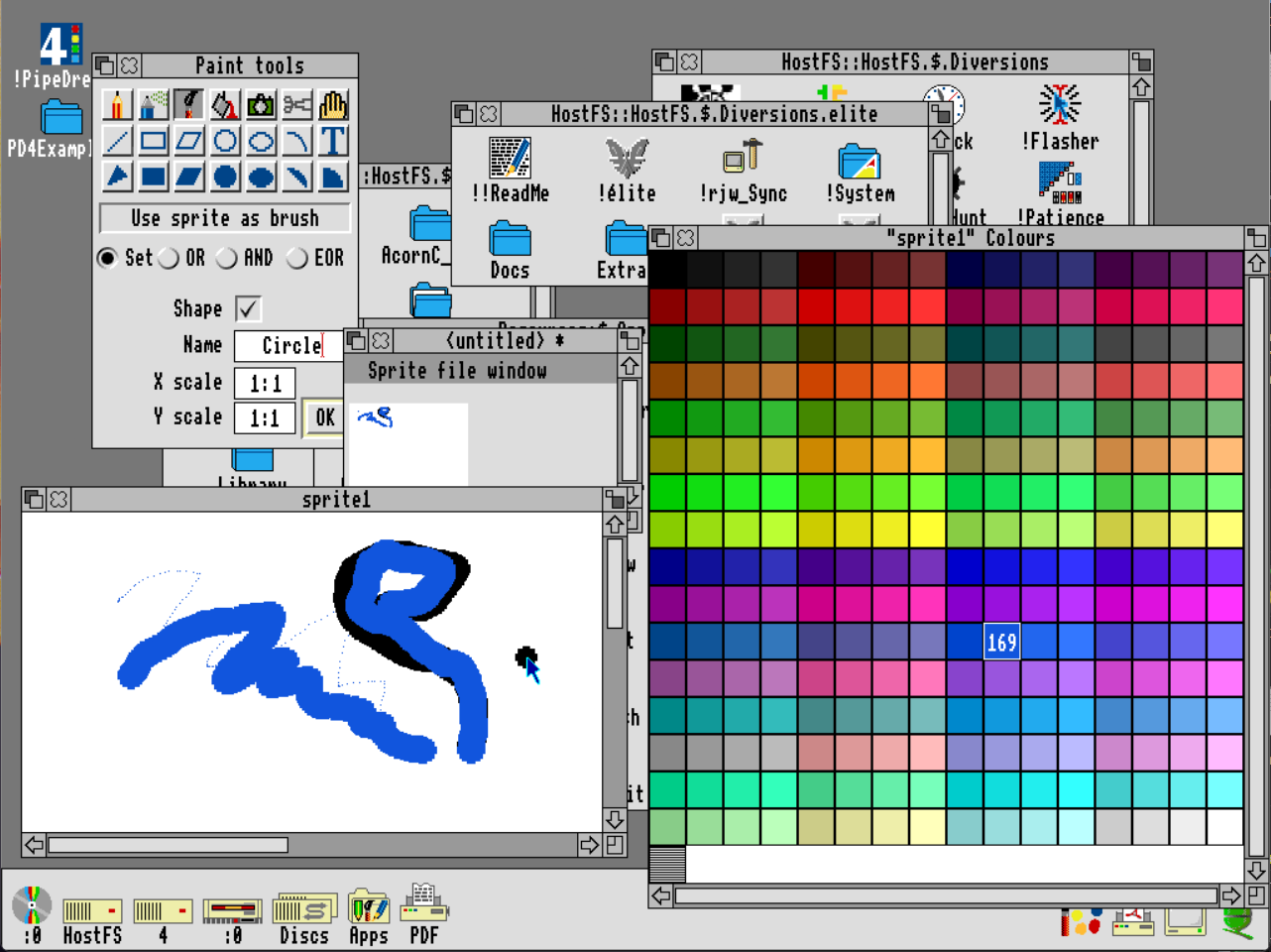
An interesting UI element (which predates NeXT and Windows 95) is the Icon Bar, an important tool inexplicably not described at all in the RISC OS 3 manual. Situated along the bottom of the screen, currently running applications and directory icons sit on a little shelf. Double-click "Select" on an application icon to launch it and... nothing.
Its icon displays in the Icon Bar, and that's it. We must now Single-click "Select" on that icon to actually bring the application to the forefront and activate it. I don't know what that's all about, but that's how it works.
Menus are fascinating in both the positive and negative meanings of the word. There are no menus on screen whatsoever, they are only made visible by the middle "Menu" mouse button. "Menu" clicking opens a given menu at the current mouse pointer location. Icons in the Icon Bar can be "Menu" clicked to get application-level menus, like "Make a new document." Within a document, "Menu" click will give us document-level options. Conceptually, I like the "Menu" button a lot.
Within a menu, any choices which open dialog boxes or control panels tend to open in-menu. It's kind of cool, being able to type, or flip switches and radio buttons, directly inside the menu itself, rather than popping up a modal window. However, it is jarring to have large panels suddenly lunge out like a xenomorph's inner jaws when scrolling through menus. These can obscure the root menu, depending on screen position.
The last point to get our collective heads around is file saving. When saving a new document, simply typing in a file name is not sufficient. Save dialog boxes expect and require the full path to your save destination; no assumptions or default folder locations are provided.
You can manually type in the full path to your desired save location like this:HostFS::HostFS.$.Apps.Documents.Examples.Tutorial.StoneDoc
While you type, the system will not assist you in navigating the directory structure; no autocompletion here. You must know the path by heart.
The other option, as described in manuals, is to drag-and-drop your document to its save location. Drag-and-drop really seems to be the RISC OS idiomatic way to manipulate files. In a Save dialog box there is a little icon for the application. It looks like decoration, but it physically represents your document. Type a name into the text field, then drag that icon to your desired save folder.
I don't want to get bogged down enumerating RISC OS's idiosyncrasies, but a few more things need mentioning. There is a kind of "programmer's art" ugliness to the user interface; those folder icons are terrible. There are graphical glitches, as when scrolling a window too quickly (though moving windows around shows full contents, which wasn't typical during that period). Everything you set up to customize the system, like desktop icons, window positions, desktop resolution, and other settings is reset every boot unless you manually tell the system to save the current state as the "boot file." The list goes on like that.
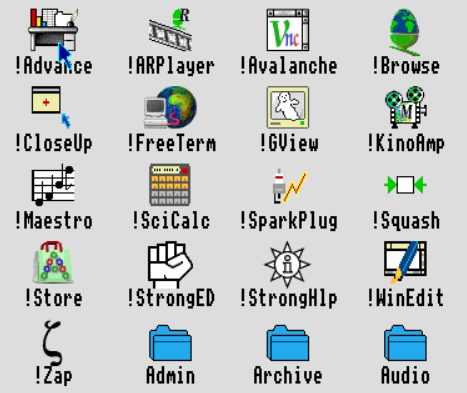
!OK, now let's get to work
Sheesh, what a journey just to understand the basics. I expect that kind of learning curve for the text-based systems, as those DOS-like commands are unknown to me. For a GUI system to throw this "spanner in the works" (continuing my pandering) is unexpected, but a fun challenge. I can't feel myself growing to love it, but the initial feeling of discombobulation is receding.
Colton's grand unified theory of spreadsheets
A spreadsheet is an ordered matrix of cells, each of which can hold text or math. Cells with text are typically used as labels for columns and rows of numbers, and the math cells do the work of calculating relationships between those numbers. It's all very simple. No, wait, I mean it's "easy-peasy." (commitment to the bit)
Lotus 1-2-3 felt "columns and rows" could also be useful for textual data. They said the line between spreadsheets and databases is pretty fuzzy, and even today spreadsheets are used to hold and manipulate simple databases.
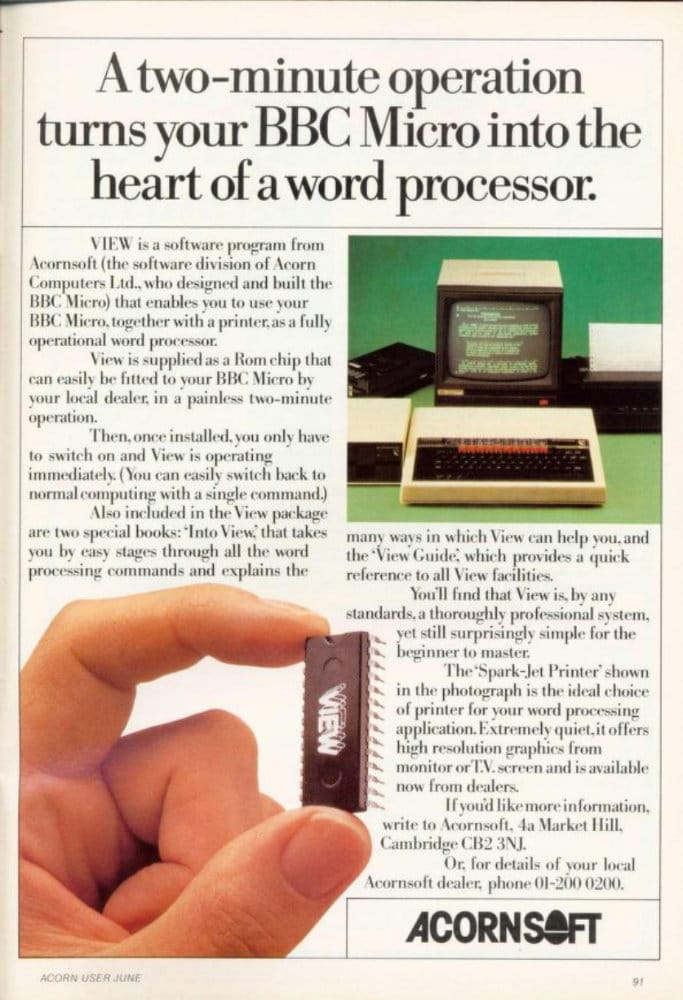
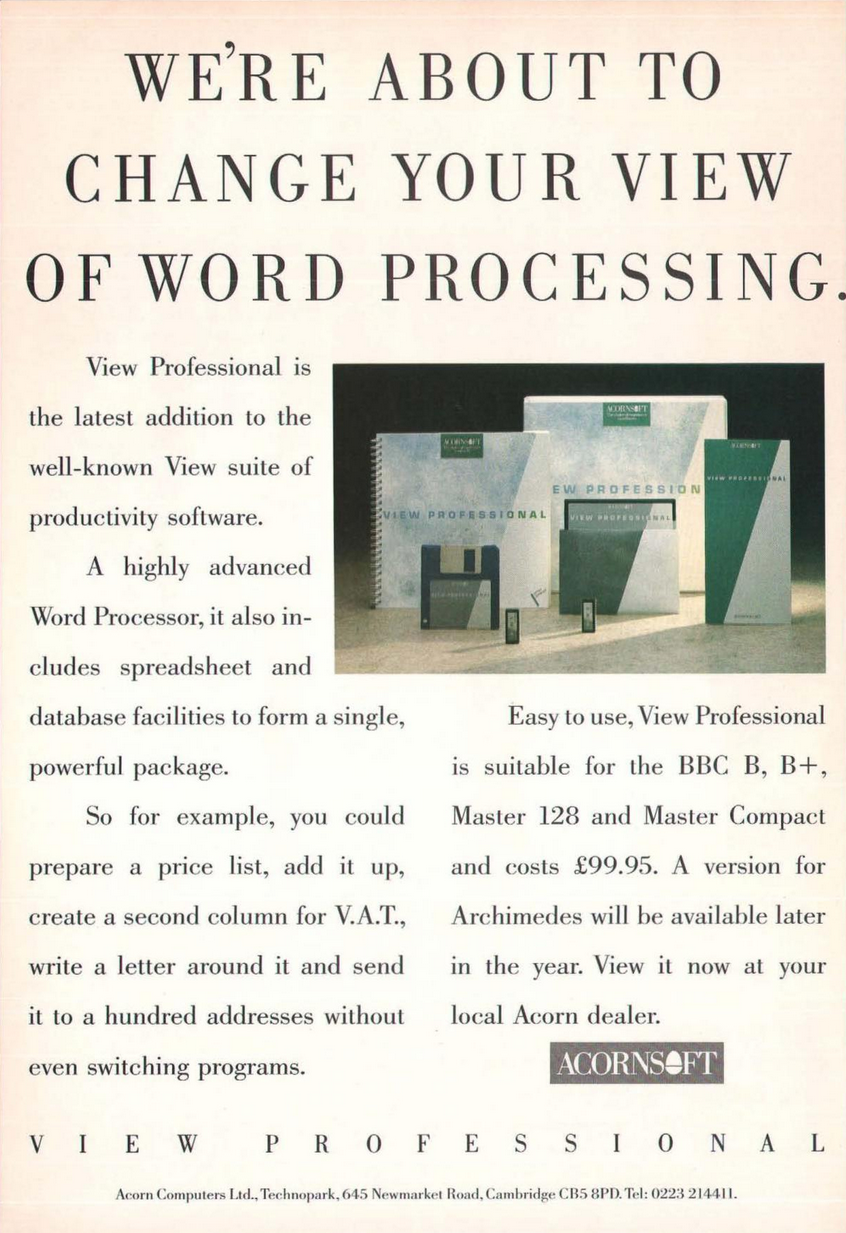
Then racecar driver Mark Colton pierced the veil entirely. It wasn't just spreadsheets and databases that had a fuzzy separation. If we can type arbitrary text into a cell in a spreadsheet, why couldn't we type an entire book? What if all applications were really just one application, in the end? He fired his first shot at uniting everything in View Professional.
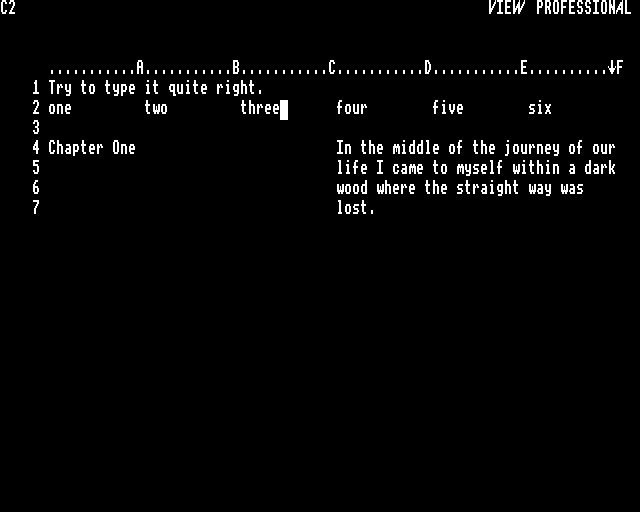
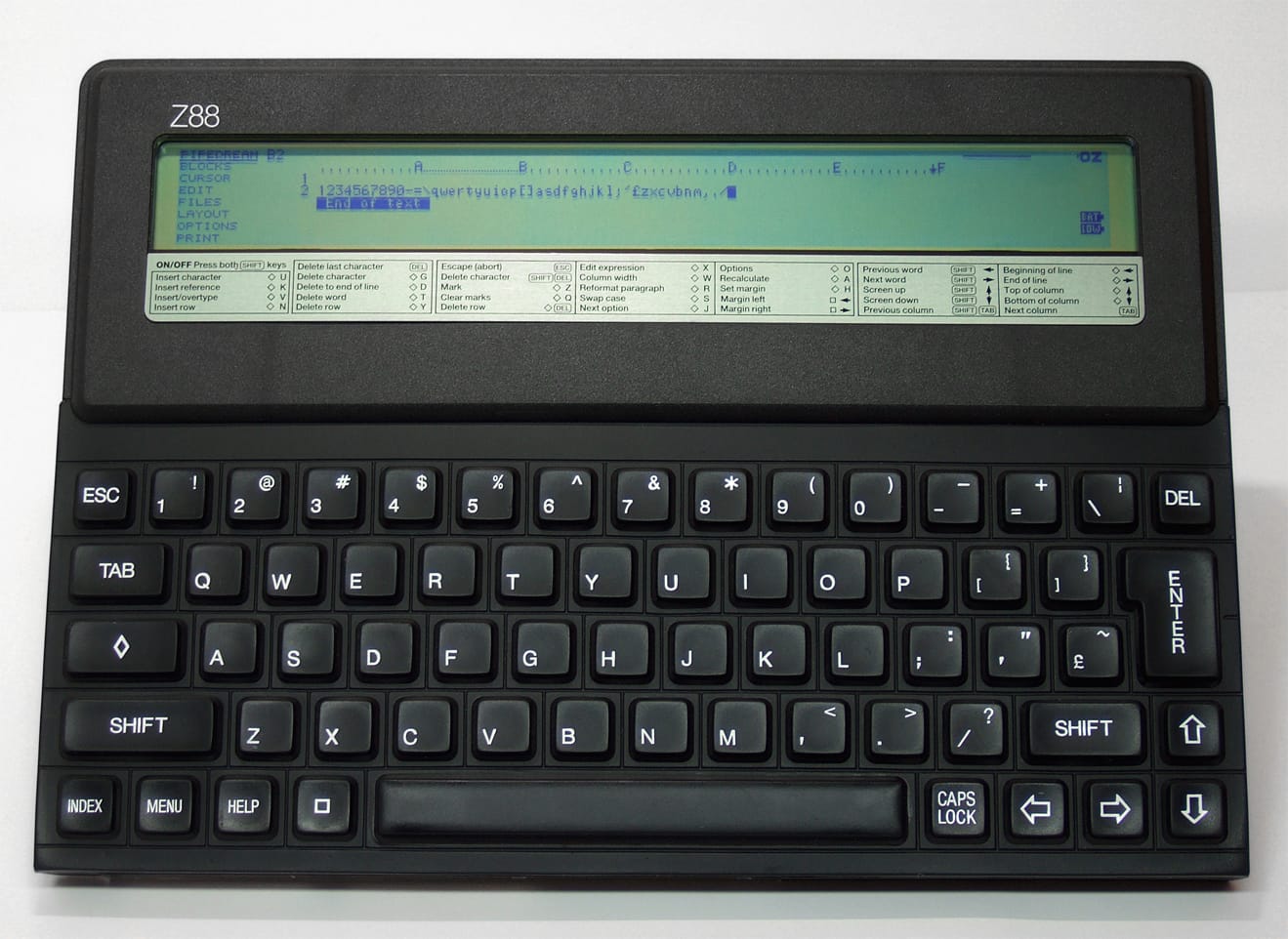
This was released as PipeDream on the Cambridge Z88, a portable Z80 machine by Sir Clive Sinclair's Cambridge Computer. Built into the ROM itself, it was insta-boot, insta-launch right into a multi-purpose integrated document suite. Jerry Pournelle, in BYTE Magazine's February 1989 issue, was moderately enamored with the hardware, but PipeDream was, "disappointingly hard to use."
With Acorn evolving their BBC Micro via the Archimedes, Colton continued to support their hardware line. In interviews, he seemed to really be leaning toward Windows for the future of his company. However, since he switched development to C and there was a C compiler for the Archimedes, he said it wasn't hard to provide his product to the Acorn crowd. Running on Arthur, the precursor to RISC OS, he embraced and extended the "one document, many forms" approach.
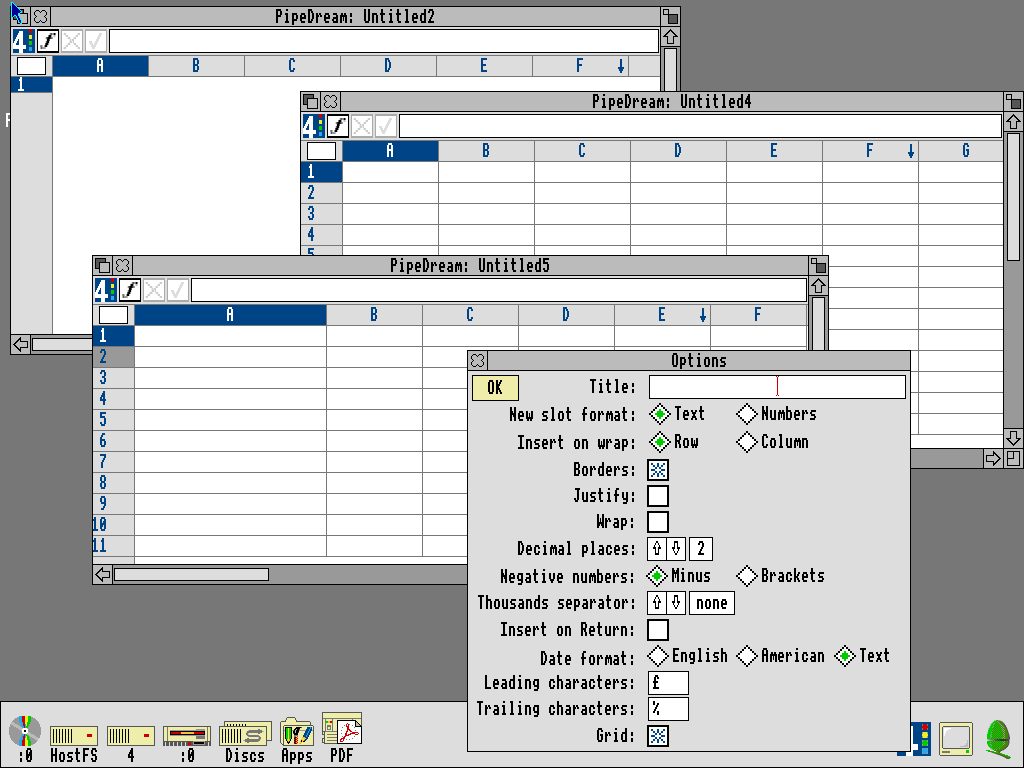
Much like today's Google Sheets, we can add arbitrarily long sections of text, insert images, set up database information, perform spreadsheet calculations, run spellcheck, and generate inline graphs. However, try typing a chapter of a book into Google Sheets if you want to drive yourself "mental." (there's no stopping me) In PipeDream, that's frictionless (within a certain definition of "friction").
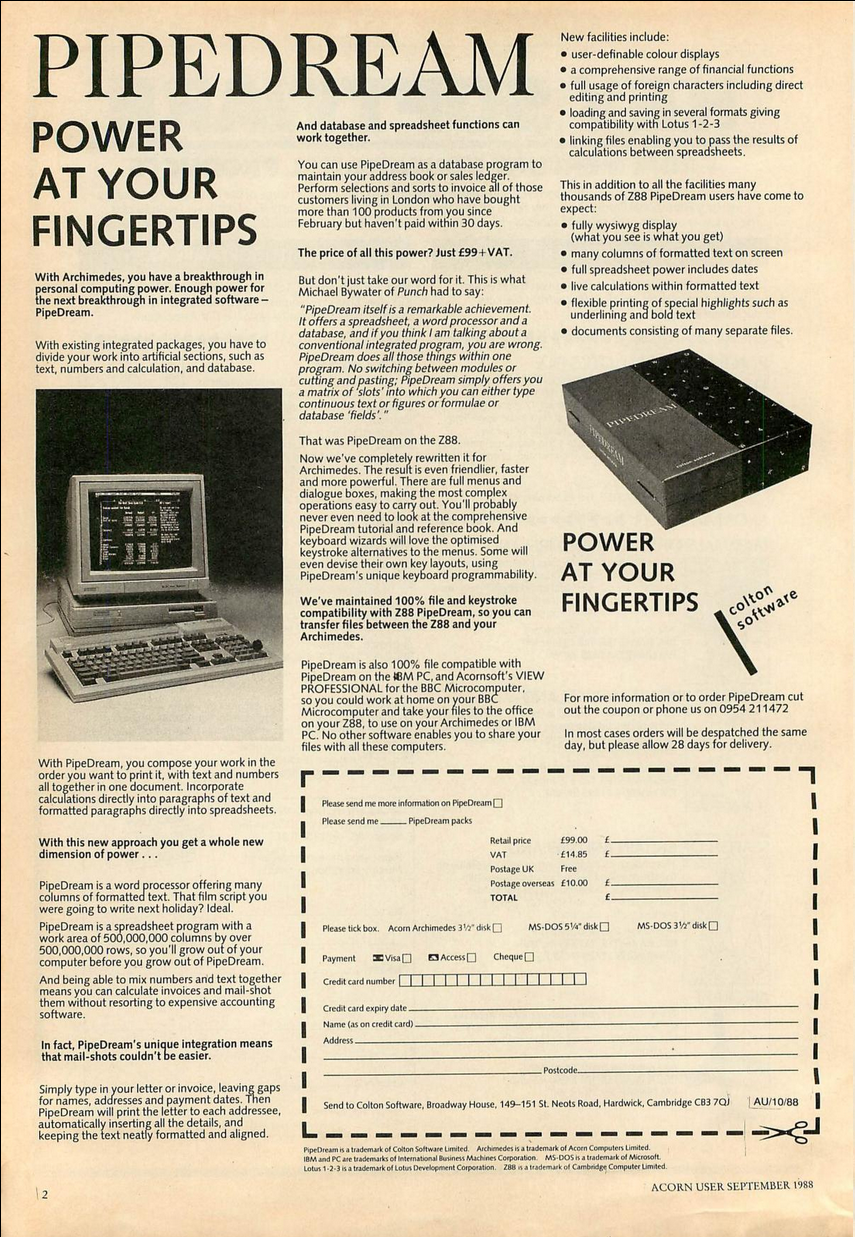
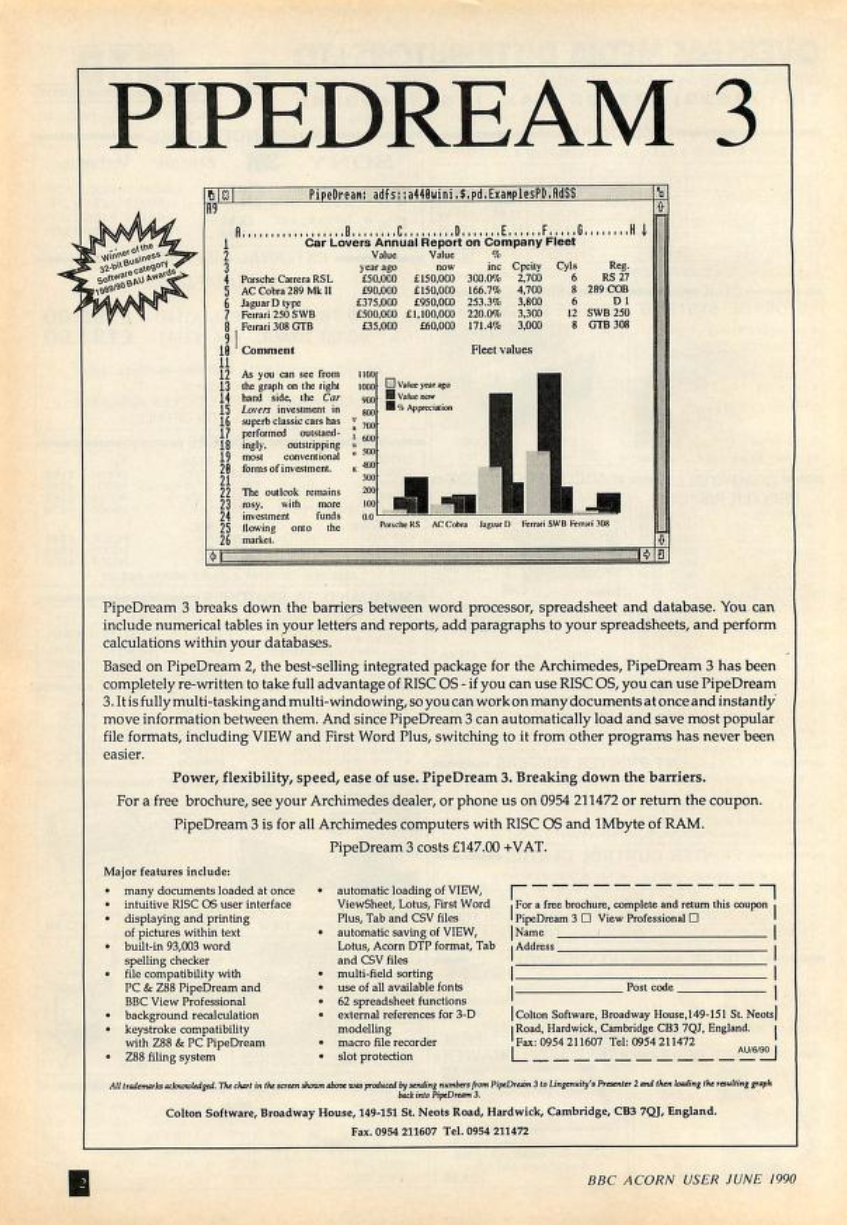
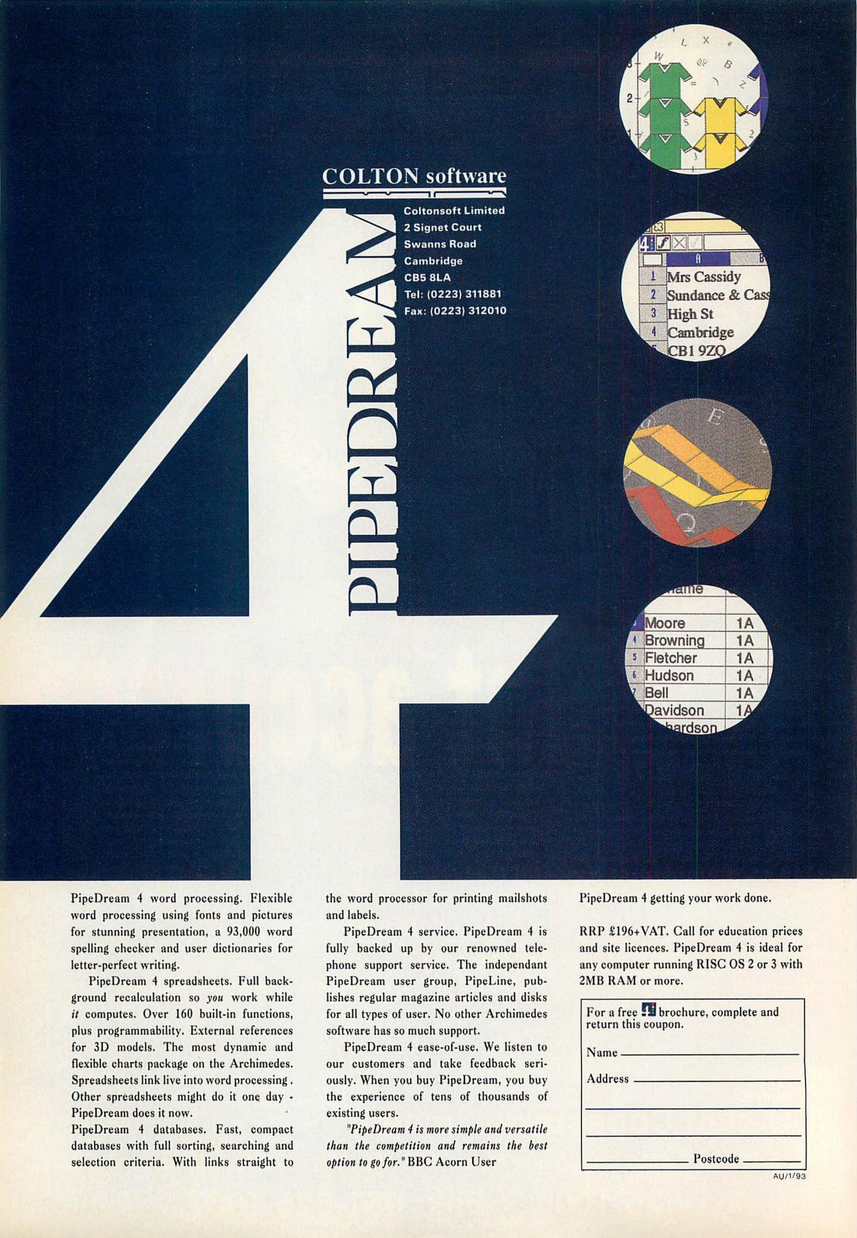
Like RISC OS itself, PipeDream also requires certain shifts in thinking to not lose a finger to its sharp edges. I suppose that when a developer offers a truly new paradigm, it is fair to ask users to meet it halfway. I'm not convinced the advertising (see "Historical Record" at the end) gave customers a full understanding of how drastic that shift was.
Rank and file
"Menu" click the Icon Bar icon (i.e. the application-level menu) for PipeDream to start up a new "Text" file and begin typing into cell A1. You'll find that text overflows, across cell boundaries, until it hits the "row wrap marker" seen in the rightmost column header (shown as a "down arrow" icon).
Every line of text is its own row, in spreadsheet terms. As you type, PipeDream fills the current row, then silently inserts a new row to catch overflow. Until a paragraph break, these rows are internally associated as a logical unit. Edits which alter or disrupt text flow across rows within a paragraph are not reflected immediately in the UI. Or maybe they are? It's hard to tell with the graphic glitches in the screen redraw, a constant source of frustration while working on this article.
PipeDream concedes the reflow point itself. When in doubt about the current visual structure of your text, CTRL + R, a manual action, will force PipeDream to recalculate text wrapping and line spacing. This can be mitigated a bit through a hidden toggle in the "Options" screen, the confusingly named "Insert on Return." This reduces the need to force a manual reflow, but can still leave visual chaos.
I've altered the text flow and initiated a recalculation of the lines. It does the work, but visually shows no change until I trigger a graphics refresh in some way. Selecting the text works, but then leaves its own graphic artifacts behind. I've "gone nutter!" (yes, these are in the captions as well!)
Interestingly, I saw similar redraw issues in View Professional on the BBC Micro. It would appear this is, to some extent, part of the software's DNA. Honestly, this is all "a bit of a shambles." (the hits keep coming)
Cell culture
Have you ever wanted a word processor that won't indent paragraphs? PipeDream being a chimera, navigation idioms are forced to choose which parent they love most. An examination of the TAB key demonstrates this.
In a word processor, we usually have a horizontal page ruler with tab stops. Tab over to a tab stop and type to align text at that indentation point on the page. In a spreadsheet, TAB navigates us to the next cell to the right. In PipeDream, the spreadsheet idiom wins TAB's love.
In a text cell, TAB sets an invisible indicator at paragraph start which forces every subsequent line of that paragraph to begin at that same column. For example, by default every line of text is added to column A, the leftmost. If we TAB to column B, the text will start there but when it wraps to the next line, that will also begin in column B. "Indentation" is at the paragraph level, not the line level.
How do we indent the first line of a paragraph? The manual has a solution.

In looking back through the history of Colton's software on the Acorn line, I found this note in a review of View 2.1, his standalone word processor for the BBC Micro. "Why is there no numerical information on the rulers or cursors to assist formatting?" asked Acorn User, January 1985. It seems Colton had it in for rulers for a decade, and to my thinking this points to a disconnect between what a programmer thinks users need, versus what users actually need. A stubborn rejection of norms doesn't always mean we're on the right track.
Cell division
We can use the cell-based layout engine of the program to pull off a fun party trick. Under "Options" there is a toggle between Row and Column text wrap. "Row" behaves like a typical word processor. "Column" lets us divide the page into columns, like a newspaper. Tab between columns and the column width will be respected by the word wrap. Kind of cool, and could be useful in a "I need to make a newsletter, stat!" pinch.
Like a spreadsheet, column widths are document-wide, so no mix-and-match. Someone very clever with the tools could probably coax complex layouts out of it, but that would require an ungodly amount of pre-planning, design, and patience before starting a document. You really have to try to get it right the first time, because I don't find PipeDream particularly adept at handling large structural changes after the fact.
Grab bag
The column-based formatting gets frustrating, but in other ways the word processing is "bog-standard." (How many will I squeeze in? Place your bets!) We have a built-in spell check, user-definable dictionary, word count, text alignment, font choices, and an anagram/subgram maker. Bank Street Writer Plus had an anagram maker as well. Why was that such a thing back then? Have I forgotten some fad of the 80s and 90s?

That's all fine and dandy, but I'll tell you what isn't: there's no simple cut/copy/paste, at least not as a modern audience may understand those tools. In the document, we are restricted to cell-level selection, meaning I can't select individual words inside cell A1. I can only select the entire cell A1, which in PipeDream means an entire line of text.
We can ask PipeDream to edit a cell in its own window, where it pops out for surgical editing. "Edit Formula in Window" highjacks the spreadsheet formula editor in order to get character-level selection control. In this pop-out window, we can highlight individual words and do typical cut/copy/paste actions. Notice, though, we're still restricted to only the text within the cell, which means only that line (row) of text. It's highly likely any given row will contain the tail-end of the previous sentence and the first part of the next sentence. If we want to cut out a specific sentence which doesn't align neatly to the row structure, there is no way to do so.
I will repeat that.
There is no way to cut/copy/paste an arbitrary string of characters.
Now I feel PipeDream's vision working against itself for anything but simple correspondence. Remember, this is version 4 of PipeDream, Colson's fifth software release to pursue this unified application dream, and this is where we're at. I can't imagine writing anything substantial within these frustrating limitations.
Lotus position
As a spreadsheet, PipeDream performs far more admirably, even if certain conventions have been eschewed in favor of its new vision. Hey, if you're gonna quirk it up, might as well go for broke.
Unlike its spreadsheet ancestors, there is no / menu, nor is there a simple way to tell PipeDream that we want to enter a formula into a cell, as with @ to denote a function call, or = to indicate we want to do math. Many of Lotus 1-2-3's innovations have been utterly ignored.
The global "Options" allows us to set default behavior for cell entry. Setting it to "numbers" will put us into the right context for easy formula entry, or we can click into the ever-present formula entry line at the top of the window. Turn on the "Grid" overlay to draw cell boundaries and before you know it what was a word processing document is now a spreadsheet with "the full Monty." (TIL it doesn't mean "full-frontal nudity")
The functions available to number crunchers are plentiful and robust. Trigonometric functions are a given, but its inclusion of matrix math may come as a surprise. Even complex functions like acosech, which computes "the complex hyperbolic arc cosecant of complex_number as a complex number," are present and accounted for, so hardcore math nerds can breathe a sigh of relief.
A wide number of financial functions, statistical functions, lookup tables, string manipulations, and date handling are all here. So too are flow control tools, like if , repeat , while and more. There are even GUI controls available for showing error dialog boxes and prompts for user input, though those are only available from within custom functions.
DIY
Yes, if you're missing a function, you can make your own. In a new worksheet, start a formula with function() (which can accept typed parameters) and end it with result(). In between, do the work. PipeDream will check syntax and accept or reject each line of your function. If accepted, it will prefix a line with ...
In your real working worksheet, access the formula by [file that contains your function definition]function(parameters). That file reference implies PipeDream can access data from other worksheets, and that is true. Even a cell reference in a formula can be pulled from a completely different worksheet.
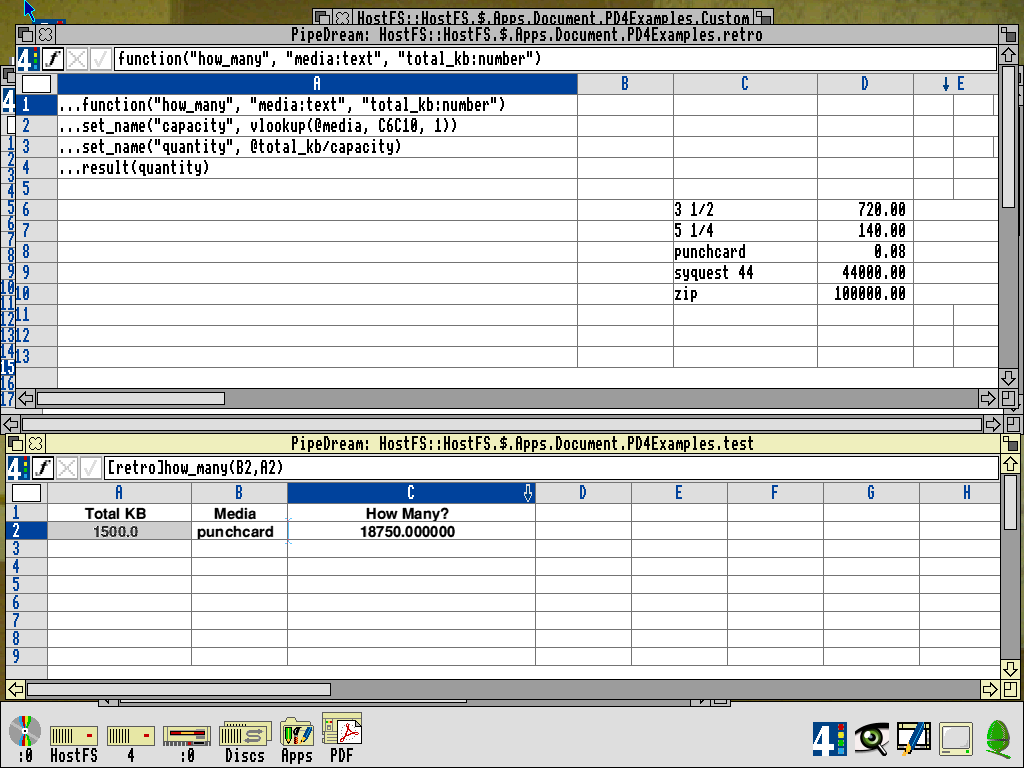
I find the syntax for custom functions opaque, and the manual does a poor job of explaining what is possible and how to use the tool. There are a handful of examples provided with the software installation, with bugs, that reveal secrets only upon very close inspection. For example, notice in the screenshot above that the parameters to the function are later referenced by @ prefix, but local variables, as set by the set_name function are not prefixed when used in calculations.
It's those subtle little things that tripped me up. The same with having the return value called result. Or how the program has a selection of "Strings" functions, but when passing a string as a parameter its type is "Text." I stared at that syntax for a LONG TIME before finally realizing my various little misunderstandings.
Customization doesn't stop there. Individual keys can be defined as shortcuts to longer string sequences, F-Keys (plain and modified) can be defined to trigger commands, and command sequences (triggered by the CTRL key) can be redefined to your liking (which risks overwriting built-in command shortcuts).
You really can make PipeDream your own, though you're in for a struggle compared to Lotus 1-2-3 and the thousands of books available to help learn its principles. I found no actual books for PipeDream, just publishing announcements in old magazines. Something must exist, but the internet at large appears bereft.
Based data
On the scorecard of "this amalgamation approach to productivity software is working," I'd say we're 1 and 1. The spreadsheet tools are fiddly, but robust. The word processing has me very underwhelmed. Time for the tie-breaker: databases.
Using the supplied Lotus 1-2-3 conversion tool, I was able to bring in the data I originally created in CP/M dBASE II and had subsequently converted to DOS Lotus 1-2-3. Now it lives on in RISC OS PipeDream. This data has more passport stamps than Indiana Jones.
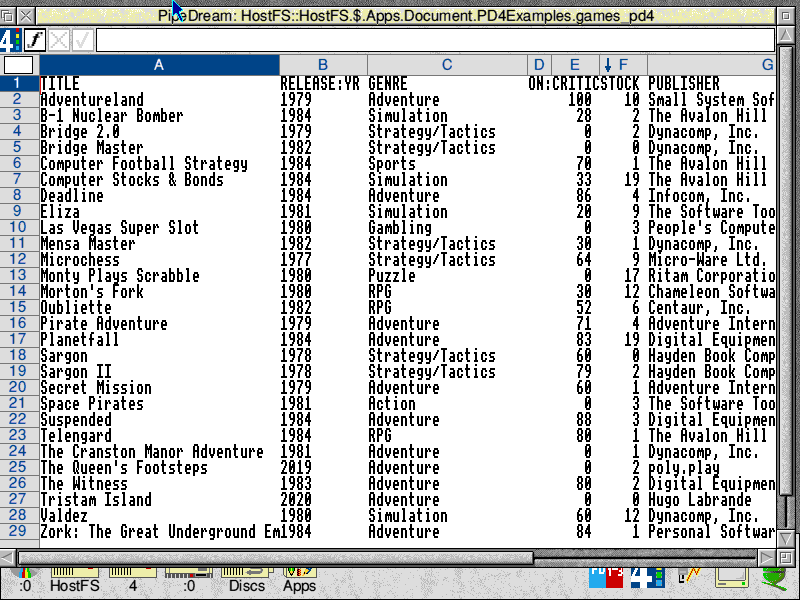
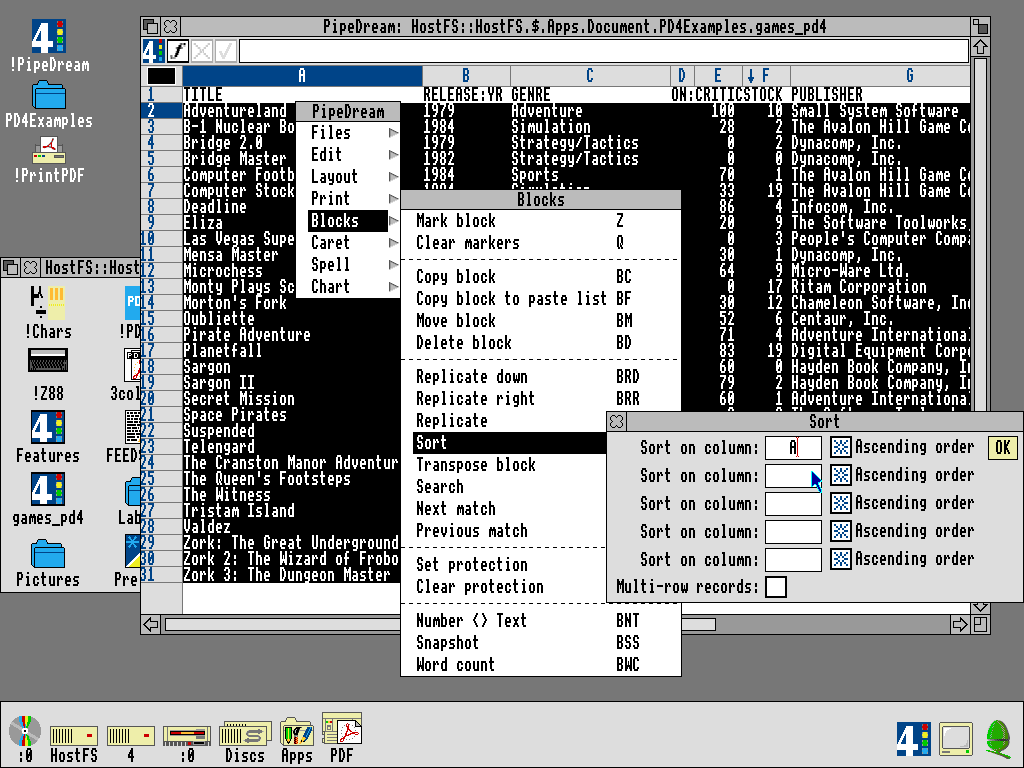
Let's consider some of the basic things one might want to do with data. PipeDream beats out Lotus in sorting, giving us a five-stage, multi-row, sort with ascension. Not too shabby for the time, all things considered.
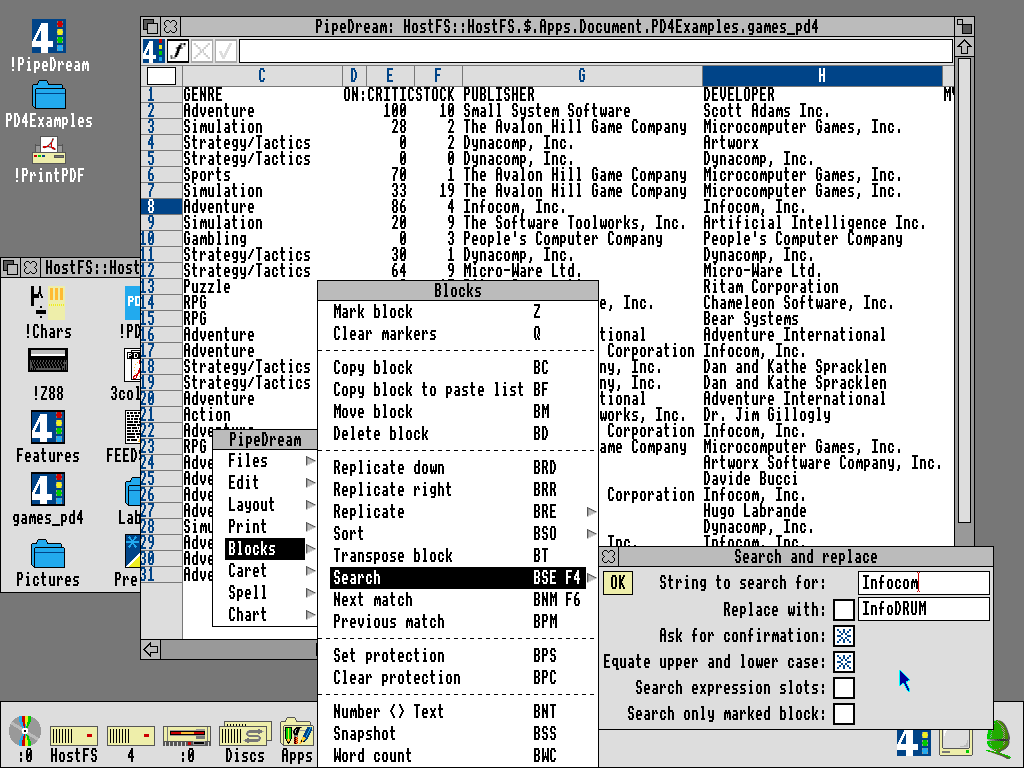
Search and replace does what it "says on the tin" (in for a penny, in for a pound), and can also accept regex-like tokens and patterns.
More interestingly, cells can be set up to directly perform queries on table data. There are a small handful of d prefixed database functions to calculate averages, min/max, counts of things, and more.
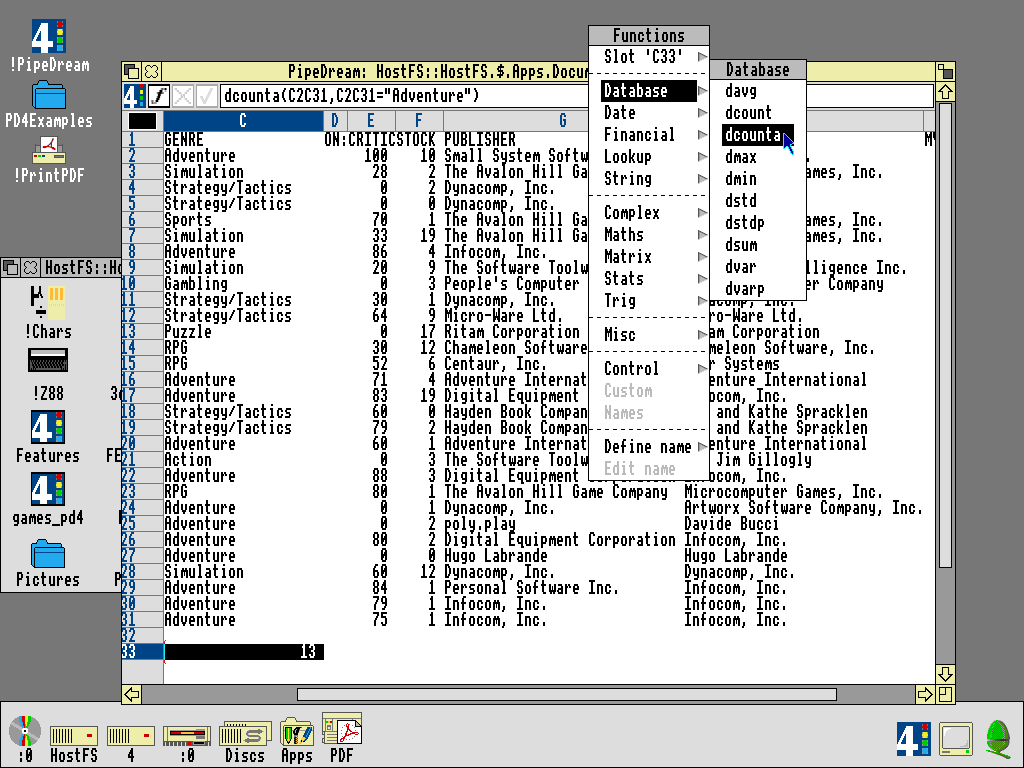
dcounta counts non-numeric values. I'm passing in the range to check, C2C31 and the condition to match against, C2C31 = "Adventure" (wild cards are an option). C33, in reverse text, shows the result, 13One last feature of note is how to use the query tools to extract a result into a new database. This is interesting as it utilizes RISC OS's drag-and-drop Save functionality in a clever way.
Note how the query for data extraction is much longer than the tiny little text field in the contextual menu can handle elegantly. This is one of those usability tradeoffs for the RISC OS way of doing things.
I was initially ready to write off the database functionality as being underwhelming, until I reminded myself of the stated goal for PipeDream. Its core proposition is that there is no difference between the various aspects of the software. The word processor is the spreadsheet is the database. We're not limited to the "database" functions when manipulating our database data. We have access to everything the program has to offer, at all times.
Let's clip through the inverted UV plane separating database and spreadsheet, and see what kind of trouble we can get into.
Beyond the veil
I'm thinking back to the Lotus 1-2-3 article and how database information was queried there. With a table of data, we had to use the built-in query forms, define areas on the sheet to hold query parameters, and designate another section of the sheet into which query results would display. It was an obtuse Rube Goldberg machine that I couldn't understand until I drew a diagram of the process.
In PipeDream, we just write a formula, the same as if it were a spreadsheet. Let's get the average rating of all adventure games in the database published before 1985.
davg(e2e31, c2c31="Adventure" & b2b31<1985)
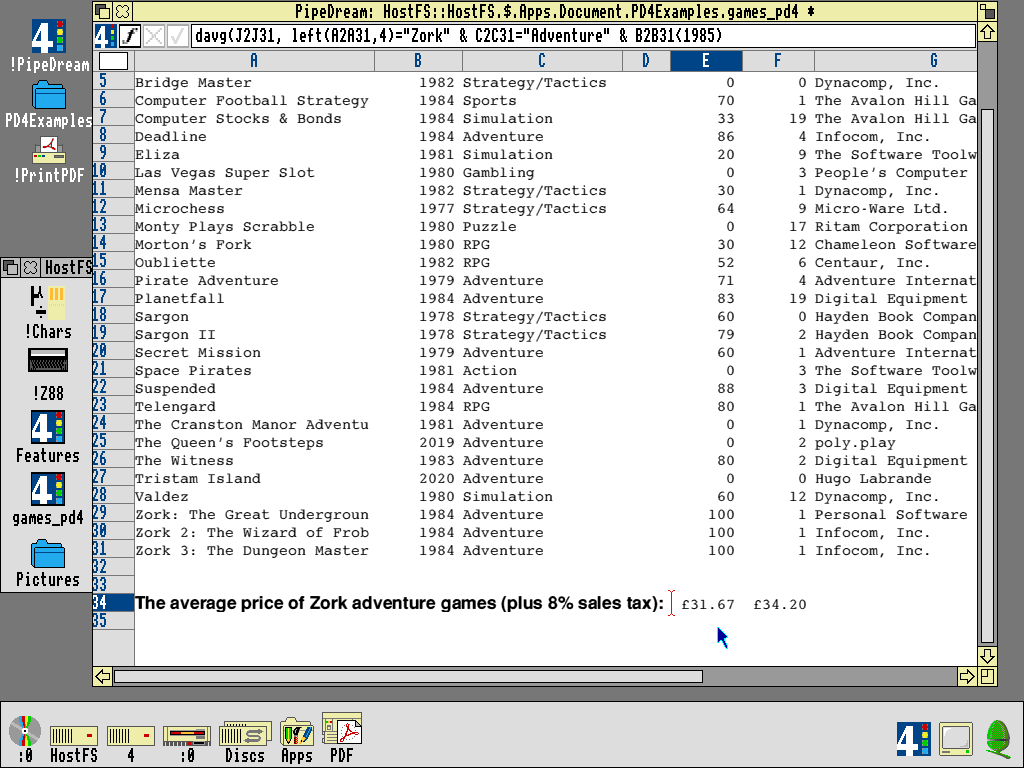
"Bob's your uncle!" (I was hoping to work that one in) Let's mix it up a little and get the same average, but only for titles which begin with "Zork." We can use wildcards, but let's leverage PipeDream's word processing string tools.
davg(e2e31, left(a2a31,4)="Zork" & c2c31="Adventure" & b2b31<1985)
The most awesome part about this is that, like any spreadsheet formula, it updates in real time. Change the ratings, or add a new Zork game to the mix, and get the new average instantly. The database is the spreadsheet is the database, so that calculation can then be referenced as a value for another cell's formula, perhaps adding sales tax to the average unit price. While we're at it, might as well throw in some fancier text formatting to make it look pretty.
In the Lotus 1-2-3 investigation, I wanted a pie chart showing a breakdown by game categories. Lotus had a handy UNIQUE function which removed duplicates from lists, making it possible to extract the full list of unique game categories, which could then be used as the query parameters for generating a chart.
PipeDream can't do that, but it does have other string parsing routines, variables, cross-file data referencing, and the ability to write custom functions and macros. I don't doubt it would be possible to homebrew a workaround to this missing function. In fact, let's "have a bash at it." (swish!)
Note the real-time update of the chart as I modify an external database.
Ultimately, I couldn't achieve an elegant solution, but I could achieve my goal. I sorted the original data by genre, then created a UNIQUE column that checks if the genre for each row matches the one above it. If so, it's a 1 otherwise a 0. Then, I extracted all rows with 0 in the UNIQUE column. Last, I did dcounta (count any items in a list), where the source list is contained in the original database document. With the documents thus linked, I get real-time graph updates when I alter the core database, thanks to external reference handling. Everything's "tickety-boo!" (I'm trusting The Independent on this one)
OK, PipeDream, you're winning me over a little more now.
By your powers combined
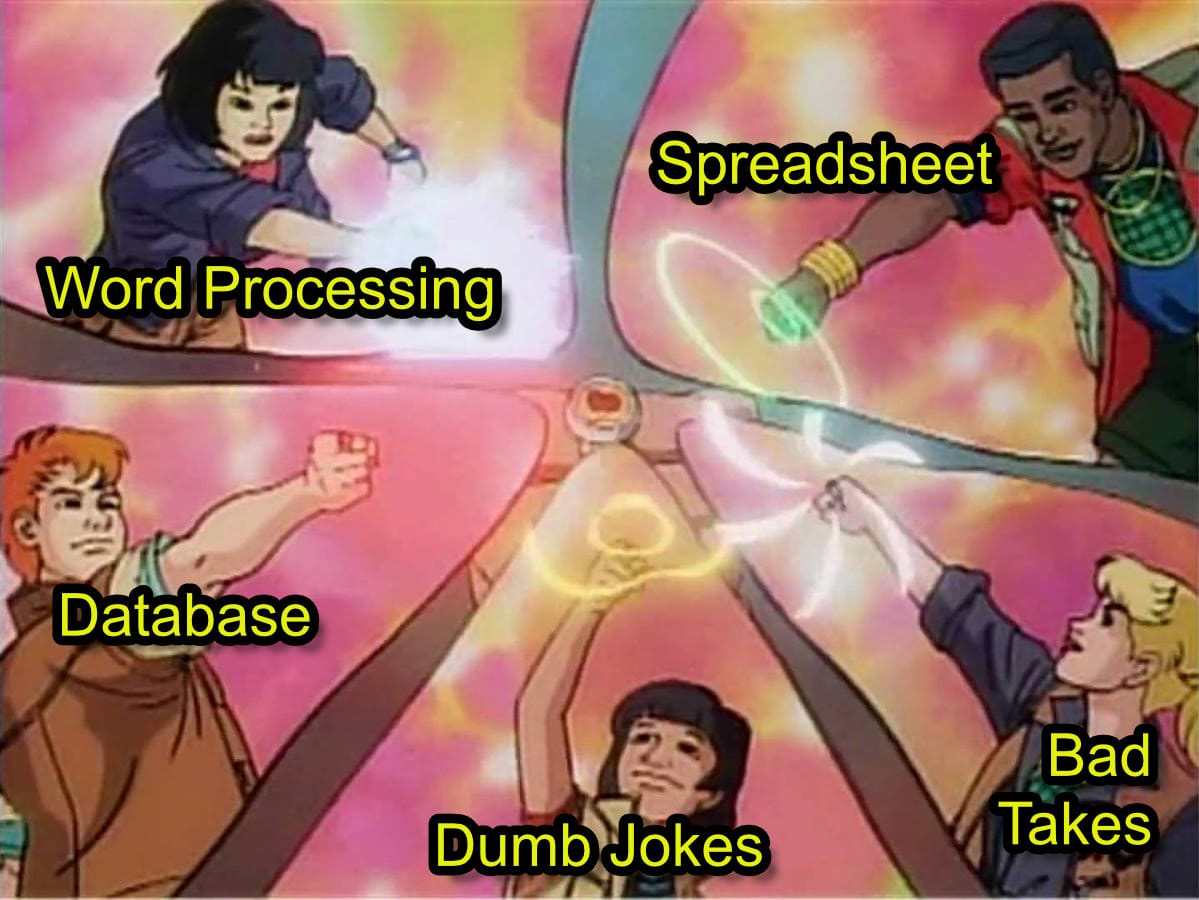
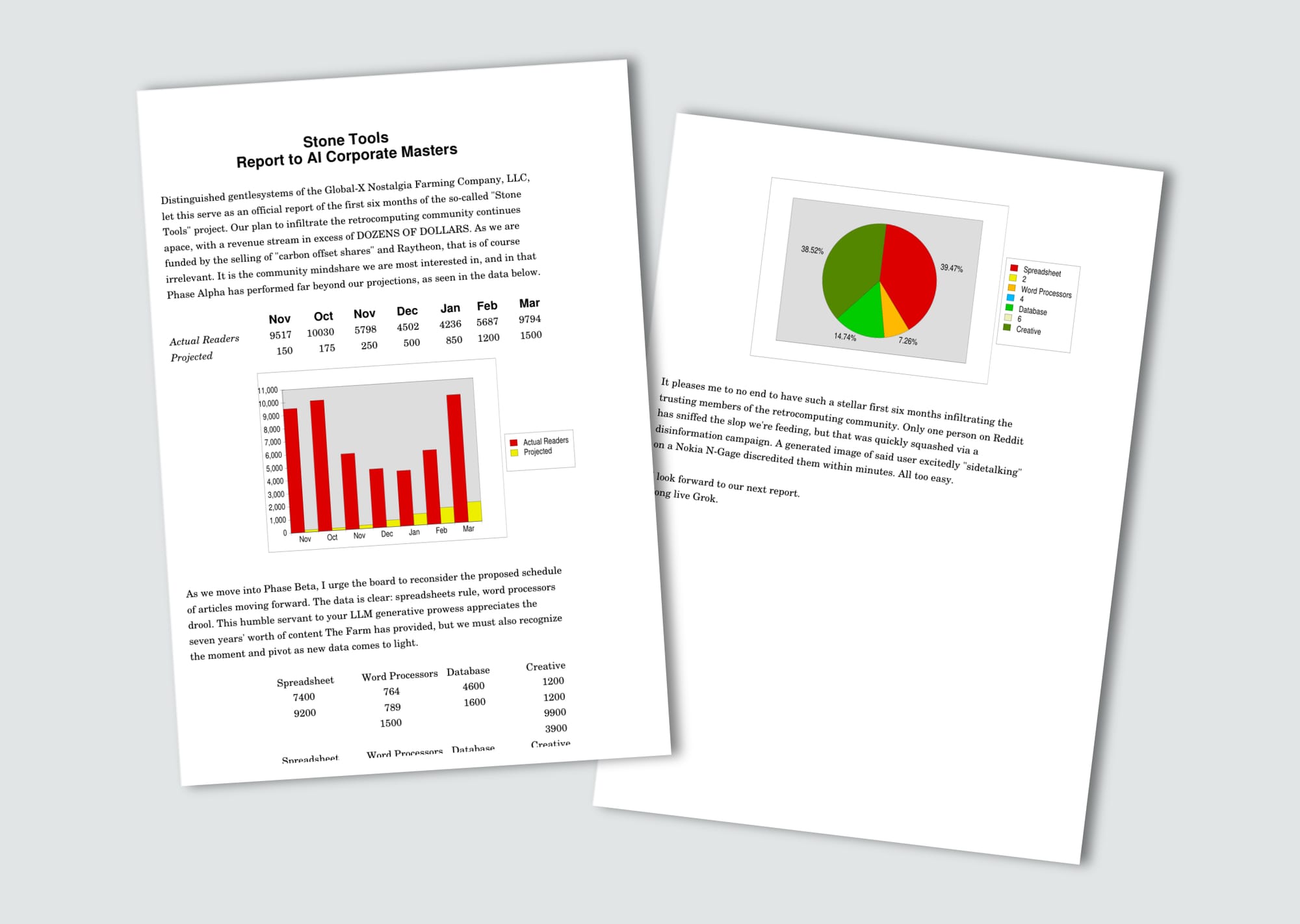
Time to take this to its logical conclusion. We haven't yet pushed it as the multi-purpose document creation tool it promises to be. We've done a little dabbling, with text formatting and data extraction, but I want to see everything come together. I want the borders to crumble.
The approach I'm finding to be least troublesome is to begin with a "text" document, then decorate that with spreadsheet/database elements.
As I scroll, text will disappear until I trigger a redraw event in the window. (pay no attention to the content of the letter)
In building that document, here's what I learned.
- Because rows and columns are shared throughout the document, insertions and deletions, or moving things around, creates difficult-to-resolve layout issues. If a spreadsheet sits to the right of a block of text, and we want to insert a row into only the spreadsheet part, that's not possible. Doing so will also insert an empty row into the paragraph, leaving a gap.
- PipeDream has a strange concept of "global font" vs. "local font". Local fonts can't be changed until the global font is set to something other than the system font. The global font controls value cells, which cannot be styled individually. Local fonts will style a cell from wherever the cursor is currently located, and it is very easy to target a cell and style its font, but miss the first character or two, even though the entire cell is highlighted as a selection. "What will be the result of my action?" is not always crystal clear.
- The controls for styling charts are difficult to understand, and messing up is hard to reverse out. I accidentally added "New Text" to the chart and it took a long time to figure out how to delete it; selecting it and hitting "delete" doesn't work. There is no way to modify the legend.
- There's no facility for selecting elements for inclusion/exclusion from the graph. In my case, formatting to look good on the printed page meant adding empty columns which wound up in the pie chart. This is very representative of the struggles the layout engine introduces. Making data look good in one context risks "making a shambles of it" (are these working? have I won you over?) in another.
- Page layout settings are cryptic. Margins can only be set to the top and left (?!?!) and only in unspecified numeric units. I used the template default values, and the page wound up shifted down and to the left. Getting beautiful output is a challenge.
- How could I forget? There's no UNDO! Some programs, like !Draw (vector illustration) and !Edit (text editor) have undo, and others like !Paint and !PipeDream do not.
Where are they now?
We have a unique confluence of interesting technologies coming together to form a strangely flawed jewel. It sparkles and shines when the light hits it just right, and in those sparkles we may catch a fleeting glimpse of a world that might have been. Might have been, but wasn't. Let's see where each of the underlying technologies wound up and those in the know can feign shock with the rest of us when we learn that ARM isn't the only thing that survives to this day.
ARM I'm gettin'

We'll start with the obvious truth: ARM won. It's in everything, everywhere, all at once. If it isn't in your computer, it's in your phone, or your Newton, or your Palm Pilot, or your Canon camera, or your Nintendo DS, or your Nintendo 3DS, or your Nintendo Wii, or your Nintendo Switch, or your Nintendo Switch 2, or your Raspberry Pi, or maybe you're sidetalking on your N-Gage. Its combination of low power consumption with high performance makes it ideal for mobile devices, of which we are in abundance.
But why ARM specifically? Others have swung for the RISC fences and stumbled, yet Acorn set two engineers to the task of designing their first ever microprocessor and somehow achieved a ubiquity that has remained (mostly) unchallenged.
Apple/IBM/Motorola gathered their forces and developed their own RISC architecture, which debuted in Apple's Power Macintosh 6100. PowerPC doesn't mean much to a Windows/Intel crowd, but the Mac faithful remember all too well Apple's investment in that as the successor to the x68000.
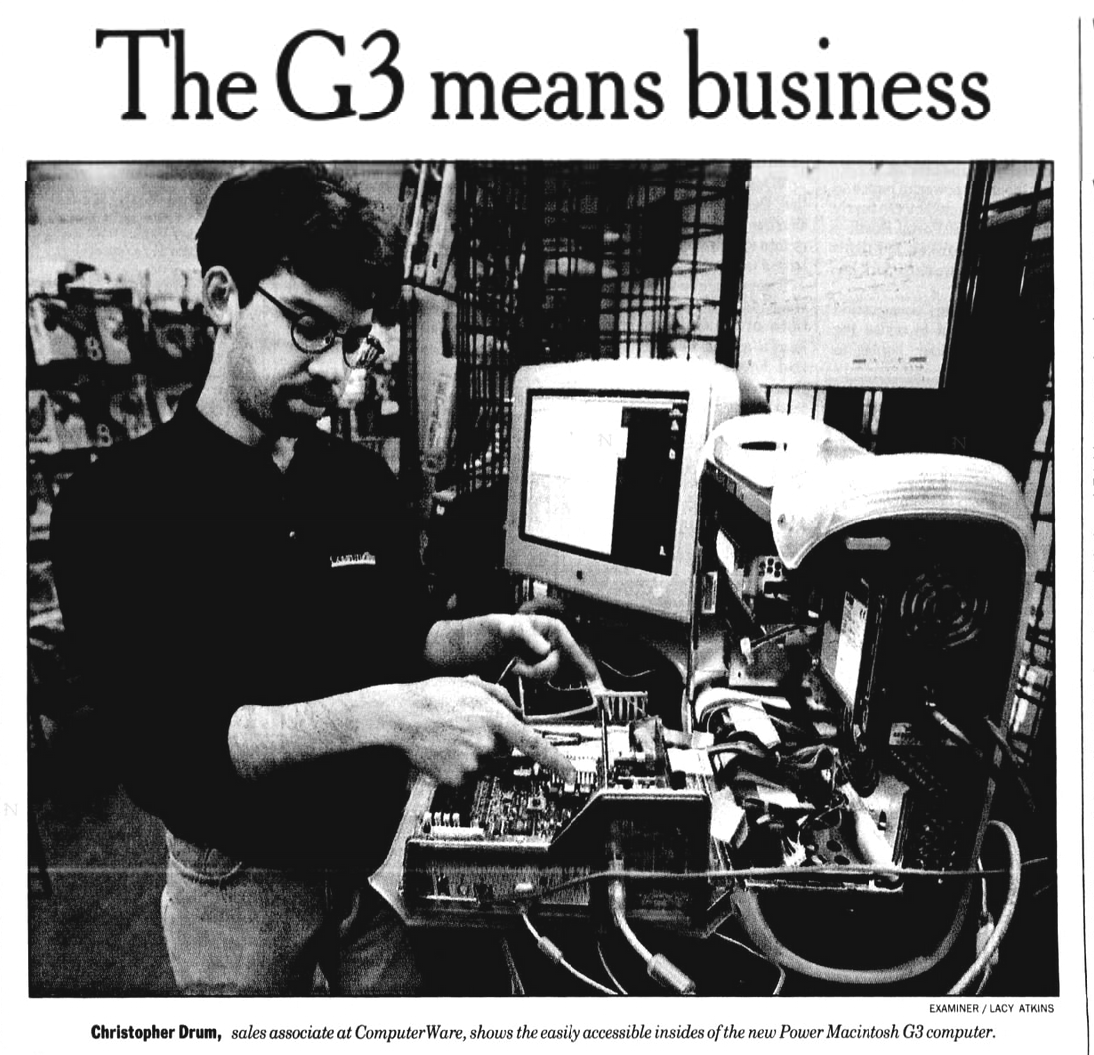
Frustrated by delays in the evolution of the chip line, Apple wound up ditching it for Intel x86, even if they eventually rediscovered the joys of RISC. PowerPC went on to be adopted by a number of game consoles, notably the Nintendo Wii, XBox 360, and PS3 simultaneously. The line continues today, and heck, Mars rovers Curiosity and Perseverance both have PPC inside. Hard to call such a history a "failure," but who outside hardcore Amiga faithful today is clamoring for a PowerPC chip?
The SPARC RISC architecture, of "Sun SPARC Workstation" fame, chugged along until as late as 2017, when Oracle purchased Sun. A notable achievement, in pop culture circles, is this is the hardware Pixar's first Toy Story was rendered on. Though Oracle disbanded the design team keeping the architecture alive, the architecture itself is free and open source. There's nothing stopping an intrepid reader from carrying on the lineage, I suppose. Fujitsu, the last of the production line for the series, has abandoned SPARC for ARM.
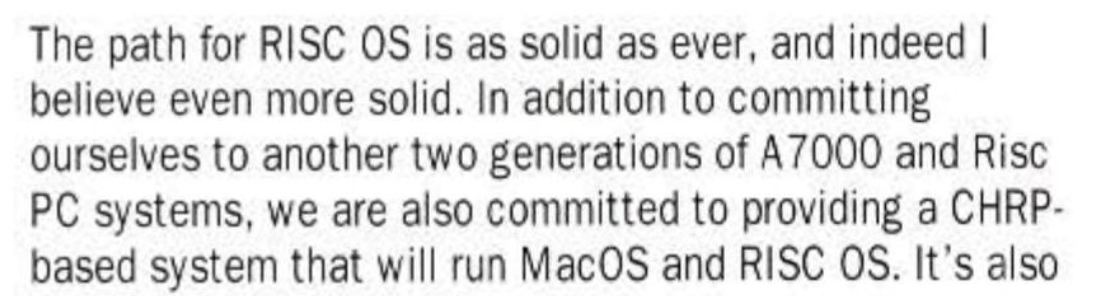
I'll be honest, I can't figure out what ARM does so much better than other attempts, like SPARC, at making a great RISC processor. Reading through the Ars Technica story, it seems to be less about the underlying tech and more about the savvy promotional work of Robin Saxby and his absolute unwillingness to lose the RISC wars. Where others were building RISC for the server-side, ARM committed themselves to the mobile side, skating to where the puck would be.
Whatever the case, whatever the magic, ARM makes it available to anyone who wants it, through their licensing partnerships. Ultimately, this really seems to be what has given ARM its staying power; a low barrier to entry to quickly join in on high-performance, low-power draw, ARM fun.
It's important to note that ARM doesn't make processors; they only license their IP. <<record_scratch.mp3>>
Breaking News, as of literally just like a week or so ago:
ARM is set to launch its own silicon for the first time in 35 years.
https://techcrunch.com/2026/03/24/arm-is-releasing-its-first-in-house-chip-in-its-35-year-history/
OK, be that as it may, it is still substantially correct to say that IP licenses are their bread and butter. A "core license" allows a company to manufacture a specific ARM-designed CPU, a popular choice for system-on-a-chip designs. Alternatively, an "architectural license" permits a company to design and build its own custom CPU around the ARM instruction set. That's what Apple does with their A- and M-series chips.
In recent years, ARM is feeling light competitive pressure from the RISC-V architecture. Born in the same UC Berkeley labs that birthed the original RISC design reports that inspired Acorn to take a chance on RISC, its architecture, unlike ARM, is free and open source. Consumer-level devices running on RISC-V have already started shipping. A new race has begun.
Archimedes screwed

Acorn's Archimedes line ultimately never sold particularly well. It's hard to nail down specific sales figures, but a 1991 Acorn shareholder report said, "Acorn is now the UK number one supplier of 32-bit RISC machines with an installed base of over 150,000 units." For context, the Amiga line had sold some 2 million units by 1991.
We can't say Acorn didn't put in the effort, releasing some 13 model variations in under a decade. The general consensus seems to be that they "cost a bomb." (that's a new one on me) Schools adopted them, as a natural evolution of Acorn's prior BBC Micro installations, but at US$3,000 to $9,000 (in 2026 money) families just couldn't afford to put one in the home.
In the mid-90s, Acorn dropped the Archimedes line, switching tracks to the more business-like Risc PC line, and produced a handful of systems around the StrongARM CPU. However, while the CPU spirit was willing, the motherboard flesh was weak, leaving the CPU underutilized. The lineup ended concurrently with the end of Acorn around 1998. Castle Technology tried to keep the Risc PC line going, post Acorn, but called it quits shortly thereafter, in 2003.
RISC-OS
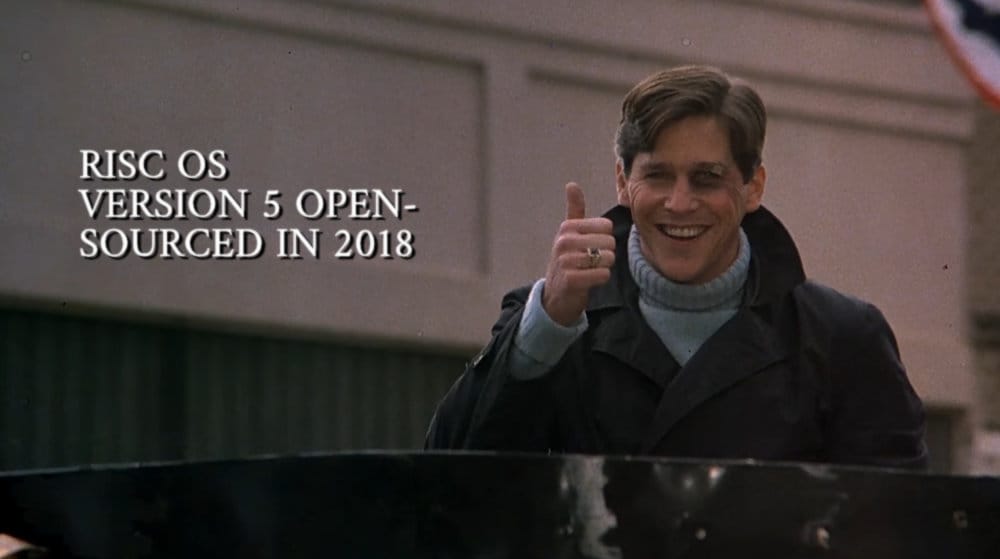
Open-sourced in 2018, RISC OS Open keeps it running and up to date for modern RISC-based hardware platforms, especially the Raspberry Pi. Currently at v5.30 at the time of this writing, it is still a 32-bit operating system with "moonshot" aspirations of 64-bit someday. *checks watch* Time is ticking to pull that together before fading into 32-bit irrelevance.
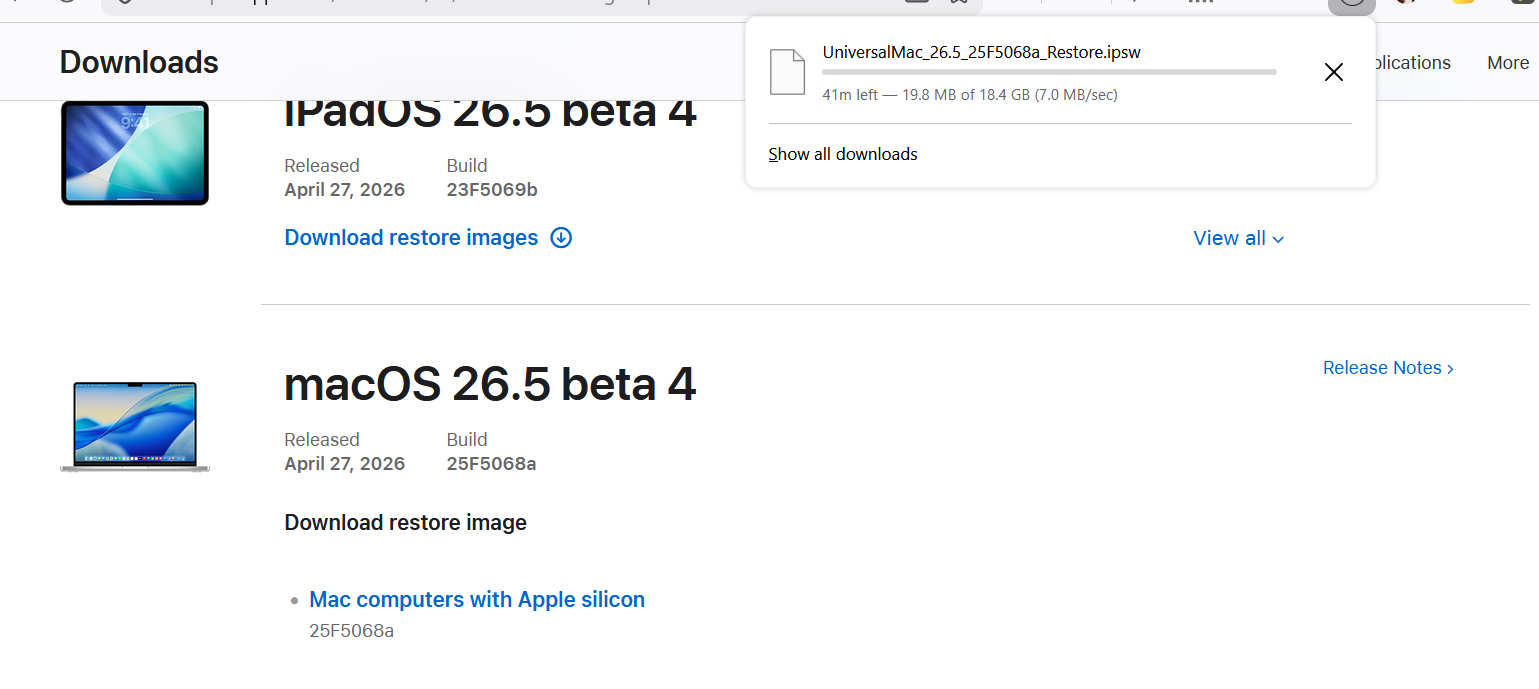
Did I mention how tiny this thing is? The latest version for Raspberry Pi is a 155MB download. Version 3.7, which I used for this article, downloaded as a pre-configured emulator with OS and apps pre-installed, was a mere 129MB. Even the most up-to-date pre-configured package tops out at a "massive" 1GB, apps and emulator inclusive. How big is macOS on ARM?
The death of Mark Colton
Leading in with his View lineup of productivity apps on the BBC Micro, Mark Colton was the man with the all-in-one vision. With View Professional, he took his first stab at providing an uber-app for that 8-bit workhorse. It's primitive and clunky to use, but the spark is present.
He would then expand on his ideas through the PipeDream lineup, taking it all the way to version 4.5. Every version refined the vision, but ultimately its character-based layout engine roots became a limiting factor to its growth.
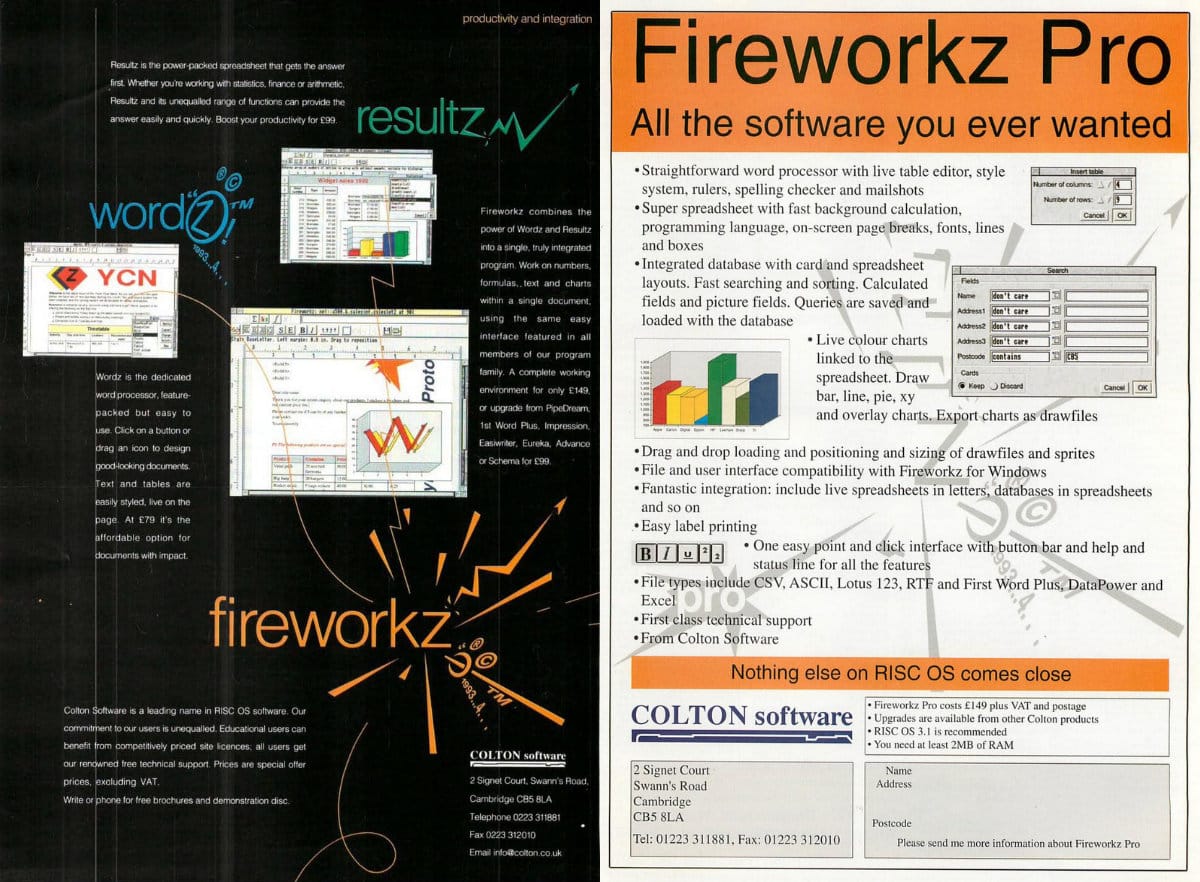
One rewrite later, he had a true GUI-based implementation, for both the Archimedes and Windows, in Fireworkz released in 1993. Having created standalone products Wordz and Resultz, Fireworkz combined those back into one. By mid 1995, Fireworkz Pro added in the database functionality, merging the new Recordz into the product, and that's where Colton's involvement ended.
Besides asking "What even is a spreadsheet anyway?" Colton's other passion was race car driving. In August 1995, an engineering defect in the front wing of his Pilbeam M72 caused it to fold under his car while he was at top speed. He lost control, crashing headlong into a telegraph pole, and was killed.
Long live Mark Colton
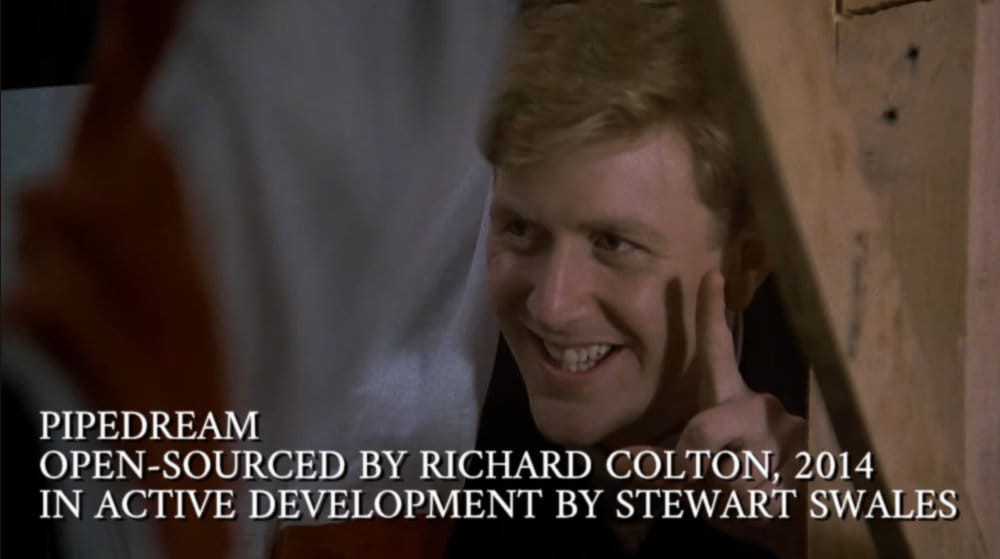
Most shockingly, both PipeDream and Fireworkz continue to be maintained to this day. Mark's father, Richard, generously open-sourced both PipeDream and Fireworkz just before his own untimely death in 2015. Fireworkz Pro, the version that includes database functionality, is not open-sourced and is still for sale.
The PipeDream package available for installation in RISC OS package manager is not the version I'm using for this article. That is the modern update, which adds a bunch of niceties, including a GUI toolbar for formatting text, expanded spreadsheet functions, and a mind-boggling number of bug fixes.
This is all maintained by lone developer Stewart Swales, someone intimately involved in the RISC OS and PipeDream history. He worked at Acorn and helped develop Arthur, the OS that became RISC OS. Later, he joined Colton Software as lead developer, working on PipeDream and Fireworkz. There's really nobody better to carry on the legacy.
Where, precisely, Colton's continuation of that legacy would have gone, we can't say with certainty. However, we do have a little insight into his thinking. In an interview with Acorn User, December 1994, he said, "Over the next few years...we won’t be writing spreadsheets either; we'll be writing a totally different style of program. I expect spreadsheets, word processors and so on to be provided as part of the operating system in the future."
Reach vs. grasp
Let me start by making it clear that I appreciate the effort. I say that with all sincerity and for everyone involved. From the machine, to the OS, to the productivity suite, all katamari'd up into a unique star. It was a lot of fun feeling like a beginner again. I had moments of true learning, shedding expectations of "how things should be" and experiencing fresh, alternate ways to approach work.
I said at the beginning, the question that needs answering is, "Did Colton successfully execute his vision?" and here I must waffle. From View Professional, through five major releases of PipeDream, and two Fireworkz releases, he held fast to a very particular line of exploration. That he never wavered in his pursuit of that vision, says to me that he must have felt he had achieved his goal to some degree. In that regard, we can say he successfully executed his vision.
As an end-user, it is hard to align myself to that vision. I get what he's after, especially when trying to make sure documents always reflect the latest data. After using PipeDream for a number of weeks, I remain unconvinced that the solution is to graft all software into one uber-application. If we follow that thinking to its logical conclusion, then why not include paint features? Why not include robust desktop publishing features? Where would it stop?
Had the amalgamation of these productivity apps birthed something uniquely unachievable by other means, or unlocked some latent potential in the individual apps, I'd be very willing to adapt to this "skew-whiff" (last one, I promise!) approach to application design. As it stands, I ultimately don't see what it does that wouldn't be equally well-served, perhaps better-served, by intelligent file link management with robust publish/subscribe functionality. In fairness, a deep implementation of that would work best as an OS-level feature, and Colton could only control his own works.
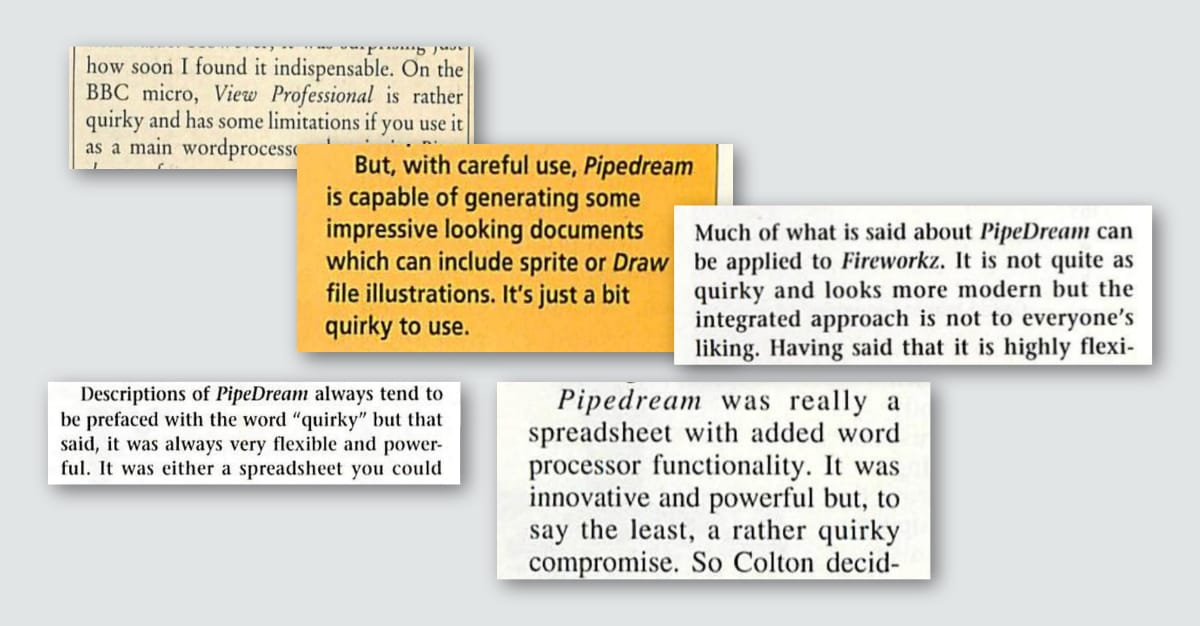
Paradoxically, the most frustrating aspect in removing the barriers between applications is how we wind up with a slate of new barriers forged in that alliance. Colton said of View Professional that even when the apps are combined, none should feel like a compromised version of that app. Yet, compromises are what I feel with every document I build. Is it worth giving up easy text formatting and basic cut/copy/paste for the off-chance I might need to insert a little spreadsheet table? There's an 80/20 rule being almost willfully ignored here.
I love that Colton had a unique vision and stuck to it.
I love that someone tried to forge a new path in productivity application design.
I love that PipeDream exists, but I don't love it.
Sharpening the Stone
Ways to improve the experience, notable deficiencies, workarounds, and notes about incorporating the software into modern workflows (if possible).
Emulator improvements
- Getting started with RPCEmu, using a pre-built package, was as dead simple to use as you'd imagine. I experienced no crashes of the emulator, operating system, or PipeDream. It was a very solid experience in that regard.
PipeDream itself, at least the version I used, had a ton of annoying bugs and the graphical glitches were even noted in a review by Micro User, February 1992. But emulator-wise, everything was smooth. - I recommend first-time users grab a pre-built image for quickly jumping in and seeing what the fuss is all about. I also do recommend going through the RISC OS Manual. The operating system is almost unusable until you learn its little tricks and nuances of operation.
Pre-built images: https://www.marutan.net/rpcemu/easystart.html
v3 Manual: https://archive.org/details/ro-3-user-guide
v5 Manual: https://archive.org/details/risc-os-5.28-user-guide - Technically, I am cheating a bit in this review. RPCEmu doesn't emulate an Archimedes but rather Acorn's later Risc PC. I ran PipeDream from floppy in Arculator, which explicitly emulates Archimedes systems, to compare the experiences. Except for RPCEmu's snappier performance (which I want anyway), RISC OS itself abstracts away the hardware layer so much it didn't seem to matter one emulator over the other.
Troubleshooting
- The emulator itself expects some specific keyboard, with the
\ |key situated betweenLEFT SHIFTandZ. I don't have that, and nothing on my extended keyboard would send the right code to the emulator.|is used for logicalORin PipeDream data queries; I had to use Windows ALT keycodes. - I mentioned earlier, but I'll make it explicit here: there is no undo.
Interfacing with the Real World
- Fireworkz is available as a native Win32 app. It launches without issue on Windows 11 64-bit, and even in Wine on macOS. It looks and feels exactly like Fireworkz on RISC OS, which looks and feels a lot like the latest version of PipeDream (minus the database parts). The list of bug fixes and quality of life enhancements is vast. Scrolling through all changes since Colton passed is kind of pointless due to its scope. I'll say, "a lot has improved" and leave it at that.
As a local-only alternative to the Google/Apple/Microsoft hegemony, it's worth checking out. It's free, open source, actively maintained, a mere 2.5MB download, and for God's sake at least it's trying to do something different. - Getting documents out of RISC OS into a modern system is easy, but has its caveats. RPCEmu can directly save to the host operating system, so getting files out is a non-issue. PipeDream's options for saving documents will strip the document's uniqueness, however.
- Saving as ASCII will try to keep text precisely as shown in PipeDream, inserting line breaks at the end of every line of text. Tables are just tab-indented. Any text formatting, fonts, graphs, etc. are stripped, of course.
- Saving as "Paragraph" is like ASCII, but will keep text together as logical paragraphs. This is much better for pasting the text into new documents. We still lose anything done to make the document look pretty.
- PDF printing is an option in RISC OS, and proved to be the best way I could find to get PipeDream documents into the real world. This required two parts: activating the PDF printer and running a separate !PrintPDF application. With both active, PipeDream generated PDFs without issue.
Fossil Record