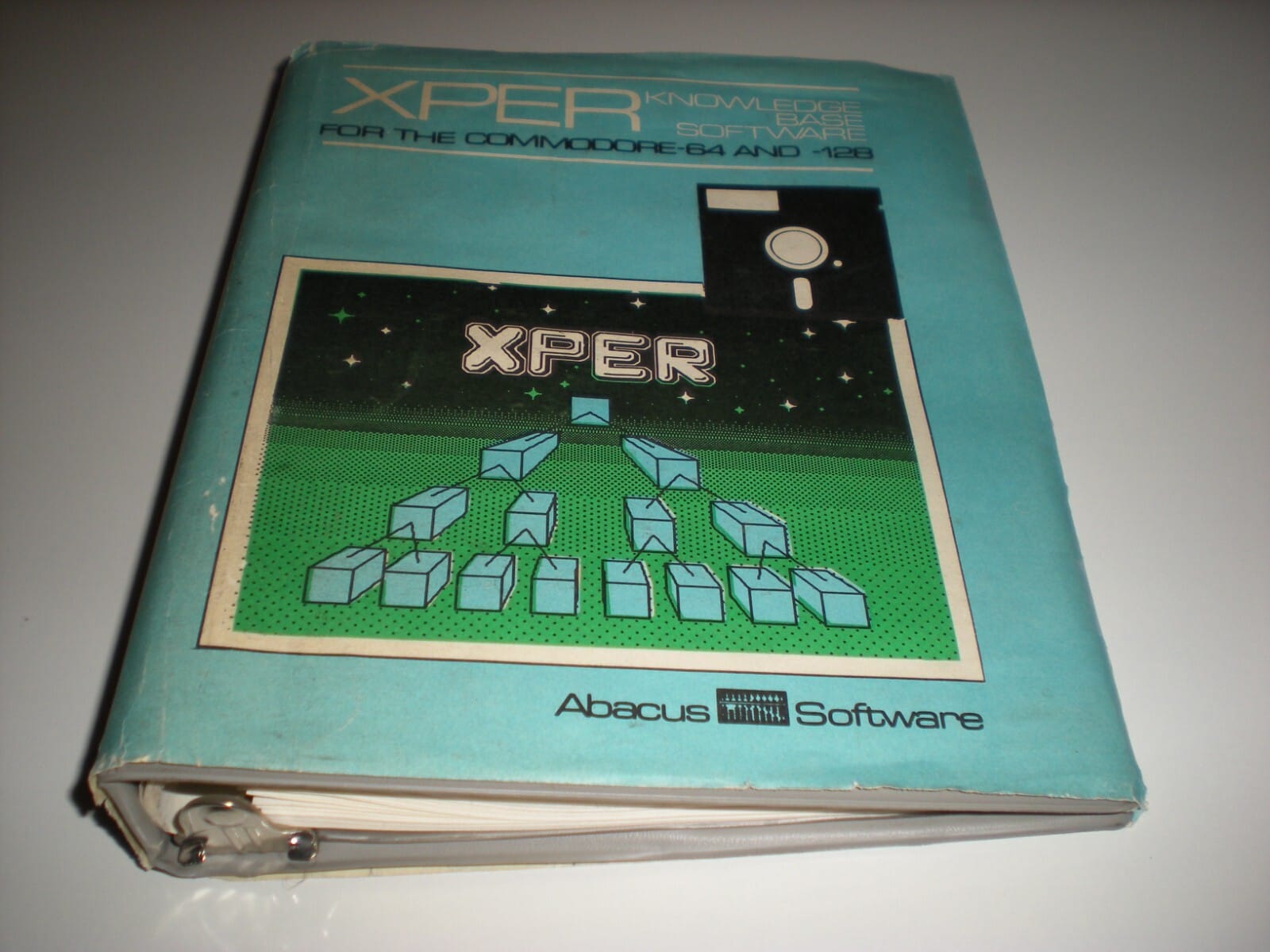
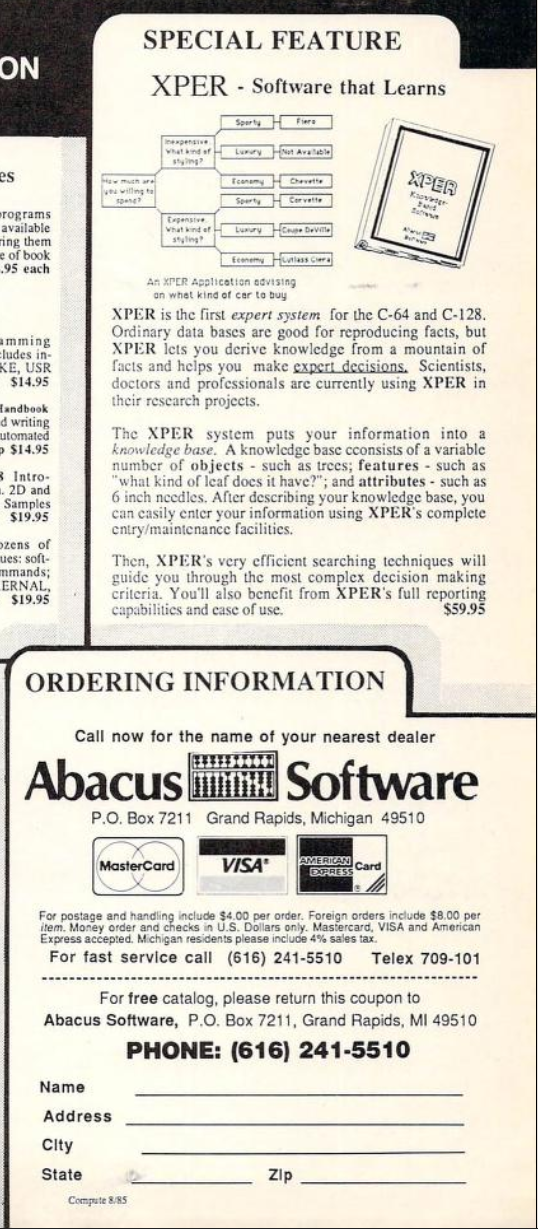
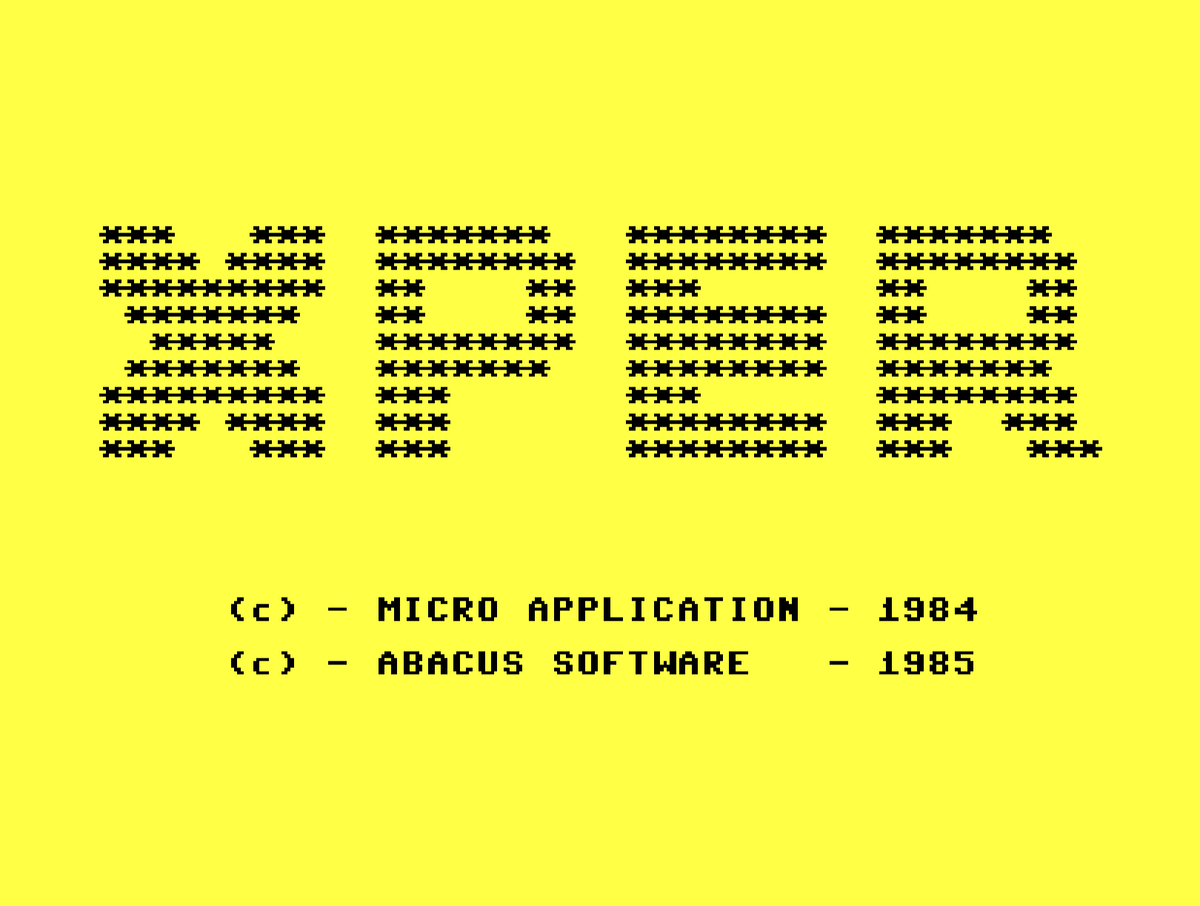
XPER on the Commodore 64
In a supreme act of hubris, I use 80s "expert system" AI technology to turn a C64 into a rain predictor. Will it fair better than a coin flip?

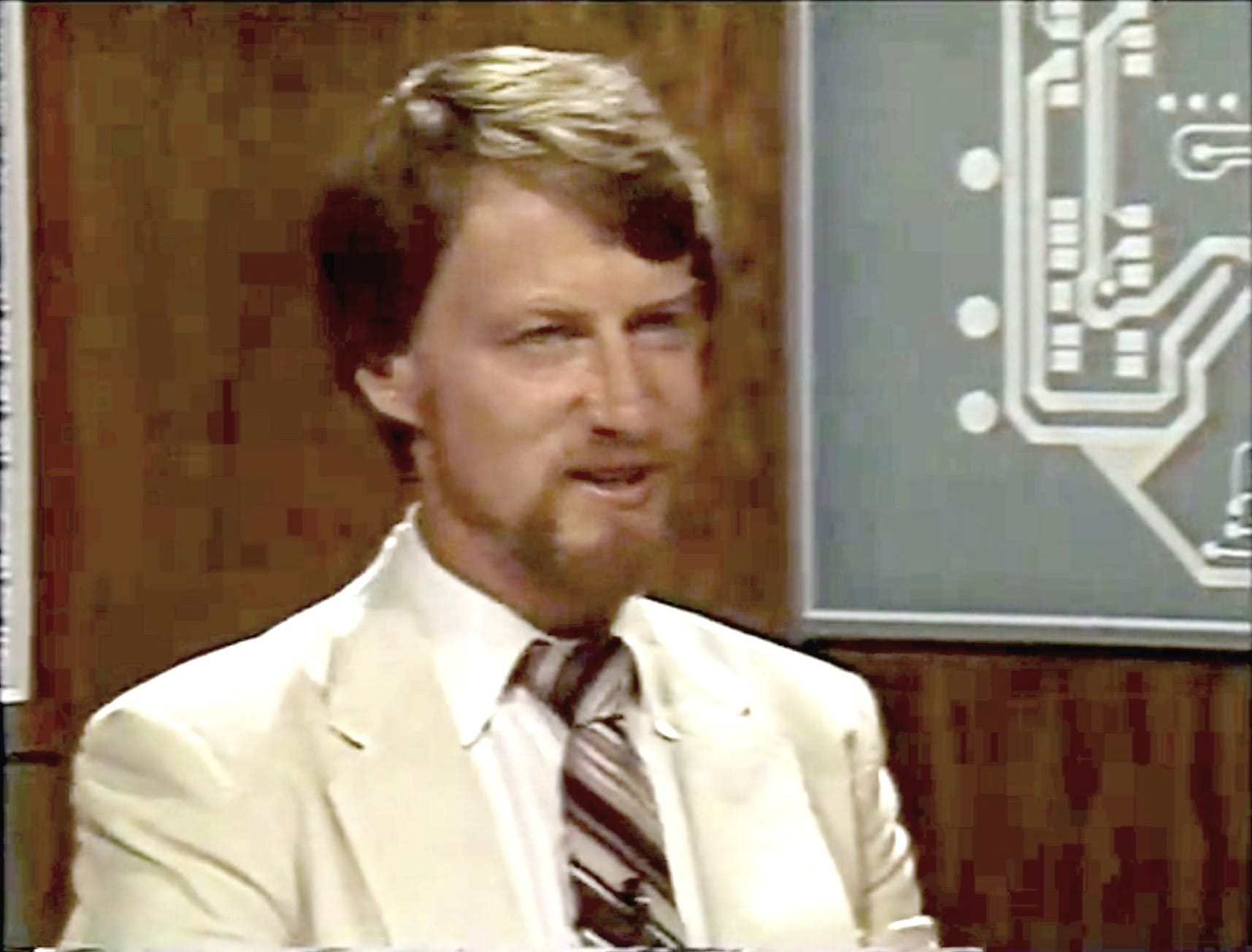
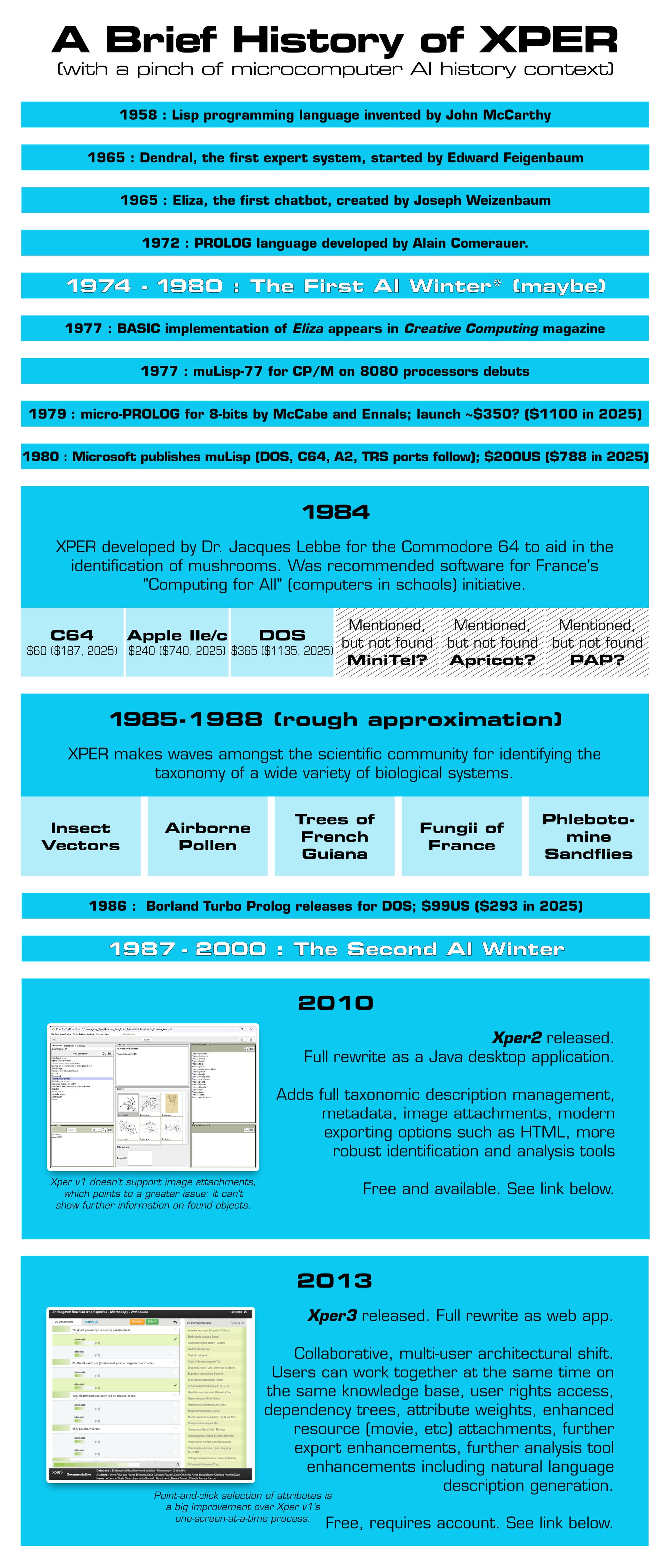
In 1984, Gary Kildall and Stewart Chiefet covered "The Fifth Generation" of computing and spoke with Edward Feigenbaum, the father of "expert systems." Kildall started the show saying AI/expert systems/knowledge-based systems (it's all referred to interchangeably) represented a "quantum leap" in computing. "It's one of the most promising new softwares we see coming over the horizon."
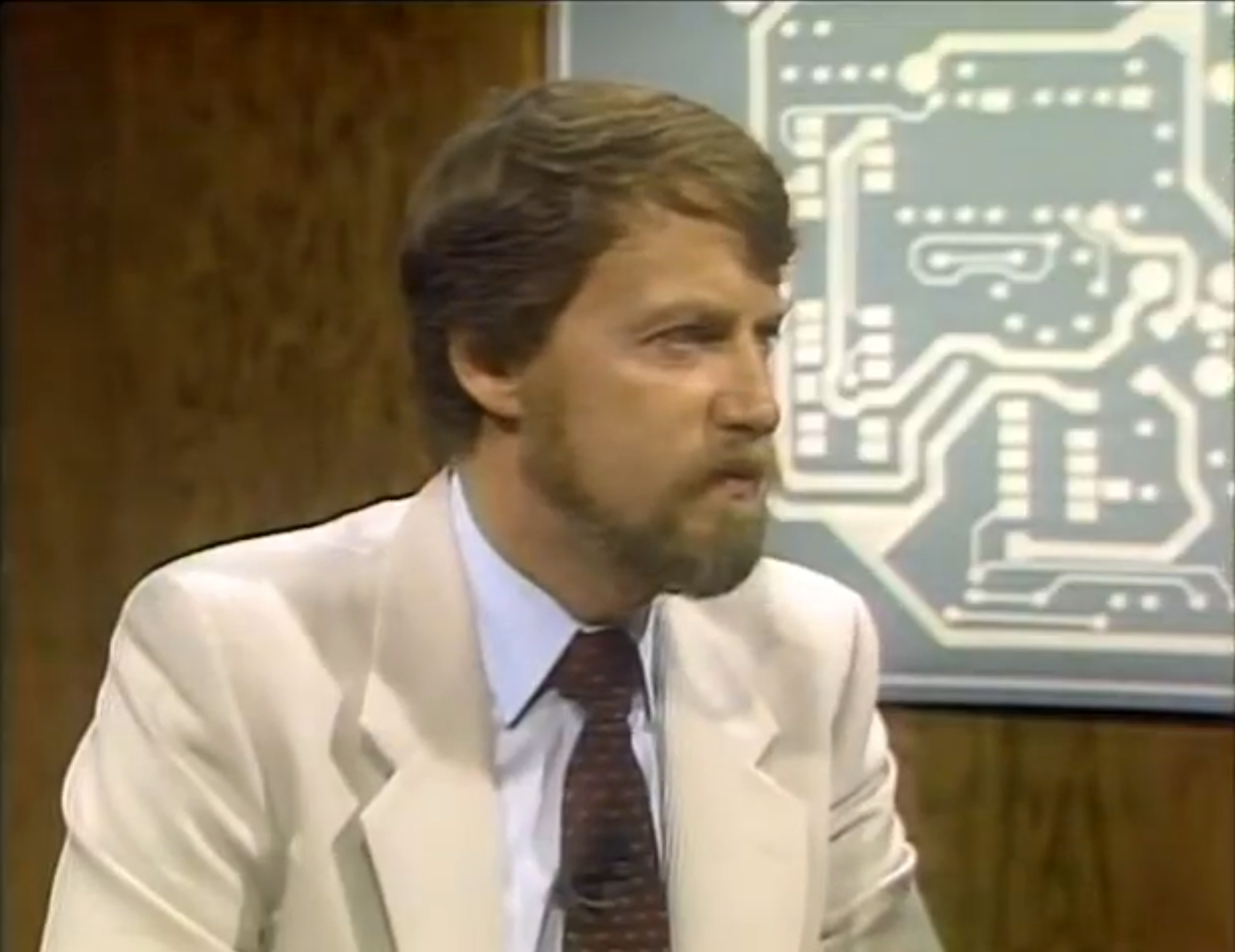
One year later, Kildall seemed pretty much over the whole AI scene. In an episode on "Artificial Intelligence" he did nothing to hide his fatigue from the guests, "AI is one of those things that people are pinning to their products now to make them fancier and to make them sell better." He pushed back hard against the claims of the guests, and seemed less-than-impressed with an expert system demonstration.
The software makers of those "expert systems" begged to differ. There is a fundamental programmatic difference in the implementation of expert systems which enables a radical reinterpretation of existing data, they argued.
Guest Dr. Hubert Dreyfus re-begged to re-differ, suggesting it should really be called a "competent system." Rules-based approaches can only get you about 85% of the way toward expertise; it is intuition which separates man from machine, he posited.
I doubt Dreyfus would have placed as high as 85% competence on a Commodore 64. The creator of XPER, Dr. Jacques Lebbe, was undeterred, putting what he knew of mushrooms into it to democratize his knowledge. XPER, he reasoned, could do the same for other schools of knowledge even on humble hardware.
So, just how much expertise can one cram into 64K anyway?
Historical Record
Test Rig
- VICE, in C64 mode
- Speed: ~200% (quirk noted later)
- Snapshots are in use; very handy for database work
- Drives: XPER seems to only support a single drive
- XPER v1.0.3 (claims C128, but that seems to be only in "C64 Mode")
Let's Get to Work
So, what is an "expert system" precisely? According to Edward Feigenbaum, creator of the first expert system DENDRAL, in his book The Fifth Generation: Artificial Intelligence and Japan's Computer Challenge to the World, "It is a computer program that has built into it the knowledge and capability that will allow it to operate at the expert's level. (It is) a high-level intellectual support for the human expert."
That's a little vauge, and verges on over-promising. Let's read on.
"Expert systems operate particularly well where the thinking is mostly reasoning, not calculating - and that means most of the world's work."
Now he's definitely over-promising. After going through the examples of expert systems in use, it boils down to a system which can handle combinatorial decision trees efficiently. Let's look at an example.
A doctor is evaluating a patient's symptoms. A way to visualize her thought process for a diagnosis might take the below form.
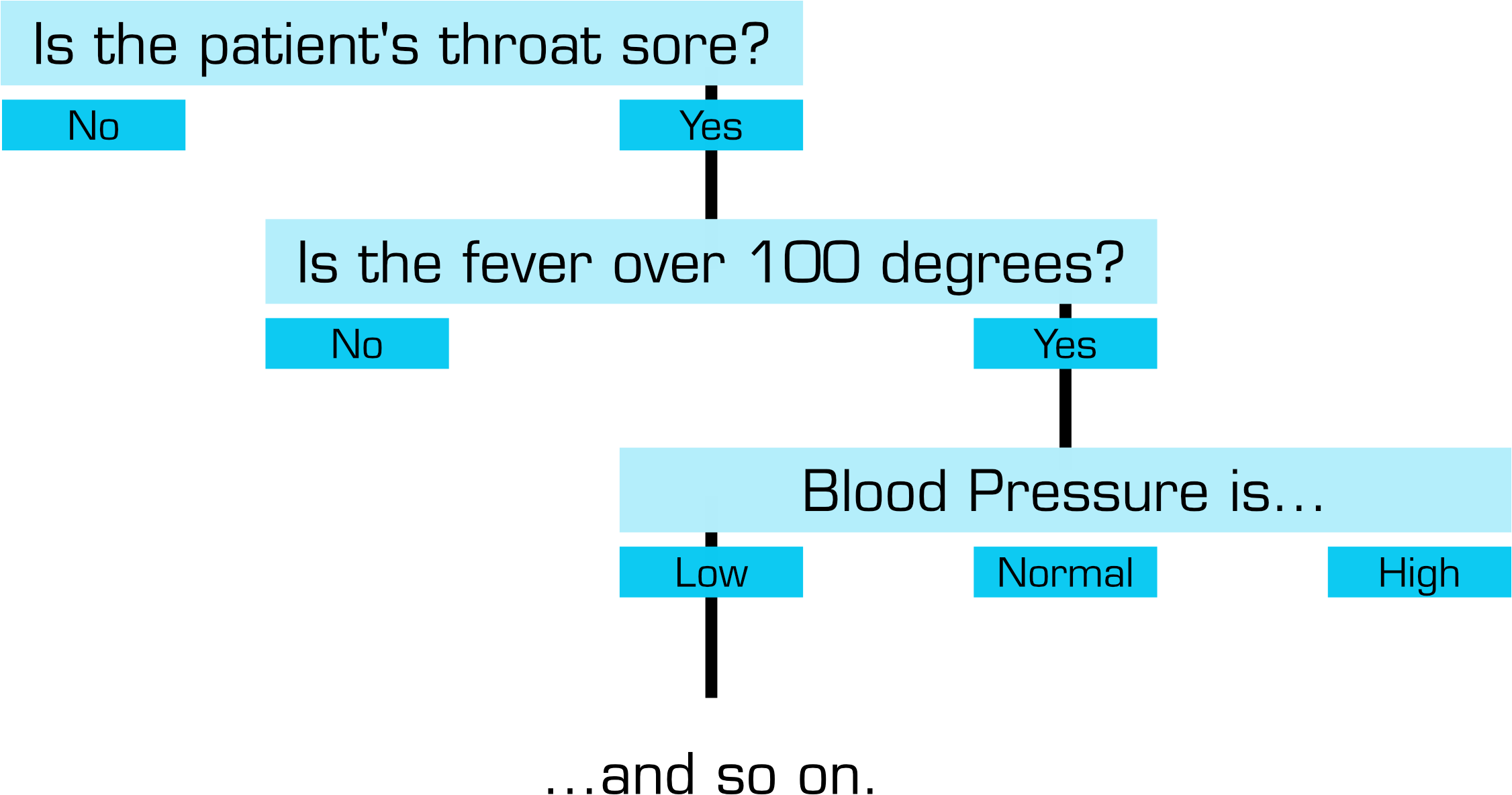
An expert system says, "That looks like a simple decision tree. I happen to know someone who specializes in things like that, hint hint."
XPER is a general-purpose tool for building such a tree from expert knowledge, carrying the subtle implication (hope? prayer?) that some ephemeral quality of the decision making process might also be captured as a result. Once the tree is captured, it is untethered from the human expert and can be used by anyone.
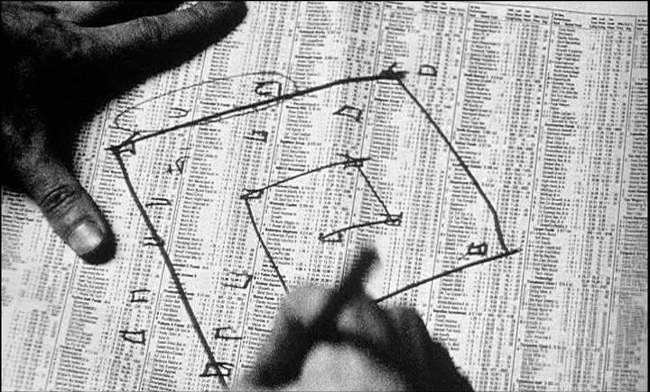
XPER claims you can use it to build lots of interesting things. It was created to catalog mushrooms, but maybe you want to build a toy. How about a study tool for your children? Let's go for broke and predict the stock market! All are possible, though I'm going to get ahead of your question and say one of those is improbable.
I have a couple of specific goals this time. First, the tutorial is a must-do, just look at this help menu. This is the program trying to HELP ME.

After I get my head around that alphabet soup, I want to build a weather predictor. The manual explicitly states it as a use case and by gum I'ma gonna do it. I'm hoping that facts like, "Corns ache something intolerable today" and "Hip making that popping sound again" can factor into the prediction at some point.

Term limit
First things first, what does this program do? I don't mean in the high-level, advertising slogan sense, I mean "What specific data am I creating and manipulating with XPER?" It claims "knowledge" but obviously human knowledge will need to be molded into XPER knowledge somehow. Presently, we don't speak the same language.
XPER asks us to break our knowledge down into three discrete categories, with the following relationships of object, feature, and attribute:
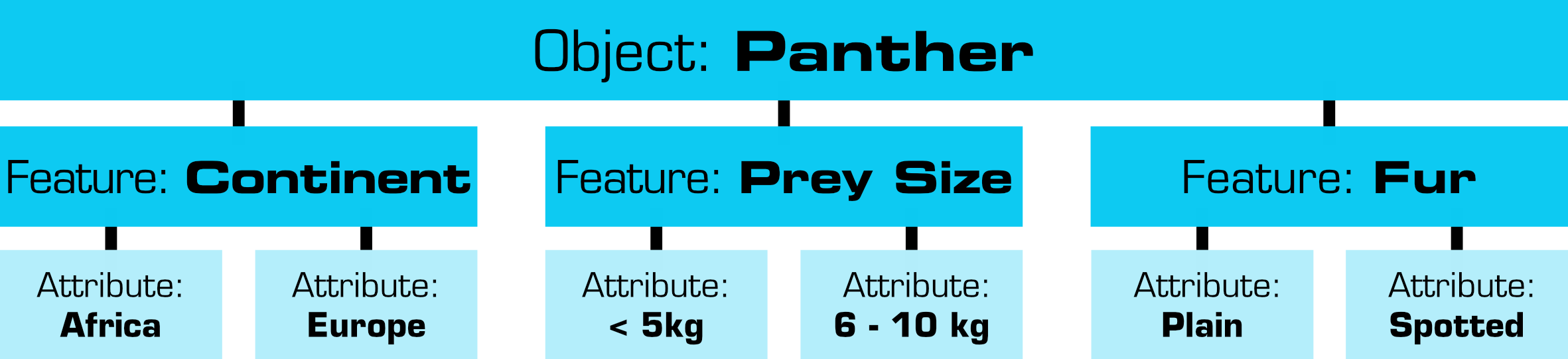
My Gen-X BS alarm is ringing that something's not fully formed with this method for defining knowledge. Can everything I know really be broken down into three meager components and simple evaluations of their qualities?
Indirect objects
Defining objects happens in a different order than querying, which makes it a little fuzzy to understand how the two relate. While we define objects as collections of attributes, we query against attributes to uncover matching objects.
The program is well-suited to taxonomic identification. Objects like mushrooms and felines have well-defined, observable attributes that can be cleanly listed. A user of the system could later go through attribute lists to evaluate, "If a feline is over 100kg, has stripes, and climbs trees which feline might it be?"
For a weather predictor, I find it difficult to determine what objects I should define. My initial thought was to model "a rainy day" but that isn't predictive. What I really want is to be able to identify characteristics which lead into rainy days. "Tomorrow's rain" is an attribute on today's weather, I have naively decided.
This is getting at the heart of what XPER is all about; it is a vessel to hold data points. Choosing those data points is the real work, and XPER has nothing to offer the process.
This is where the manual really lets us down. In the Superbase 64 article, I noted how the manual fails by not explaining how to transition from the "old way" to the "new way" of data cataloging. For a program which suggests building toys from it, the XPER manual doesn't provide even a modicum of help in understanding how to translate my goals into XPER objects.

Concrete jungle
The on-disk tutorial database of "felines" shows how neatly concepts like "cat identification" fit into XPER framing. Objects are specific felines like "jaguar," "panther," "mountain lion." Features suggest measureable qualities like "weight," "tree climbing," "fur appearance," "habitat" etc. Attributes get more specific, as "over 75kg," "yes," "striped," and "jungle."
For the weather predictor, the categories of data are similarly precise. "cloud coverage," "temperature," "barometer reading," "precipitation," "time of year," "location," and so forth may serve our model.
Notice that for felines we could only define rough ranges like "over 75kg" and not an exact value. We cannot set a specific weight and ask for "all cats over some value." XPER contains no tools for "fuzzy" evaluations and there is no way to input continuous data. Let's look at the barometer reading, as an example.
Barometer data is hourly, meaning 24 values per day. How do I convert that into a fixed value for XPER?
To accurately enter 24 hours of data, I would need to set up hourly barometer features and assign 30? 50? possible attributes for the barometer reading. Should we do the same for temperature? Another 24 features, each with 30 or more attributes, one per degree change? Precipitation? Cloud coverage? Wind speed and direction? Adorableness of feline?
Possibility space
Besides the fact that creating a list of every possible barometric reading would be a ridiculous waste of time, it's not even possible in the software. A project is limited to
- 250 objects
- 50 features
- 300 attributes (but no more than 14 in any given feature)
We must think deeply about what data is important to our problem, and I'd say that not even the expert whose knowledge is being captured would know precisely how to structure XPER for maximum accuracy. The Fifth Generation warns us:
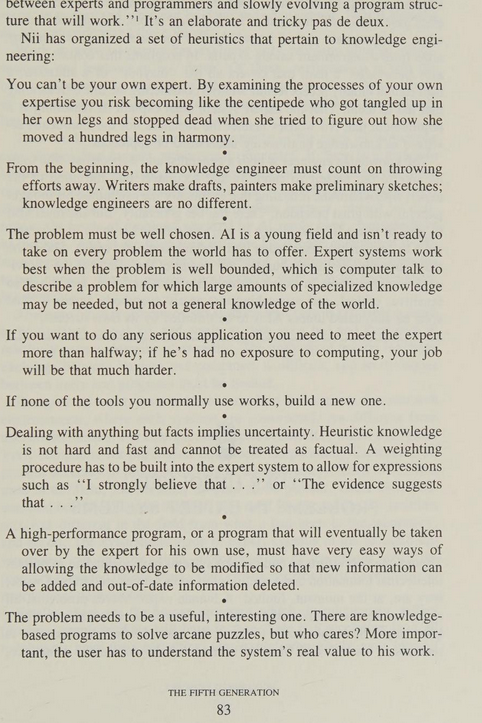
From the beginning, the knowledge engineer must count on throwing efforts away. Writers make drafts, painters make preliminary sketches; knowledge engineers are no different.
"GiT GuD" as the kids say. (Do they still say that?!)
Frame job
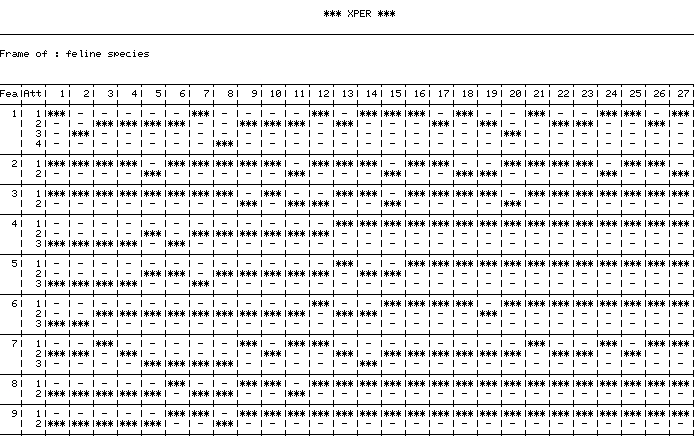
The graphic above, output by XPER's "Printer" module, reveals the underlying data structure of the program. Its model of the data is called a "frame," a flat 2-D graph where objects and attributes collide. That's it. Kind of anticlimactic I suppose, but it imbues our data with tricks our friend Superbase can't perform.
First, this lets us query the data in human-relatable terms, as a kind of Q&A session with an expert. "Is it a mammal?" "Does it have striped fur?" "Does it go crazy when a laser pointer shines at a spot on the floor?" Through a session, the user is guided toward an object, by process of elimination, which matches all known criteria, if one exists.
Think back to the first time you saw Visicalc, to the excitement it may have generated for you. Perhaps you even experienced a revolution in your way of thinking about computers. The idea of interactive decision tables is of a comparable magnitude.
- Jim McCarthy, Computer Language magazine, July 1985
I will be your father feature
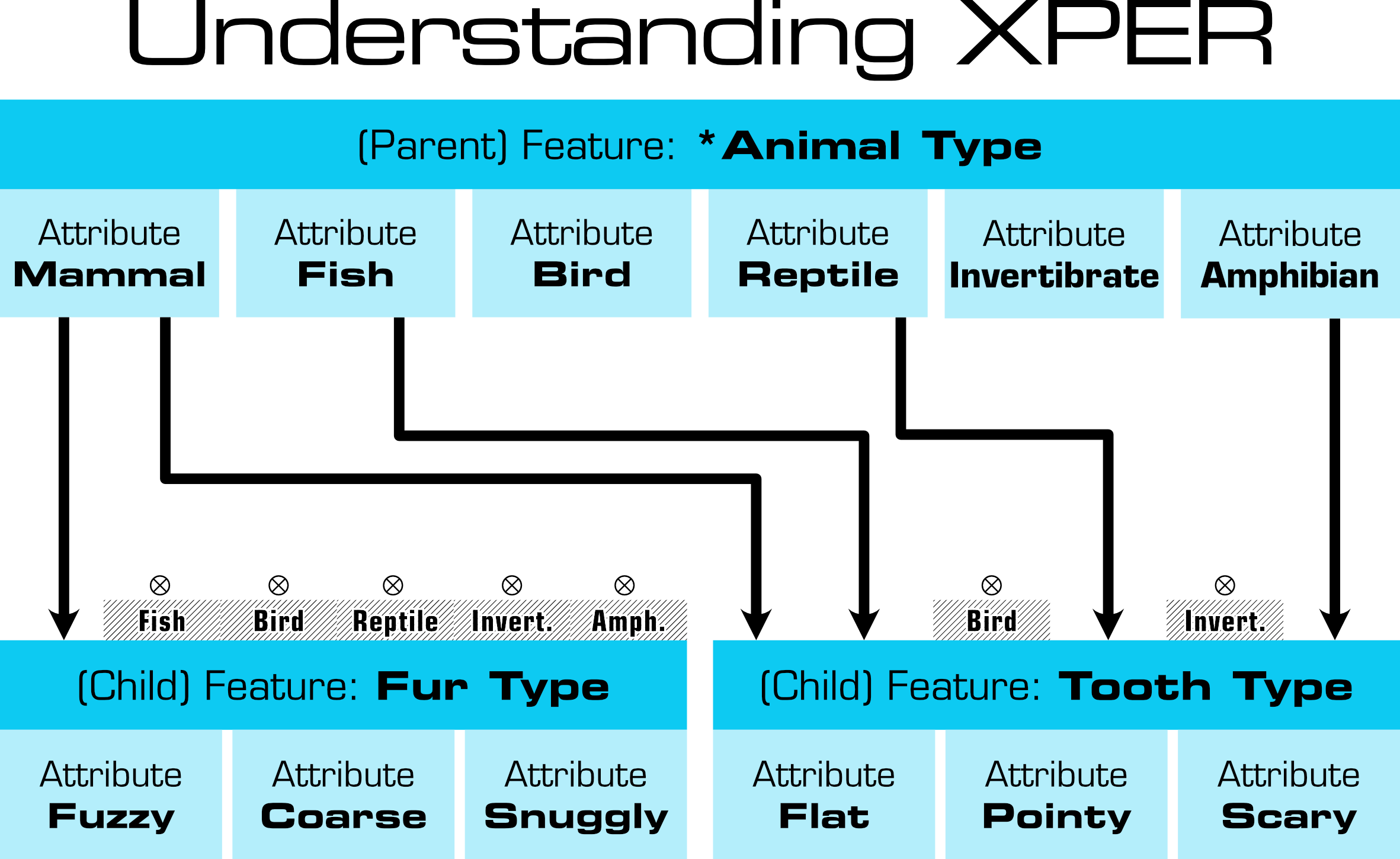
Second, we can set up the database to exclude certain questions depending upon previous answers. "What kind of fur does it have?" is irrelevant if we told it the animal is a fish, and features can be set up to have such dependencies. This is called a father/son relationship in the program, and also a parent/child relationship in the manual. "fur depends on being a mammal," put simply.
Third, we can do reverse queries to extract new understandings which aren't immediately evident. In the feline example it isn't self-evident, but can be extracted, that "all African felines which climb trees have retractile claws." For the weather predictor I hope to see if "days preceding a rainy day" share common attributes.
Q continuum
The biggest frustration with the system is how all knowledge is boxed into the frame. For the weather predictor, this is frustrating. With zero relationship between data points, trends cannot be identified. Questions which examine change over time are not possible, just "Does an object have an attribute, yes or no?"
To simulate continuous data, I need to pre-bake trends of interest into each object's attributes. For example, I know the average barometric pressure for a given day, but because XPER can't evaluate prior data, it can't evalute if the pressure is rising or falling. Since it can't determine this for itself, I must encode that as a feature like "Barometric Trend" with attributes "Rising," "No Change," and "Falling."
The more I think about the coarseness with which I am forced to represent my data, the more clear it is to me how much is being lost with each decision. That 85/15 competency is looking more like 15/85 the other direction.
Unpaid internship available
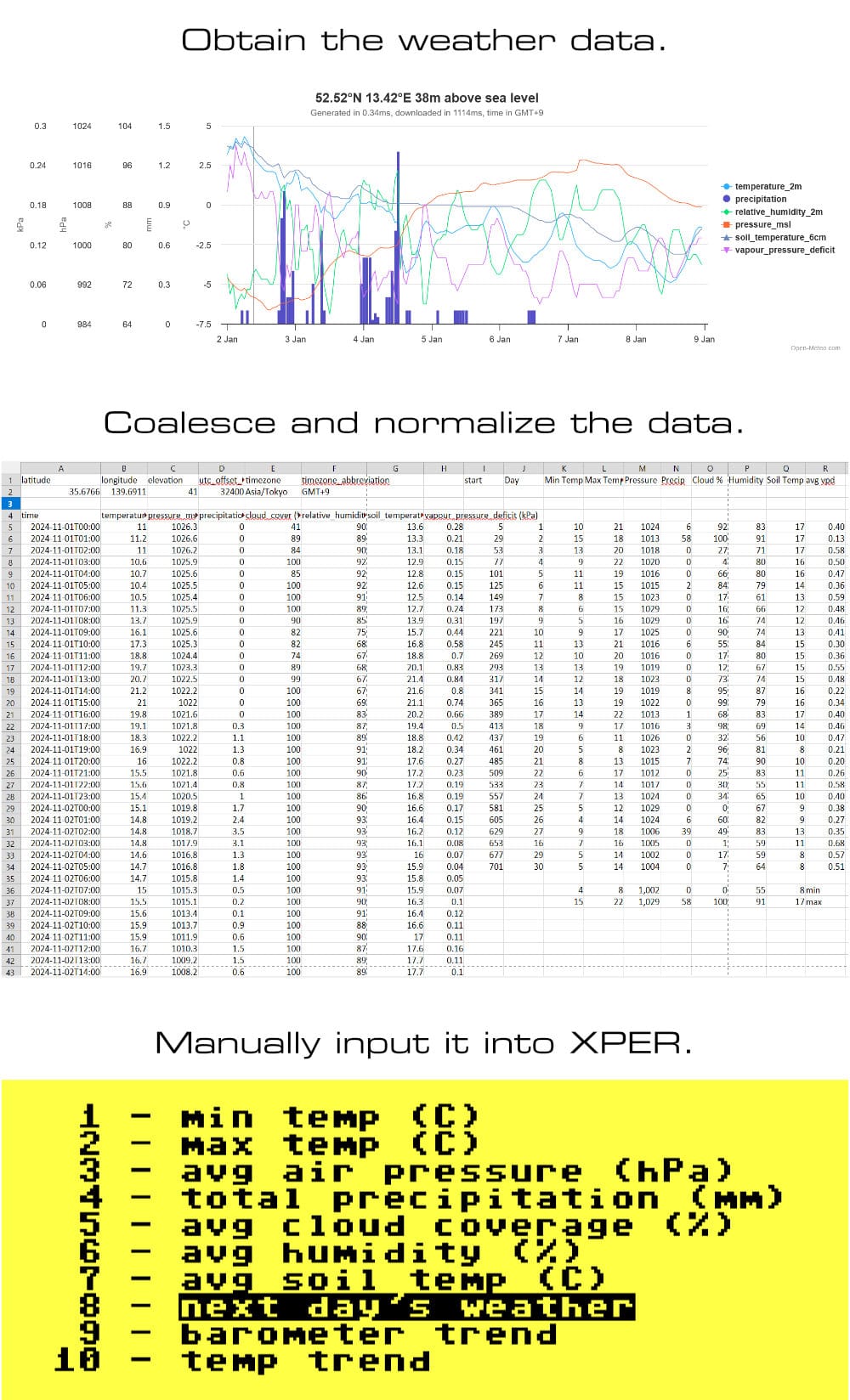
Collecting data for the weather predictor isn't too difficult. I'm using https://open-meteo.com to pull a spreadsheet on one month of data. I'll coalesce hourly readings, like barometric pressure, into average daily values. Temperature will be a simple "min" and "max" for the day. Precipitation will be represented as the sum of all precipitation for the day. And so on.
As a professional not-a-weather-forecaster, I'm pulling whatever data strikes me as "interesting." In the spirit of transparency, I mentally abandoned the "expert" part of "expert system" pretty early on. This guy *points at self with thumbs* ain't no expert.
Having somewhat hippy-dippy parents, I've decided that Mother Earth holds secrets which elude casual human observation. To that end, I'm including "soil temperature (0 - 7cm)" as a data point, along with cloud coverage, and relative humidity to round out my data for both systematic and "I can't spend months of my life on this project" reasons.
After collecting November data for checkpoint years 2020, 2022, and 2024, actually entering the data is easier than expected. XPER provides useful F-Key shortcuts which let me step through objects and features swiftly. What I thought would take days to input wound up only being a full afternoon.
Deciding which data I want, collecting it, and preparing it for input was the actual work, which makes sense. Entering data is easy; becoming the expert is hard.
Work discrimination
Even as I enter the data, I catch fleeting glimpses of patterns emerging and they're not good. It's an interesting phenomenon, having utterly foreign data start to feel familiar. Occasionally I accidentally correctly predict if the next day's weather has rain. Am I picking up on some subliminal pattern? If so, might XPER "see" what I'm seeing?
I'm not getting my hopes up, but I wonder if early fascination with these forays into AI was driven by a similar feeling of possibility? We're putting information into a system and legimitately not knowing what will come out of the processing. There is a strong sense of anticipation; a powerful gravity to this work. It is easy to fool myself into believing I'm unlocking a cheat code to the universe. Compare this to modern day events if you feel so inclined.
I had not realized ... that extremely short exposures to a relatively simple computer program could induce powerful delusional thinking in quite normal people.
- Joseph Weizenbaum on his chatbot, Eliza
At the same time, there's obviously not enough substance to this restricted data subset. As I enter that soil temperature data, 90% of the values keep falling into the same bin. My brainstorm for this was too clever by half, and wrong.
As well, as I enter data I find sometimes that I'm entering exactly the same information twice in a row, but the weather results are different enough as to make me pause.
Expert systems have a concept of "discriminating" and "non-discriminating" features. If a given data point for every object in a group of non-eliminated objects is the same, that data point is said to be "non-discriminating." In other words, "it don't matter" and will be skipped by XPER during further queries.
The question then is, whose fault is this? Did I define my data attributes incorrectly for this data point or is the data itself dumb? I can only shrug, "Hey, I just work here."
Append-ectomy
XPER has a bit of a split personality. Consider how a new dataset is created. From the main menu, enter the Editor. From there you have four options.
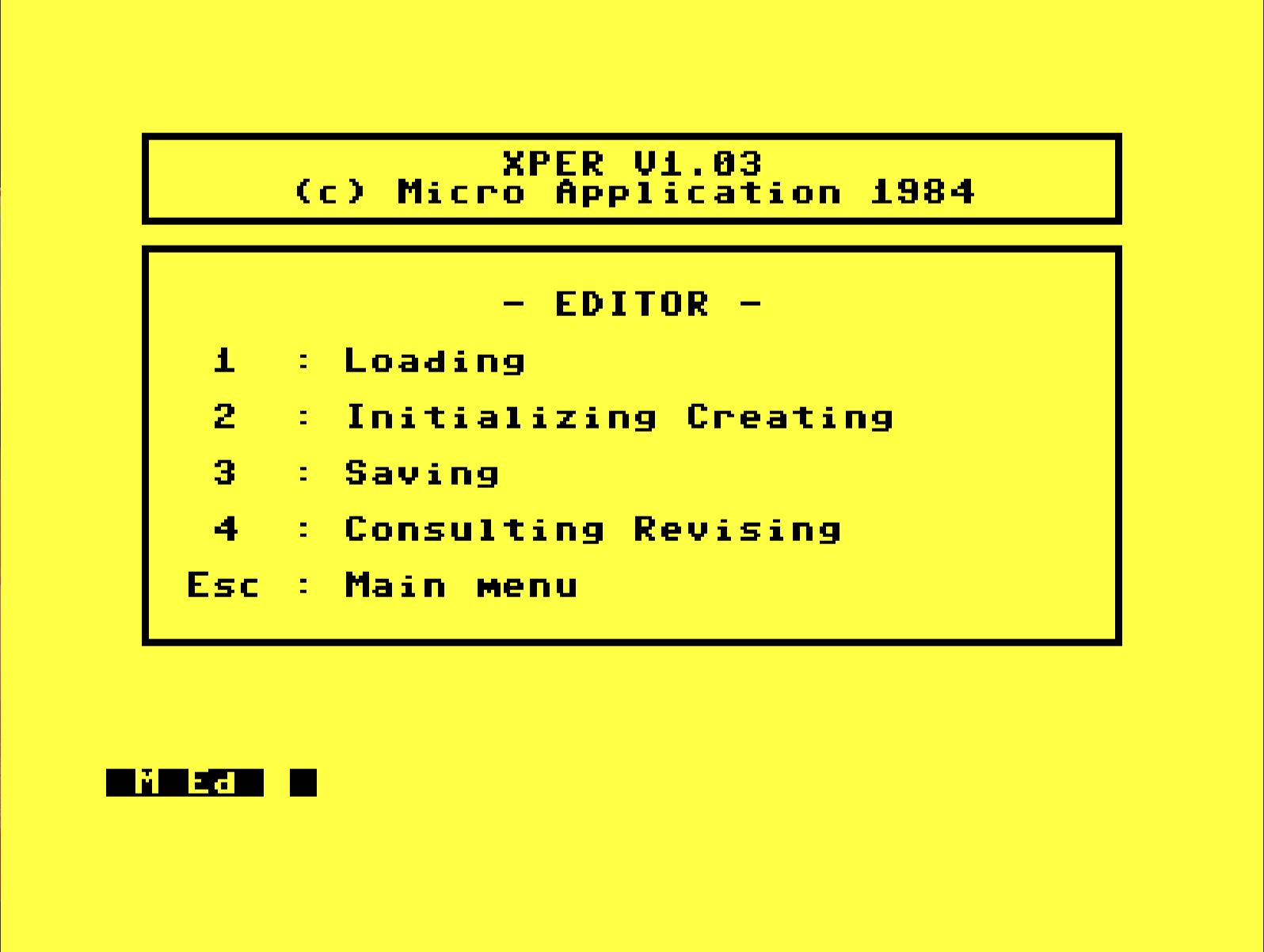
First, I go to option 2 for the seemingly redundantly named "Initializing Creating." Then I set up any features, attributes, and objects I know about, return to this screen, and save with option 3. Later I want to create new objects. I type 2 for "Creating" and am asked, "Are you sure y/n"
Am I sure?
Am I sure about what?
I don't follow, but yes, I am sure I want to create some objects.
I hit Y and I'm back at a blank screen, my data wiped. That word "initializing" is doing the heavy lifting on this menu. "Initialize" means "first time setup of a dataset," which also allows, almost as a side effect, the user an opportunity to input whatever data happens to be known at that moment. "Initial Creation" might be more accurate?
Later, when you want to add more data, that means you now want to edit your data, called "revising" in XPER, and that means option 4. Option 2 is only ever used the very first time you start a new data set. 4 is for every time you append/delete afterward.
The prompts and UI are unfortunately obtuse and unhelpful. "Are you sure y/n" is too vague to make an informed decision. The program would benefit greatly from a status bar displaying the name of the current in-memory dataset, if it has been saved or not, and a hint on how close we are to the database limit. Prompts should be far more verbose, explaining intent and consequence.
A status bar showing the current data set would be especially useful because of the other weird quirk of the program: how often it dumps data to load in a new part of the program. XPER is four independent programs bound together by a central menu. Entering a new area of the program means effectively loading a new program entirely, which requires its own separate data load.
If you see the prompt "Are you sure y/n" what it really means is, "Are you sure you want me to forget your data because the next screen you go to will not preserve it. y/n" That's wordy, but honest.
With that lesson learned, I'm adding three more data points to the weather predictor: temperature trend, barometric trend, and vapor pressure deficit (another "gut feeling" choice on my part). Trends should make up a little for the lack of continuous data. This will give me a small thread of data which leads into a given day, the data for that day, and a little data leading out into the next day. That fuzzes up the boundaries. It feels right, at the very least.
Appending the new information is easy and painless. Before, I used F3/F4 to step through all features of a given object. This time I'm using F5/F6 to step through a single feature across all objects. This only took about fifteen minutes.
I'm firmly in "manual memory management" territory with this generation of hardware. Let's see where we sit relative to the maximum potential.
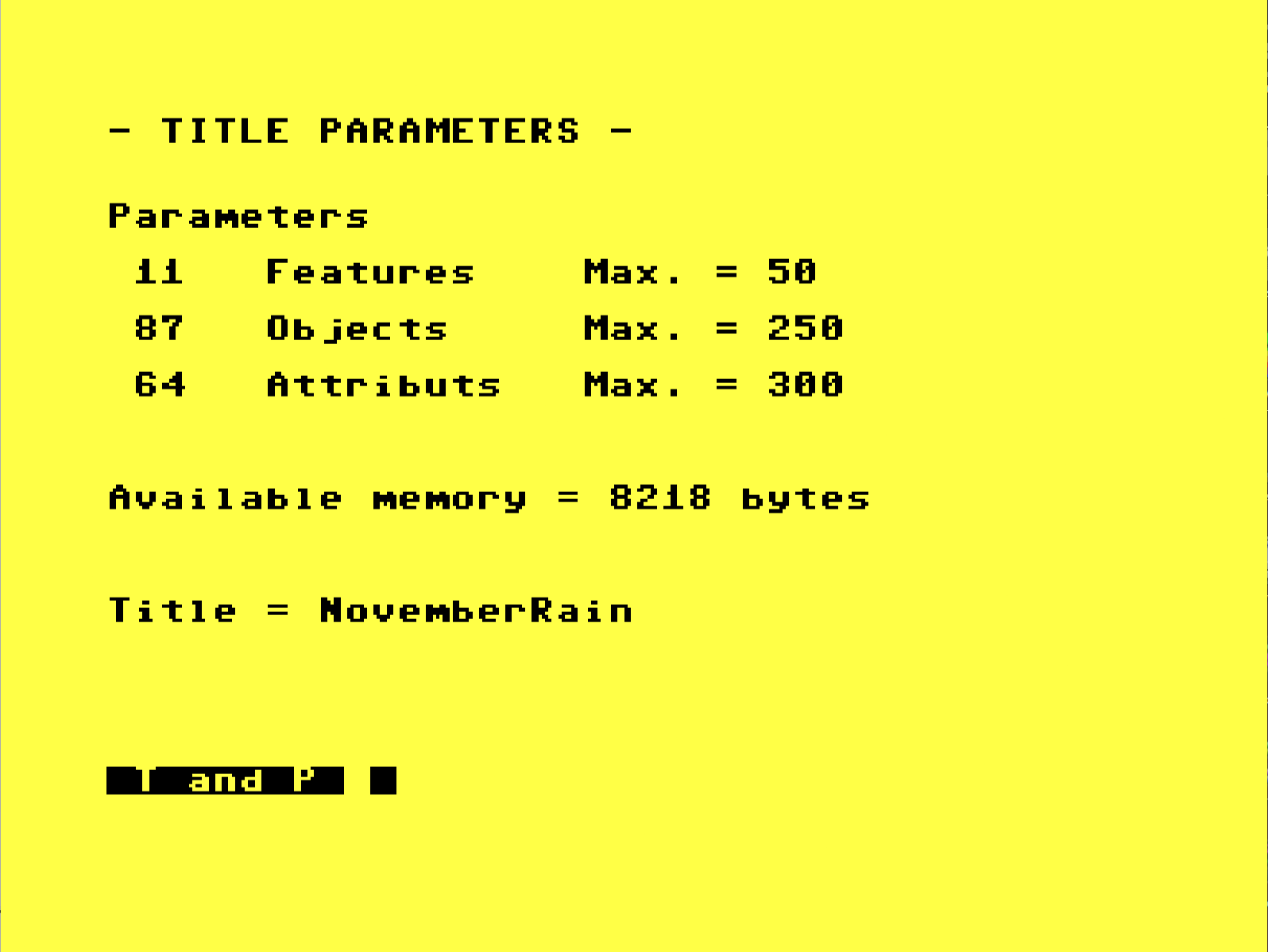
Compare and contrast
Features like this really makes one appreciate the simple things in life like a mouse, gui checklists, and simple grouping mechanisms.
XPER can compare objects or groups of objects against one another, identifying elements which are unique to one group or the other. You get two groups, full stop. Items in those groups and only those groups will be compared when using the cp command. We can put objects individually into one of those two groups, or we can create an object definition and request that "all objects matching this definition go into group 1 or 2". This is called a STAR object.
I created two star objects: one with tomorrow's weather as rain, and one with tomorrow's weather as every type except rain. Groups were insta-built with the simple command g1o55 where g1 means group 1 and o55 means object 55, my "rainy day" star object.
I can ask for an AND or OR comparison between the two groups, and with any luck some attribute will be highlighted (invert text) or marked (with $) as being unique or exclusive to one group or the other. If we find something, we've unlocked the secret to rain prediction! Take THAT, Cobra Commander!
Contrary to decades of well-practiced Gen-X cynicism, I do feel a tiny flutter of "hope" in my stomach. Let's see what the XPER analysis reveals!
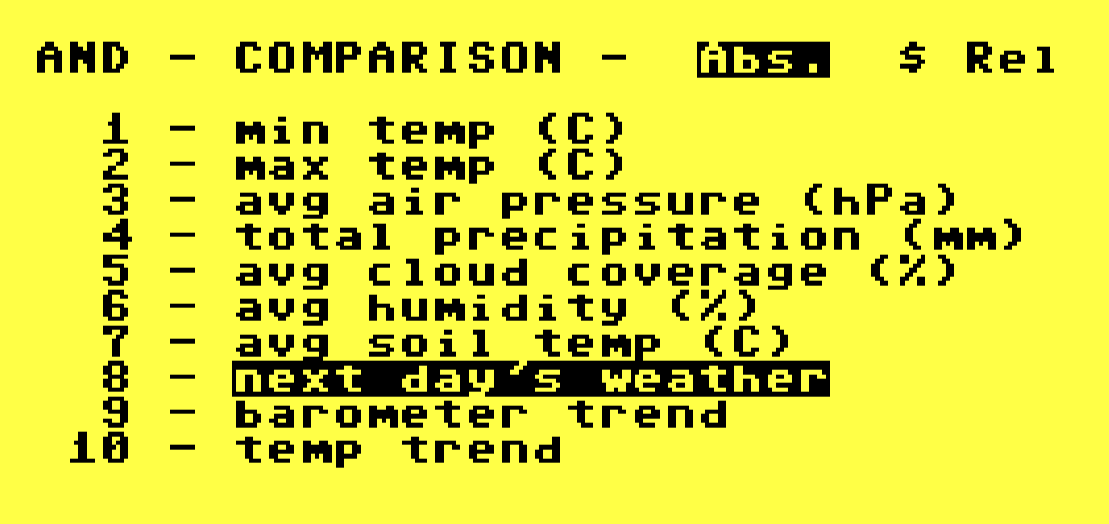
The only thing unique between rainy days and not is the fact that it rained.
Going the distance
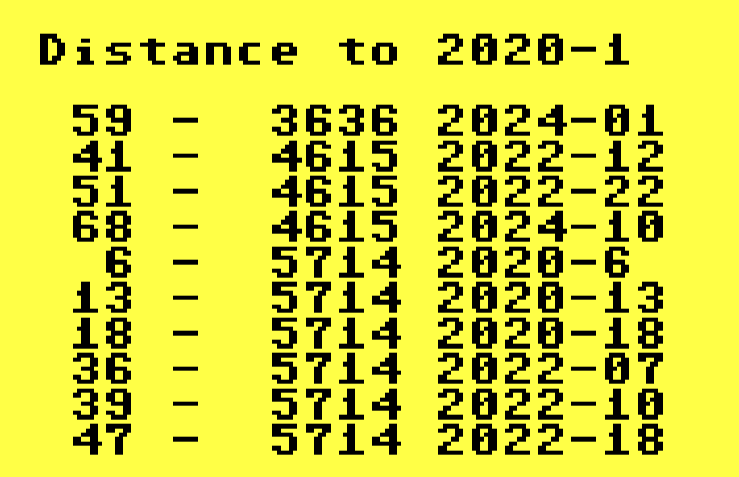
The Jaccard Distance, developed by Grove Karl Gilbert in 1884, is a measure of the similiarity/diversity between two sets (as in "set theory" sets). The shorter the distance, the more "similar" the compared sets are. XPER can measure this distance between objects.
d# where # is the object ID of interest, will run a distance check of that object against all other objects. On my weather set with about 90 objects, it took one minute to compare Nov. 1, 2020 with all other days at 100% C64 speed. Not bad!
Inquiring minds want to know
What can we squeeze out of this thing? By switching into "Inquirer" mode, then loading up the data set of interest, a list of top level object features are presented. Any features not masked by a parent feature are "in the running" as possible filters to narrow down our data.
So, we start by entering what we know about our target subject. One by one, we fill in information by selecting a feature then selecting the attribute(s) of that feature, and the database updates its internal state, quietly eliminating objects which fall outside our inquiry.
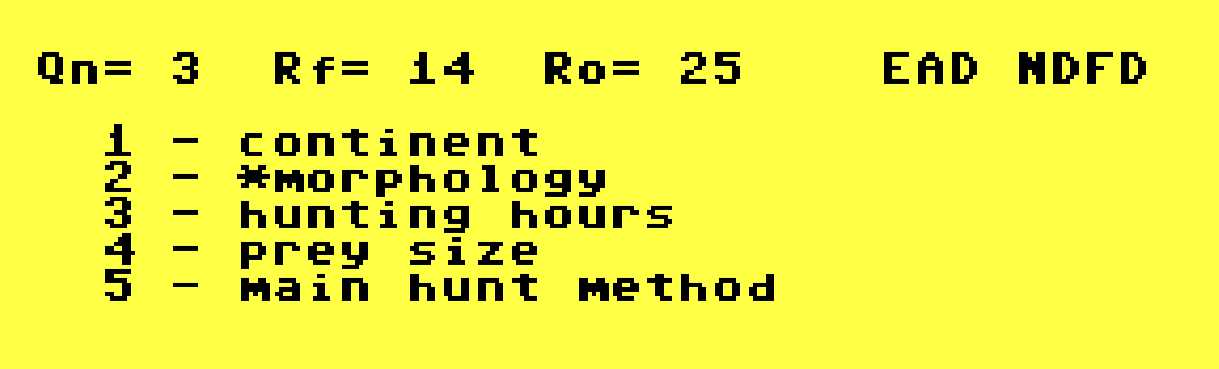
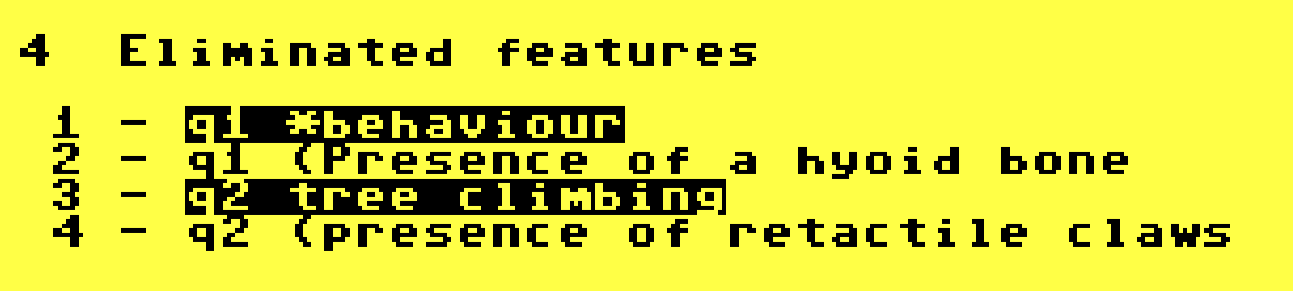
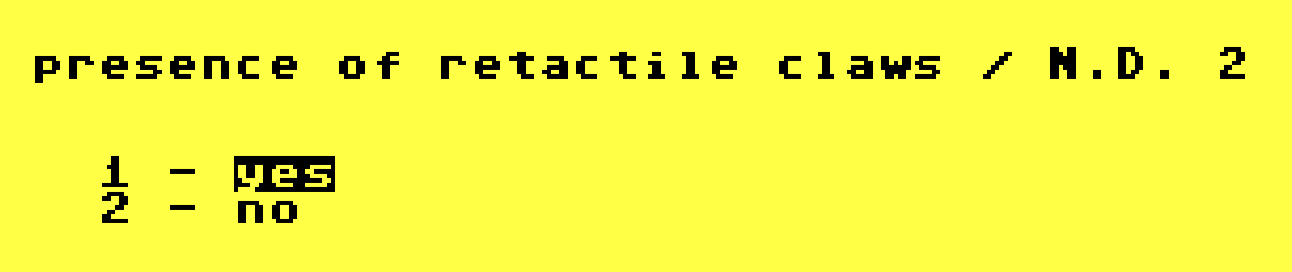
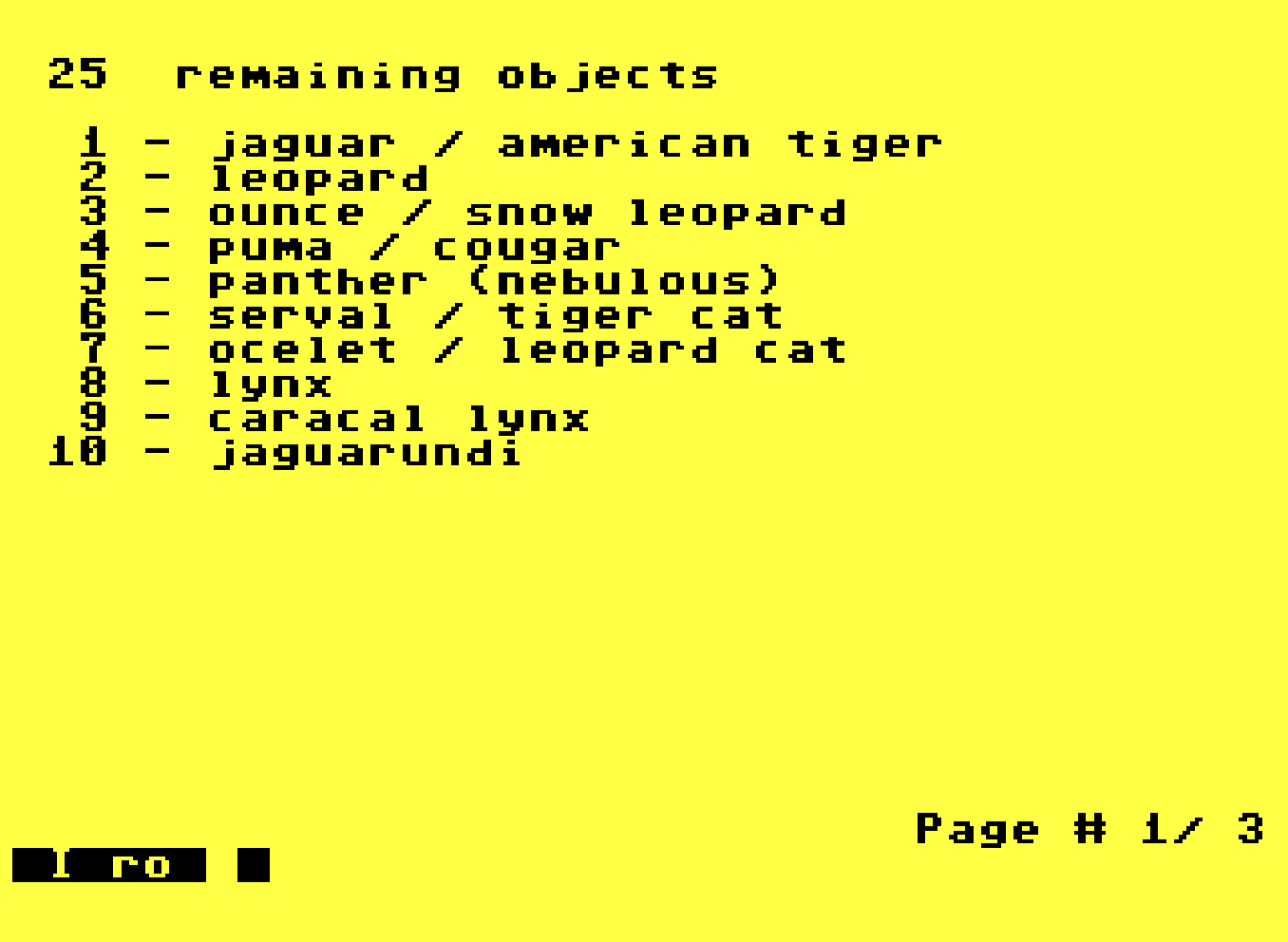
The ro command will look at the "remaining objects," meaning "objects which have not yet been eliminated by our inquiry so far."
With the z command as in z1 to run it against the "jaguar" we can ask XPER to tell us which features, in order, should we answer to narrrow down to the jaguar as quickly as possible. It's kind of ranking the features in order of importance to that specific object. It sounds a bit like feature weighting, but it's definitely not. XPER isn't anywhere close to that level of sophistication.
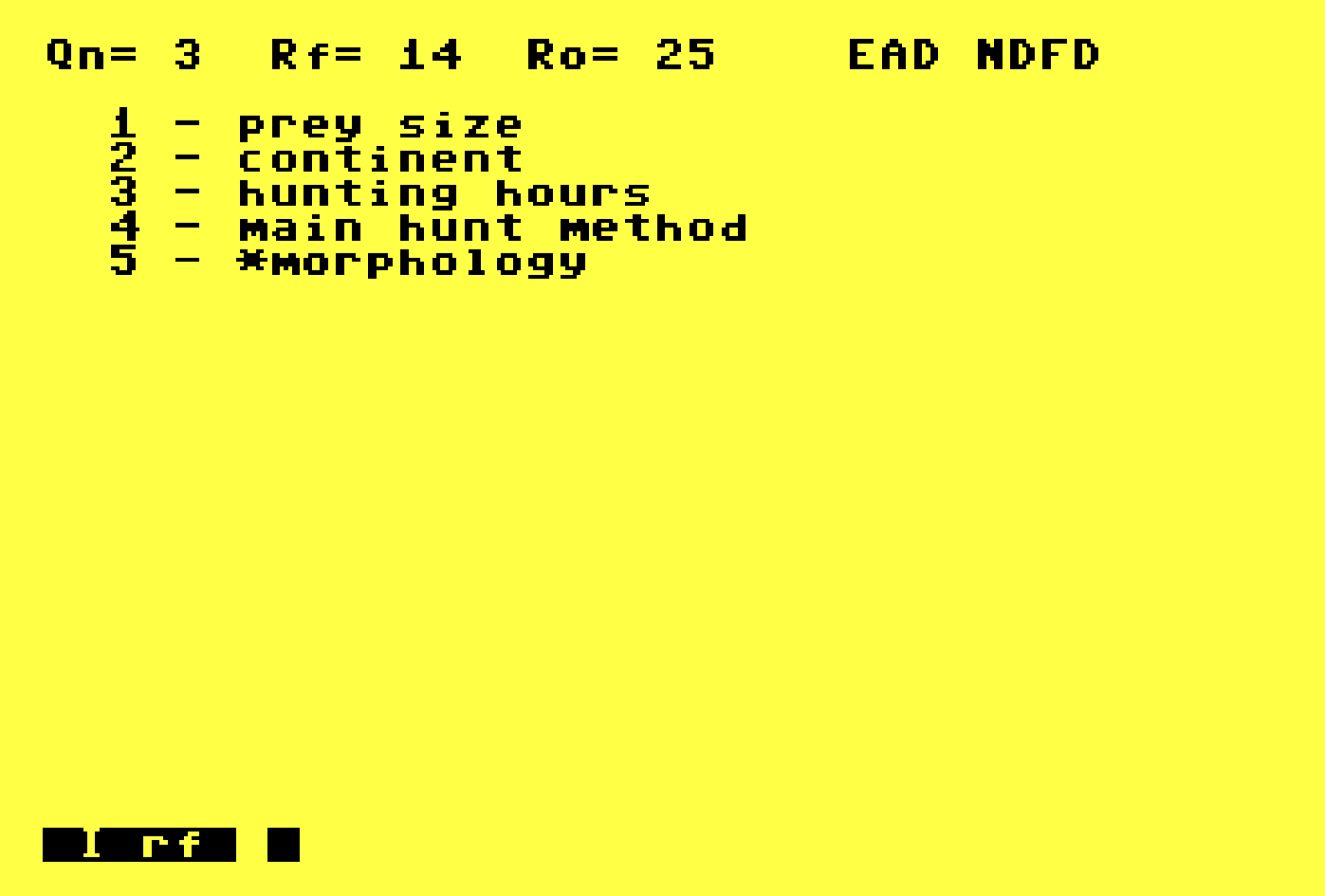
In this data set, if I answer "big" for "prey size" I immediately zero in on the jaguar, it being the currently most-discriminating feature for that feline.
You might be looking at this and wondering how, exactly, this could possibly predict the weather. You and me, both, buddy. The promise of Fifth Gen systems and the reality are colliding pretty hard now.
Pleading the fifth
Feigenbaum and "The Fifth Generation" have been mentioned a few times so far, so I should explain that a little. Announced in 1981, started in 1982, and lasting a little more than a decade, "The Fifth Generation" of computing was Japan's moniker for an ambitious nationwide initiative.

According to the report of Japan's announcement, Fifth Generation Computer Systems : Proceedings of the International Conference on Fifth Generation Computer Systems, Tokyo, Japan, October 19-22, 1981, Japan had four goals:
- To increase productivity in low-productivity areas.
- To meet international competition and contribute toward international cooperation.
- To assist in saving energy and resources.
- To cope with an aged society.
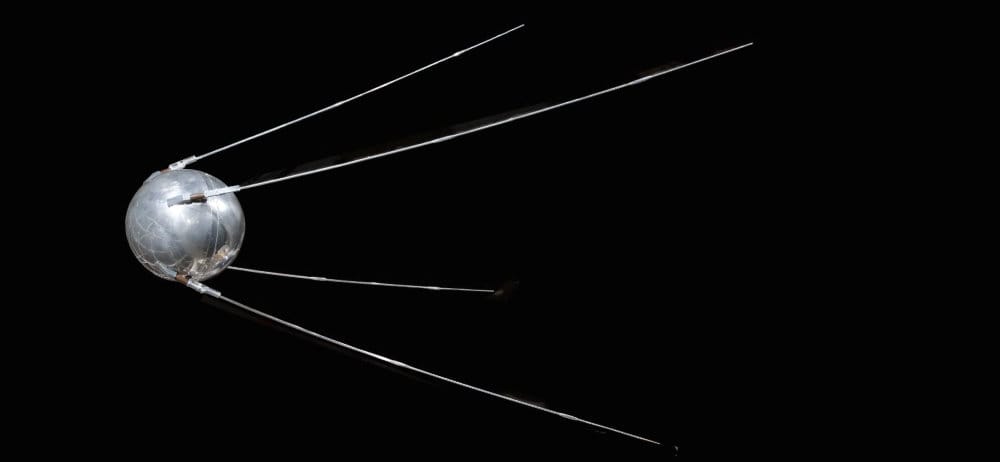
In Fifth Generation Computers: Concepts, Implementation, and Uses (1986), Peter Bishop wrote, "The impact on those attending the conference was similar to that of the launch of the Soviet Sputnik in 1957."
During a hearing before the Committee on Science and Technology in 1981, Representative Margaret Heckler said, "When the Soviets launched
Sputnik I, a remarkable engineering accomplishment, the United States rose to the challenge with new dedication to science and technology. Today, our technology lead is again being challenged, not just by the Soviet Union, but by Japan, West Germany, and others."
Scott Armstrong writing for The Christian Science Monitor in 1983, in an article titled, "Fuchi - Japan's computer guru" said, "The debate now - one bound to intensify in the future - is whether the US needs a post-Sputnik-like effort to counter the Japanese challenge. Japan's motive (reflects) a sense of nationalism as much as any economic drive."
Innovation Policies for the 21st Century: Report of a Symposium (2007) remarked of Japan's Fifth Generation inroads into supercomputers, "This occasioned some alarm in the United States, particularly within the military."
It would be fair to say there was "Concern," with a capital C.
The sum of its parts
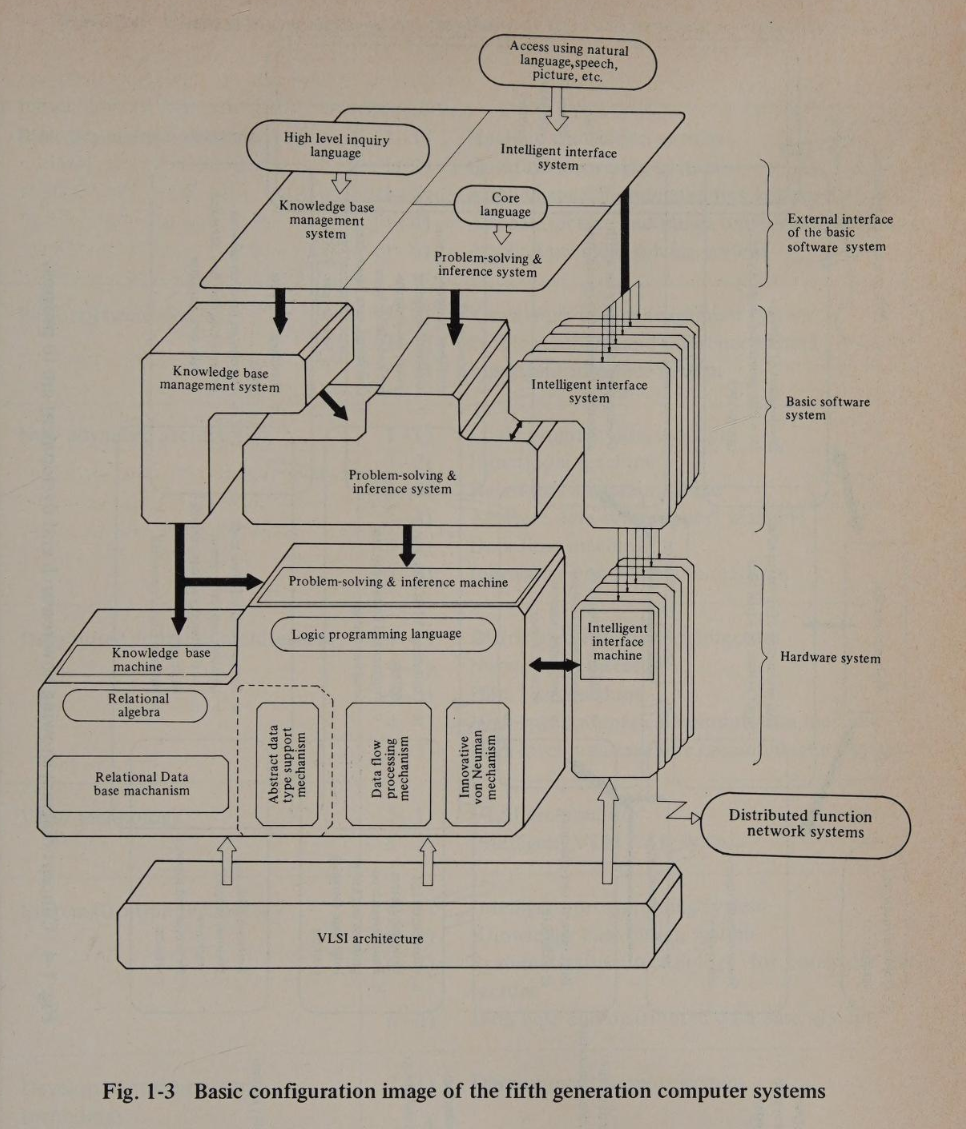
In 1989's The Fifth Generation: The Future of Computer Technology by Jeffrey Hsu and Joseph Kusnan (separate from Feigenbaum's The Fifth Generation) said Japan had three research projects
- Superspeed Computer Project (the name says it all)
- The Next-Generation Industries Project (developing the industrial infrastructure to produce components for a superspeed computer)
- Fifth-Generation Computer Project
The "Fifth Generation" was specifically the software side which the conference claimed, "will be knowledge information processing systems based on innovative theories and technologies that can offer the advanced functions expected to be required in the 1990's overcoming the technical limitations inherent in conventional computers."
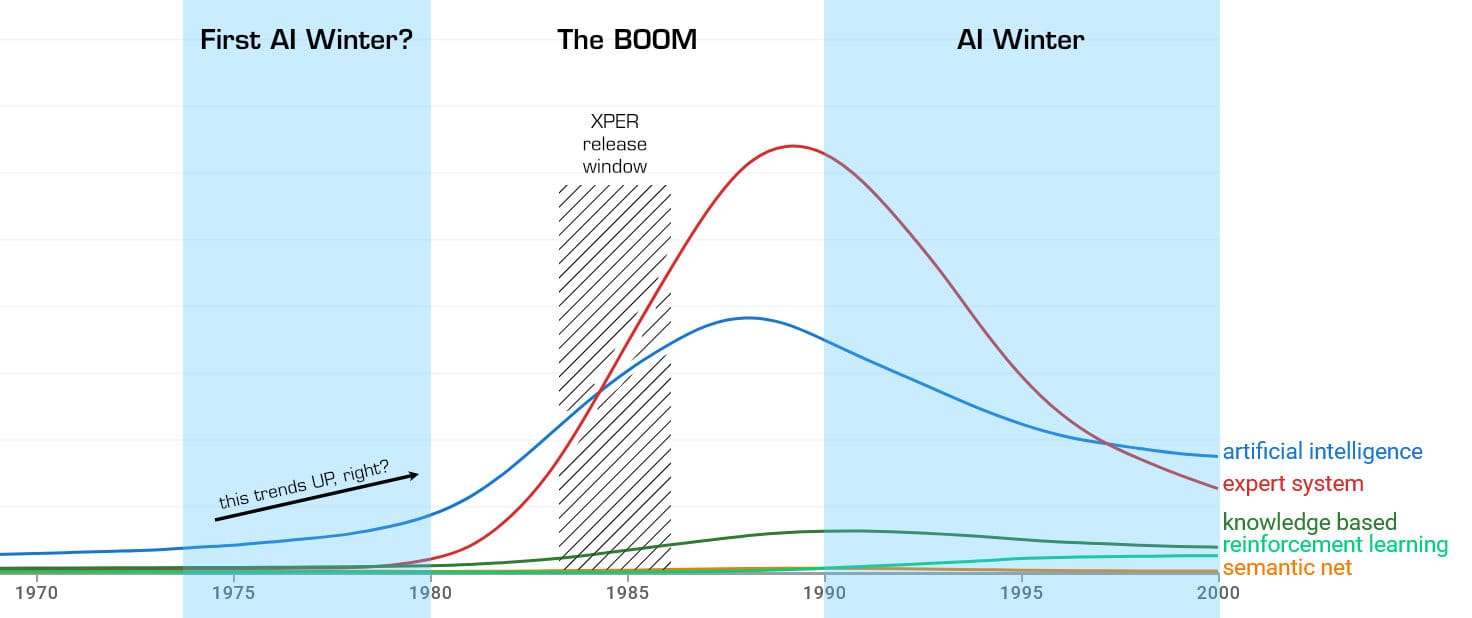
Expert systems played a huge role during the AI boom of the 80s, possibly by distancing itself from "AI" as a concept, focusing instead on far more plausible goals. It's adjacent to, but isn't really, "artificial intelligence." This Google N-Gram chart shows how "expert system" had more traction than the ill-defined "artificial intelligence."
The first person to lose a job to AI
Though they do contain interesting heuristics, there is no "intelligence" in an expert system. Even the state of the art demonstrated on Computer Chronicles looked no more "intelligent" than a Twine game. That sounds non-threatening; I don't think anyone ever lost a job to a Choose Your Own Adventure book.
In those days, even something that basic had cultural punch. Feigenbaum's The Fifth Generation foreshadowed today's AI climate, if perhaps a bit blithely.
(AI and expert systems) is a revolution, and all revolutions have their casualties. One expert who gladly gave himself and his specialized knowledge over to a knowledge engineer suffered a severe blow to his ego on discovering that the expertise he'd gleaned over the years, and was very well paid and honored for, could be expressed in a few hundred heuristics. At first he was disbelieving; then he was depressed. Eventually he departed his field, a chastened and moving figure in his bereavement.
- The Fifth Generation, Feigenbaum, 1983
That guy wasn't alone. In 1985, Aldo Cimino, of Campbell's Soup Co., had his 43 years of experience trouble-shooting canned soup sterilizers dumped onto floppy by knowledge engineers before he retired. They called it "Aldo on a Disk" for a time. He didn't mind, and made no extra money off the brain dump, but said the computer "only knows 85% of what he does." Hey, that's the same percentage Hubert Dreyfus posited at the start of this article!
Breaking point
That system was retired about 10 years later, suffering from the same thing that a lot of expert systems of the day did: brittleness. From the paper, "Expert Systems and Knowledge-Based Engineering (1984-1991)" by Jo Ann Oravec, "Brittleness (inability of the system to adapt to changing conditions and input, thus producing nonsensical results) and “knowledge engineering bottlenecks” were two of the more popular explanations why early expert system strategies have failed in application."
Basically, such systems were inflexible to changing inputs (that's life), and nobody wanted to spend the time or money to teach them the new rules. The Campbell's story was held up as an exemplar of the success possible with such systems, and even it couldn't keep its job.
It was canned.
(Folks, jokes like that are the Stone Tools Guarantee™ an AI didn't write this.)
Parallelogram
Funnily enough, the battles lost during the project may have actually won the war. There was a huge push toward parallelism in compute during this period. You might be familiar with a particularly gorgeous chunk of hardware called the Connection Machine.
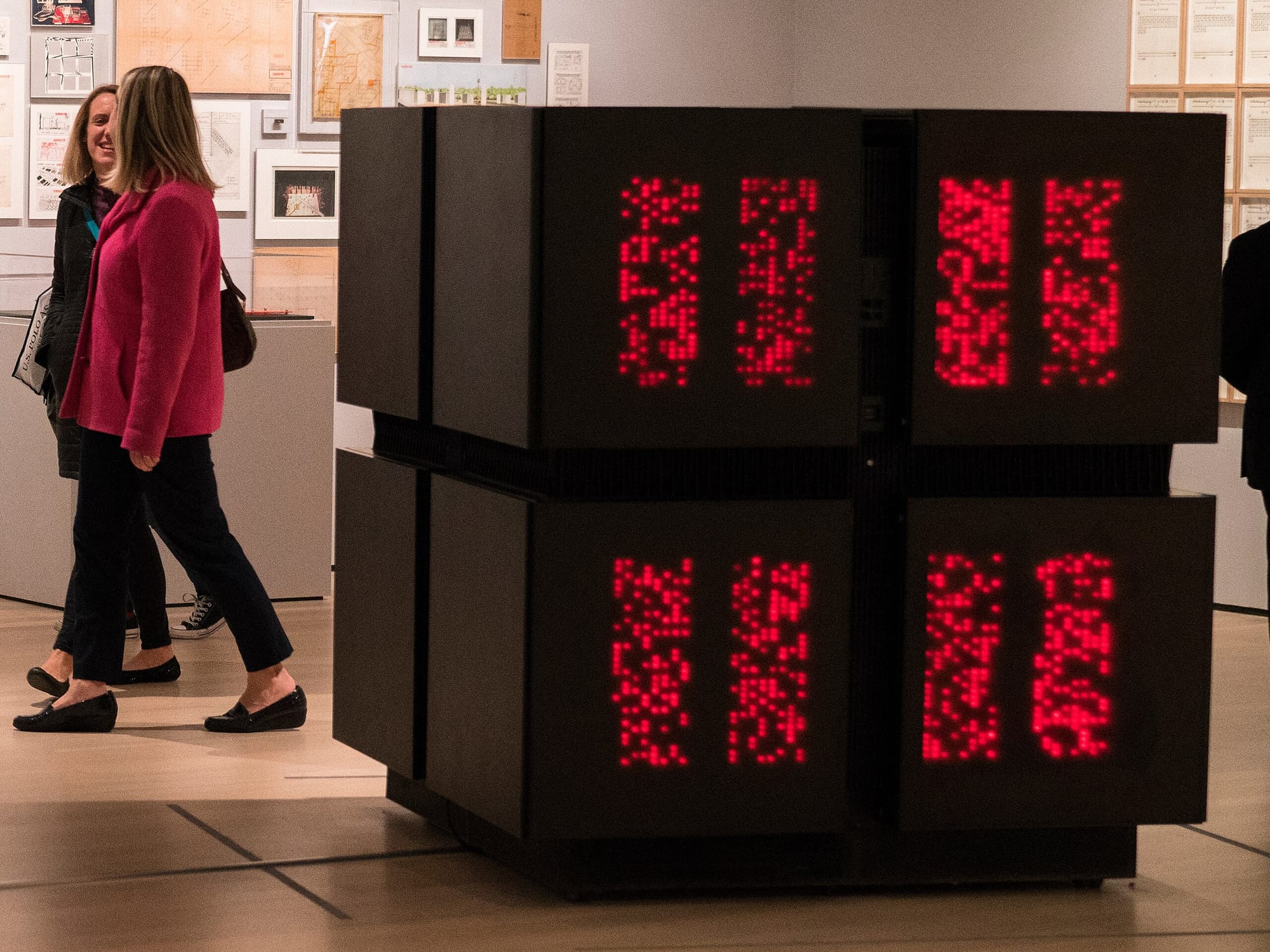
Japan's own highly parallel computers, the Parallel Inference Machines (PIM), running software built with their own bespoke programming language, KL1, seemed like the future. Until it didn't.
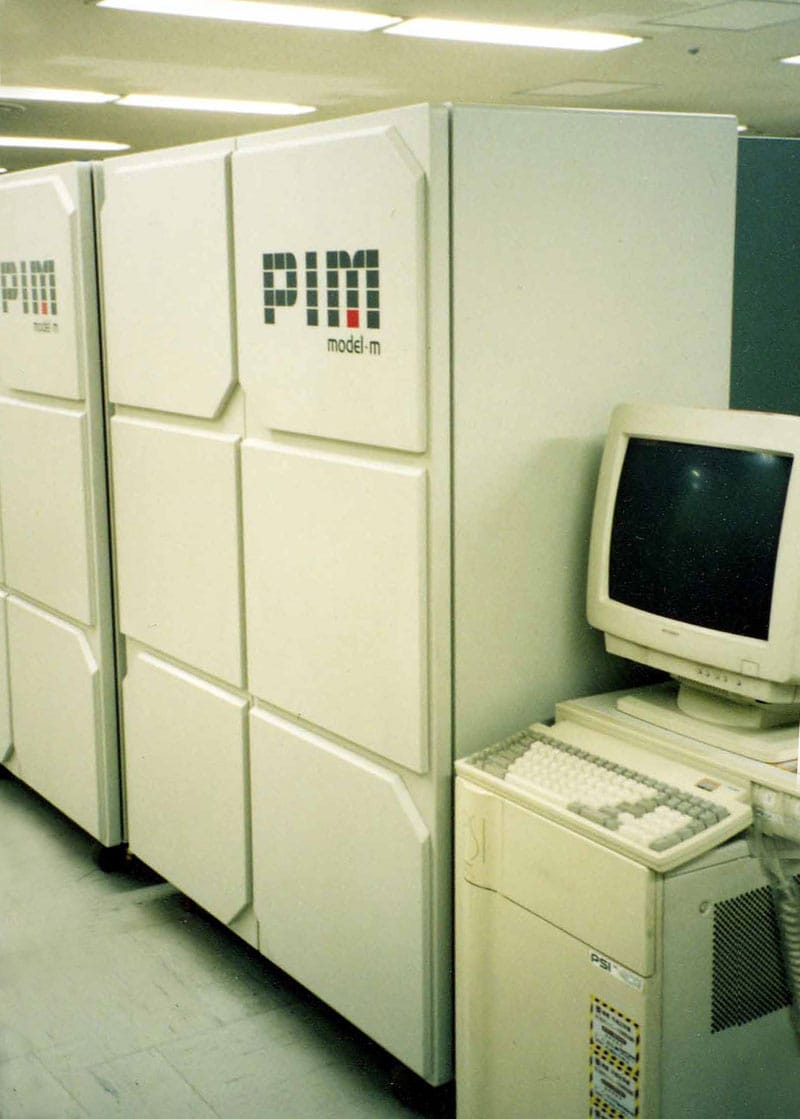
PIM and Thinking Machines and others all fell to the same culprit. Any gains enjoyed by parallel systems were relatively slight and the software to take advantage of those parallel processors was difficult to write. In the end the rise of fast, cheap CPUs evaporated whatever advantages parallel systems promised.
Today we've reversed course once more on our approach to scaling compute. As Wikipedia says, "the hardware limitations foreseen in the 1980s were finally reached in the 2000s" and parallelism became fashionable once more. Multi-core CPUs and GPUs with massive parallelism are now put to use in modern AI systems, bringing Fifth Generation dreams closer to reality 35 years after Japan gave up.
Interpretive dance
In a "Webster's defines an expert system as..." sense, I suppose XPER meets a narrow definition. It can store symbolic knowledge in a structured format and allow non-experts to interrogate expert knowledge and discover patterns within. That's not bad for a Commodore 64!
If we squint, it could be mistaken for a "real" expert system at a distance, but it's not a "focuser." It borrows the melody of expert systems, yet is nowhere near the orchestral maneuverings of its true "fifth generation" brothers and sisters.
Because XPER lacks inference, the fuzzy result of inquiry relies on the human operator to make sense of it. Except for mushroom and feline taxonomy, you're unlikely to get a "definitive answer" to queries.
Rather, the approach is to put in data and hope to narrow the possibility space down enough to have something approachable. Then, look through that subset and see if a tendency can be inferred. The expert was in our own hearts all along.
Garbage in, garbage out
Before I reveal the weather prediction results, we must heed an omen from page 10 of the manual.

I'm man enough to admit my limits: I'm a dummy. When a dummy feeds information into XPER, the only possible result is that XPER itself also becomes a dummy. With that out of the way, here's a Commodore 64, using 1985's state-of-the-art AI expert system, predicting tomorrow's weather over two weeks.
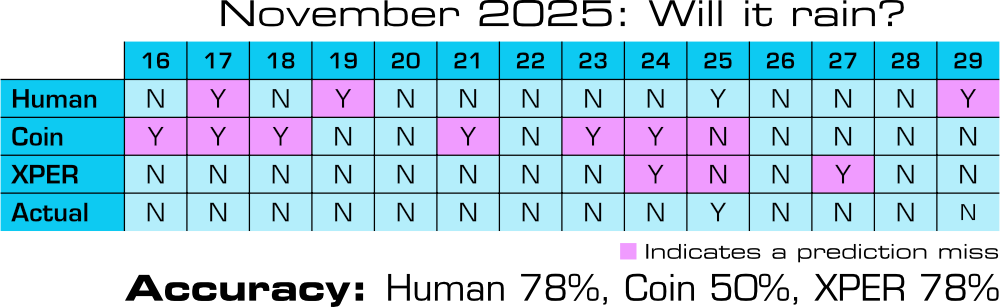
What did we learn?
Honestly, not a lot. Ultimately, this wound up being far more "toy" than "productivity," much to my disappointment. A lot of that can be placed on me, for not having an adequate sense of the program's limitations going in.
Some of that's on XPER though, making promises it clearly can't keep. Perhaps that was pie-in-the-sky thinking, and a general "AI is going to change everything" attitude. Everyone was excited for the sea-change!
It was used for real scientific data analysis by real scientists, so it would be very unfair of me to dismiss it entirely. On the other hand, there were contemporary expert systems on desktop microcomputers which provided far more robust expert system implementations and the advantages of those heuristic evaluations. In that light, XPER can't keep up though it is a noble effort.
Overall, I had fun working with it. I honestly enjoyed finding and studying the data, and imagining what could be accomplished by inspecting it just right. Notice that XPER was conspicuously absent during that part of that process, though.
Perhaps the biggest takeaway is "learning is fun," but I didn't need XPER to teach me that.
Sharpening the Stone
Ways to improve the experience, notable deficiencies, workarounds, and notes about incorporating the software into modern workflows (if possible).
Emulator Improvements
- Any time we're in C64 land, disk loading needs Warp mode turned on. Actual processing of data is fairly snappy, even at normal 100% CPU speed; certainly much faster than Superbase. I suspect XPER is mostly doing bitwise manipulations, nothing processing intensive.
Troubleshooting
- XPER did crash once while doing inquiry on the sample feline database.
- Warp mode sometimes presents repeating input, sometimes not. I'm not entirely certain why it was inconsistent in that way.
- XPER seems to only recognize a single disk drive.
Getting Your Data into the Real World
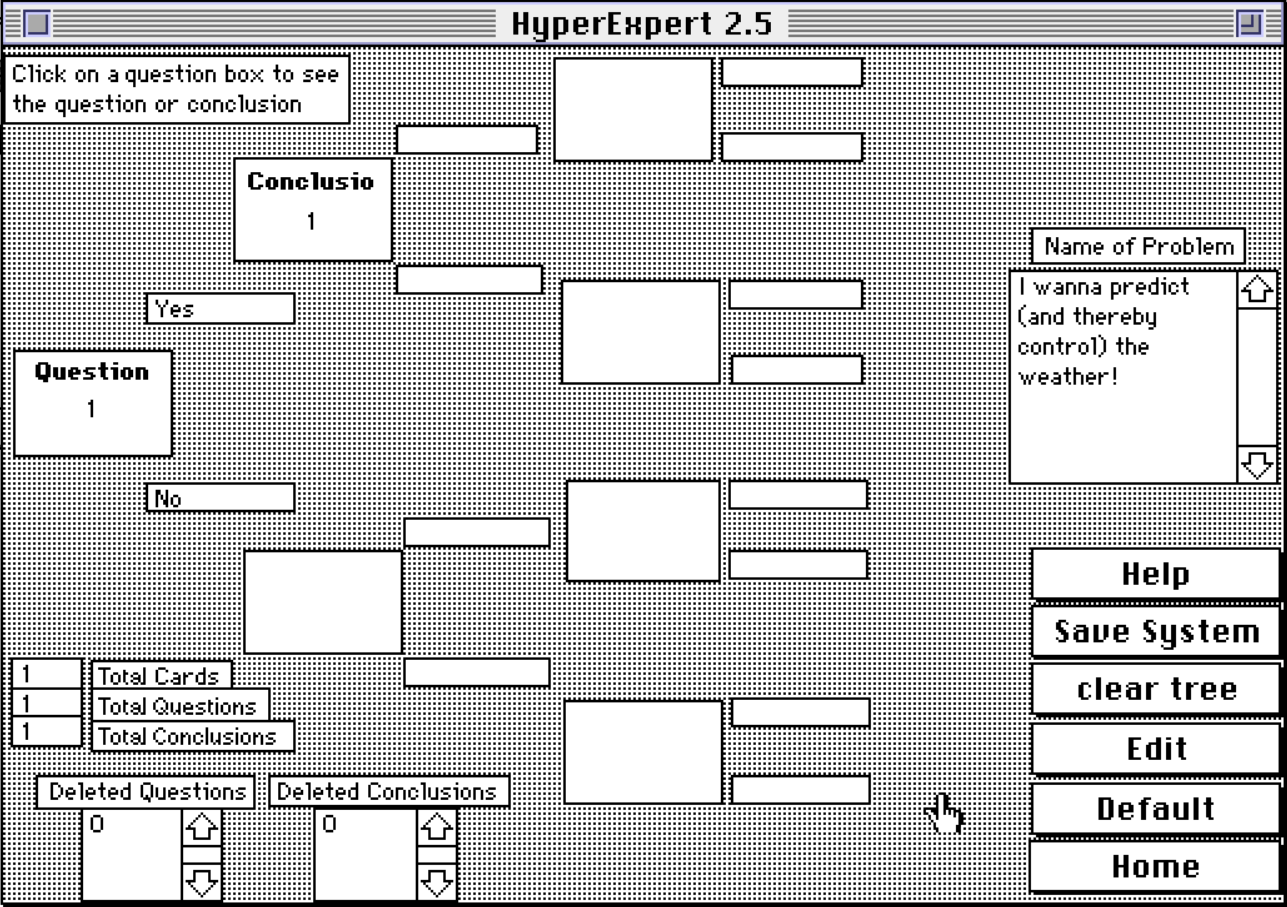
- Don't even think about it, you're firmly in XPER Land. XPER 2 might be able to import your data, though. You'll still be in XPER Land, but you won't be constrained by the C64 any longer.
What's Lacking?
- As a toy, it's fine. For anything serious, it can't keep up even with its contemporaries:
- No fuzzy values
- No weighted probabilities/certainties
- No forward/backward chaining
- Limited "explanation" system, as in "Why did you choose that, XPER?" (demonstrated by another product in Computer Chronicles 1985 "Artificial Intelligence" episode)
- No temporal sequences (i.e. data changes over time)
- No ability to "learn" or self-adapt over time
- No inference
Fossil Record