Visual Basic on the PC w/Windows 3.1
Apple wasn't alone in creating a beloved visual programming environment only to yank it away at the height of its popularity.

If I dig deep into my own heart, really self-reflect, I find I simply don't possess whatever people like Bill Gates and Elon Musk do. I think most of us are content to know we've touched a life or two, helped make someone's existence a bit more pleasant, and can feel gratitude toward the universe for those small miracles.
Others seem to know no limit in their acquisition of influence, power, and wealth. For them, it isn't simply enough to guide an industry, they must be the industry. In this zero-sum game, there is no upper limit to their cravings
Before Musk became the first (I'm choking on the word) trillionaire, Gates was the world's richest person for a couple of decades. Like Musk, he crossed a specific monetary milestone back in 1999 as the "first person with a net worth exceeding $100 billion," about $200B in 2026 money. How he earned it and what he did with it has been the subject of any number of documentaries, books, movies, interviews, depositions, and damning rumors. I think the media can agree on at least one point relevant to our discussion today: Bill Gates was hellbent on owning the entire personal computing landscape.
He said as much, out loud, on stage, to industry professionals, in front of the press. Jacqui Morby recounted the story on The Computer Chronicles. "Gary (Kildall) got up (at the Rosen Forum panel discussion) and talked about what his plans were for CP/M and where the company was going, and then made a comment, 'Well, this is a very large market, and there's room for lots of companies.' Bill Gates interrupted and said, 'No, there'll only be one company.'"
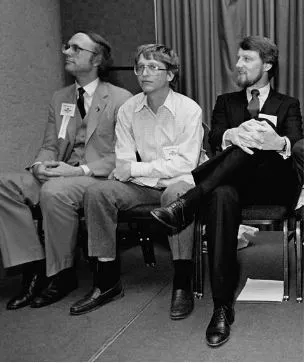
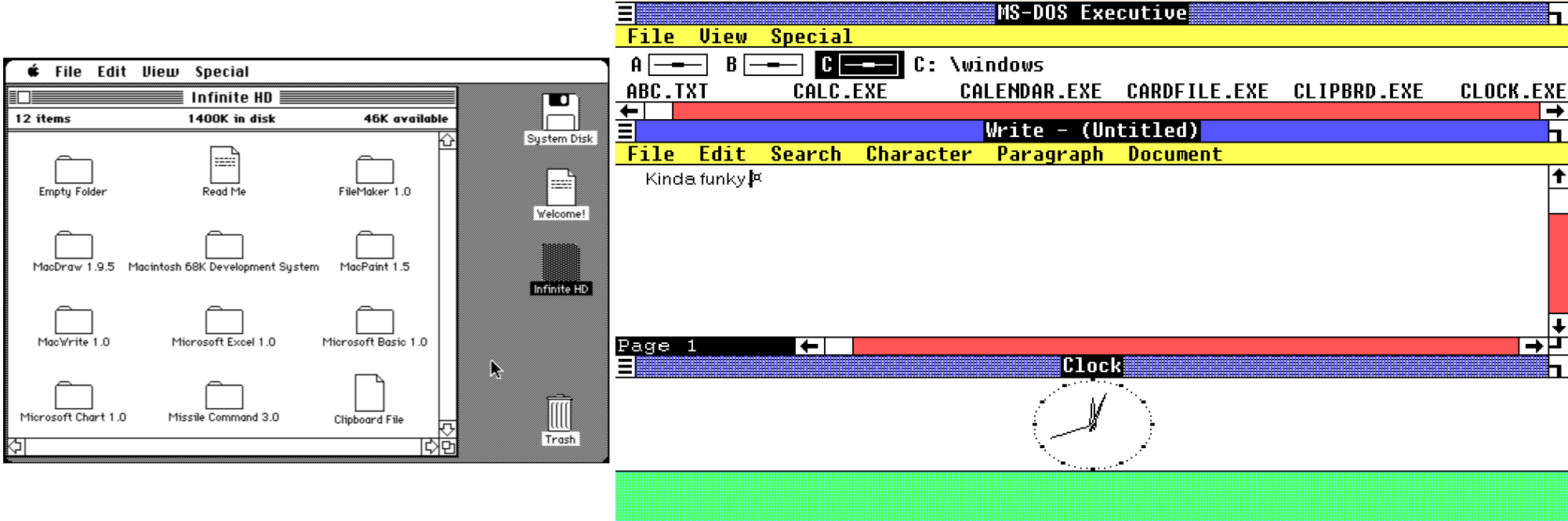
He didn't seem particularly interested in creating innovative things, so much as he wanted to make sure that the innovations of others had a Microsoft response. While working with Apple to develop software for the original Macintosh, Andy Hertzfeld recalled a story of Gates digging in for system details that didn't really have anything to do with the business applications being built by Microsoft. Shortly thereafter, Windows 1.0 released, much to Steve Jobs's frustration. Jobs wouldn't be the last to feel screwed over by Microsoft "taking" ideas.
Another tactic employed by Gates was absorption, the tried and true fast-track to acquiring toys one lacks. Consider the story of Alan Cooper. Coincidentally the idea for a visual application builder "popped into his head" just as HyperCard debuted, in 1987, triggered by Microsoft's announced adoption of DLLs, dynamic link libraries, which provided easy access to core operating system functions to whomever wanted to tap into them. Cooper saw this as a unique foundation upon which to build a kind of "construction set" for the DOS visual shell of your corporate dreams. Don't like the default Windows shell? Build your own!
Microsoft engineer Gabe Newell was super impressed with Cooper's demo of the construction set, then called Tripod, and arranged for a demonstration for Gates. From the excellent article, "Something Pretty Right" by Ryan Lucas.
“It blew his mind, he had never seen anything like it,” Cooper remembers of Gates's reaction, “at one point he turned to his retinue and asked ‘Why can't we do stuff like this?'”
"Why can't we do stuff like this?" is very revealing phrasing, IMHO as an armchair psychologist. Give that line to 1,000 actors and you'll get 1,000 unique performances balancing the tension between frustration and longing. As a Very Rich Guy™, there was nothing Gates wanted that he couldn't have. Like someone who pays others to level up their RPG character, US$1M and a contract later, Tripod (renamed Ruby) was his.
While Cooper insists that HyperCard had no influence on the creation of Tripod, Gates most certainly was thinking about it. In his article "The 25th Birthday of BASIC" for BYTE Magazine, October 1989 (Visual Basic would debut in 1991).
HyperCard provides an interesting example of this combination of visual and more standard procedural programming. (HyperTalk) lets you create procedures that relate to the card and the information that the card links with. . . it forms an understandable intermediate step between procedural and object-level programming.
- Bill Gates, for BYTE Magazine
Ruby was reformulated into something with but a passing resemblance to Tripod. Its bespoke scripting language was replaced with a variant of BASIC, and the goal of the program was no longer to build shells on top of the Microsoft DLLs, but to build applications for Microsoft's own shell, Windows 3.0. Visual Basic was born, arguably a more profound product than Cooper's original vision. Credit where it's due, Gates saw potential that Cooper himself couldn't see.
Looking back, though, Cooper is most impressed by Gates's strategic vision. "I thought I had written some pretty cool software," Cooper said, "But that it would become the programming control panel that is at the heart of Microsoft's success today, I could never have imagined. . . That's why Bill Gates is what he is."
- GO TO, by Steve Lohr
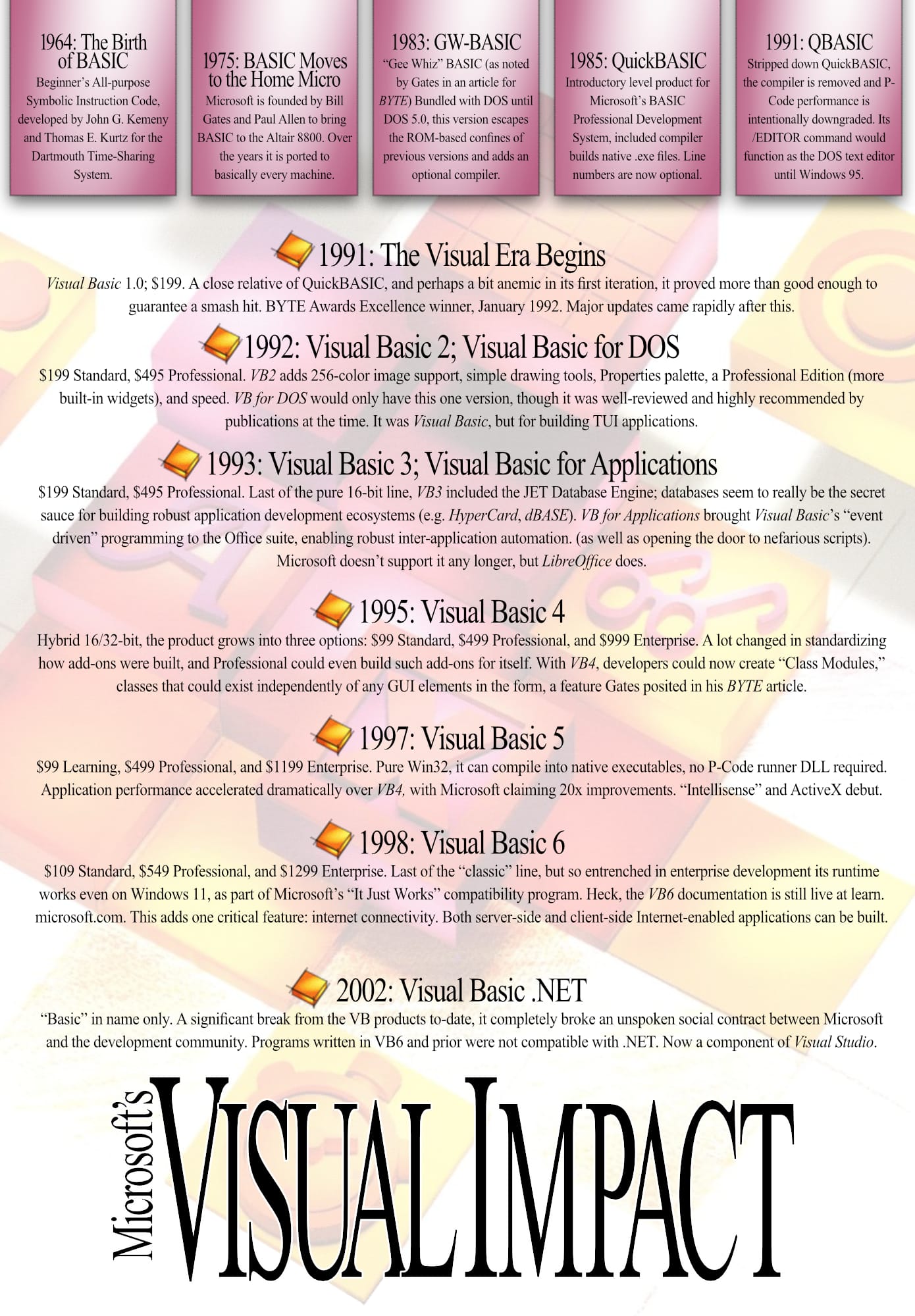
A while back, I dug into Apple's HyperCard. Visual Basic gives us an interesting opportunity to look at a similar first-party, visual programming solution from Microsoft's perspective. Like HyperCard, Visual Basic had its own dedicated magazine, and inspired legions of developers long after Microsoft ceased support in 2008. As recently as 2023, Microsoft has had to issue official statements on their support plans for "classic" Visual Basic, which keeps a huge number of bespoke, legacy applications alive, something HyperCard cannot claim.
The Microsoft vs. Apple wars of the day almost necessitated taking sides, but in truth each has something it could learn from the other.
Historical Context
My Setup
- DOSBox-X 2026.01.02, Windows x64 build.
- CPU set to Pentium
- DOS reports as v6.22
- Host system folder mounted as drive C:\ holds Windows
- 1x scaling
- Windows 3.1, basic installation
- 1024 x 768, 32K colors
memunder DOS reports262,144Ktotal RAM, but Free only reports1,609K. Good enough for today, but 16-bit Windows should be able to register 4MB, not just 2MB.- A few extra applications for comparative/convenience reasons: Toolbook, Actor, ObjectVision, Acrobat Distiller
- Visual Basic 3.0
- Reports 386 Enhanced Mode enabled
- Reports
60320 KBfree RAM
Visual Basic 3.0 was the last pure 16-bit application in the line, and was the first version to include robust database capabilities. The true potential of the product was unlocked. This particular OS/application combination is much more in keeping with the spirit of this blog, I feel.
Let's Get to Work
There's a lot to learn. When I studied HyperCard, I noted the 1,000 page book that awaited me. Visual Basic ships with 3,000 pages, to say nothing of the wealth of 3rd party publications; an industry unto itself.
As a man who recently took another annual step toward that great Blue Screen in the sky, every tick of the second hand gently rattles my bones. For large projects like this I have to consider how quickly I can get up to speed. Well, given the temperament of training books of the day, I suppose the proper first consideration is, "How dumb am I?"
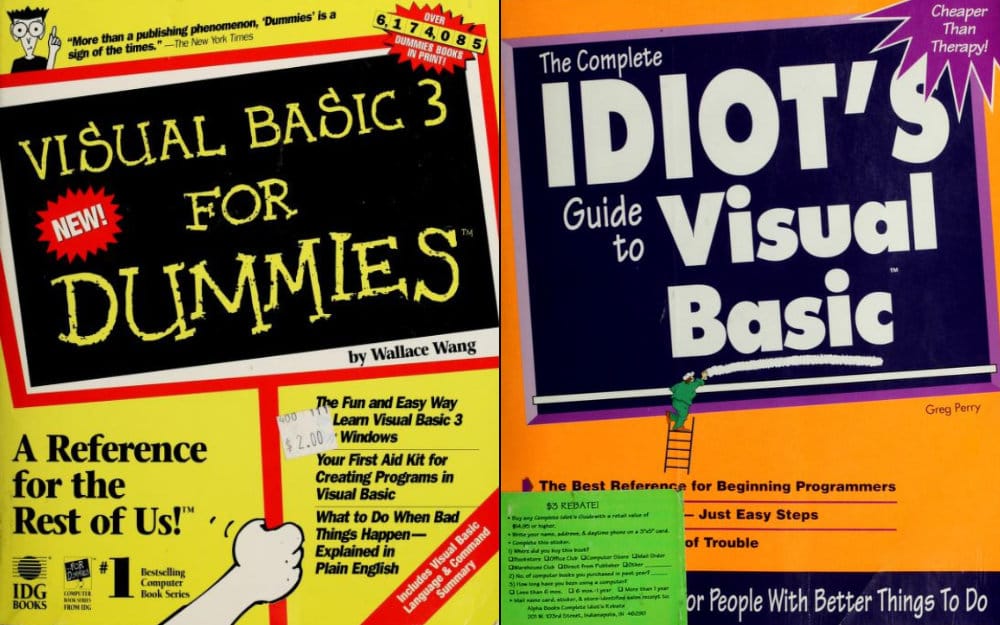
I refer to myself as a "big dummy" in blog posts, and I stand by that assertation, but I don't like it when others call me dumb. I can handle more complex material, but like I said, I don't have a lot of time. How quickly can I learn Visual Basic?
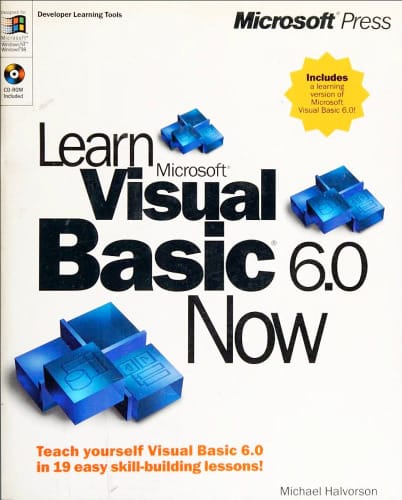
That seems unabsorbably fast.
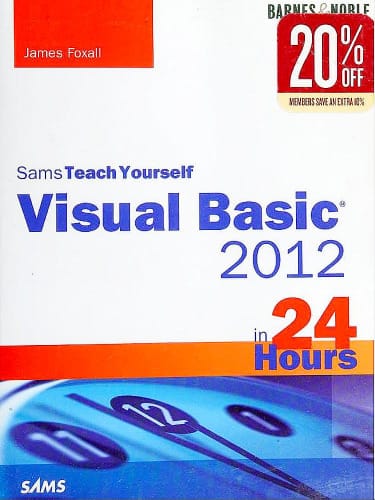
Maybe if I didn't sleep?
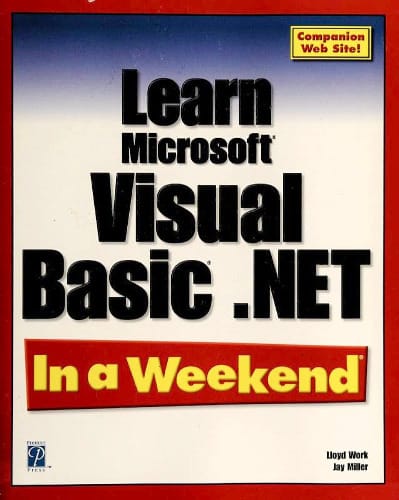
I think I'd forget everything by Monday.
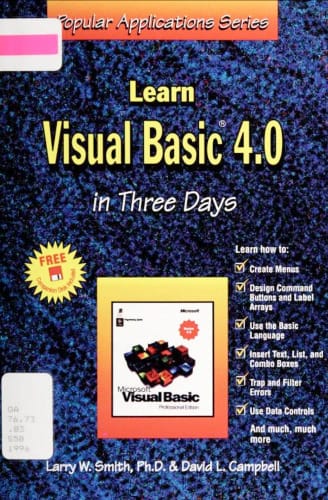
Also by Tuesday.
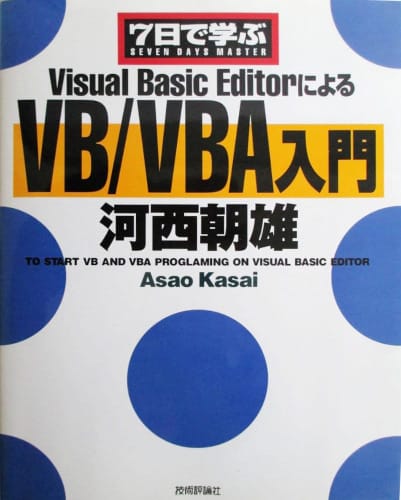
"Proglaming" sounds like fun, but a week is still too fast for my pace.
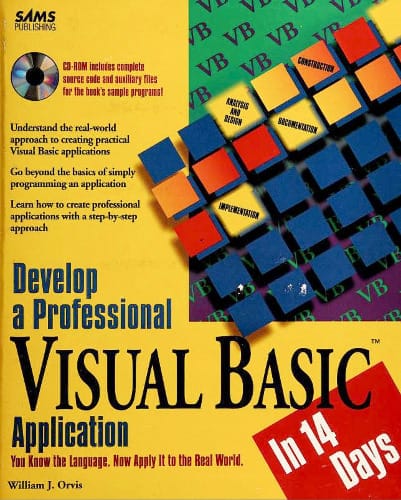
Getting closer.
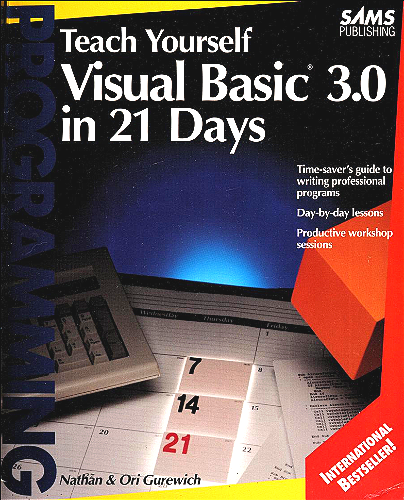
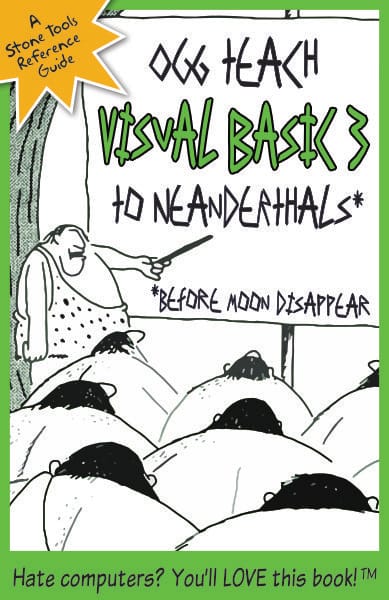
Perfect. Slow enough for an old man to follow; fast enough to finish with time to spare before involuntary admission into a retirement home. If I weren't 40 years too late, I'd throw my own hat into the publishing ring and combine "I'm a big dummy" with "I want to learn this quickly."
Day 1
It's been a long time since I last touched Windows 3.1. It's funny, my memory of it doesn't match my hands-on experience today. I recall it being far uglier, though it still suffers from absurdly large title bars which don't provide much in the way of information or utility. I dig that (VGA mode) powder blue, though.
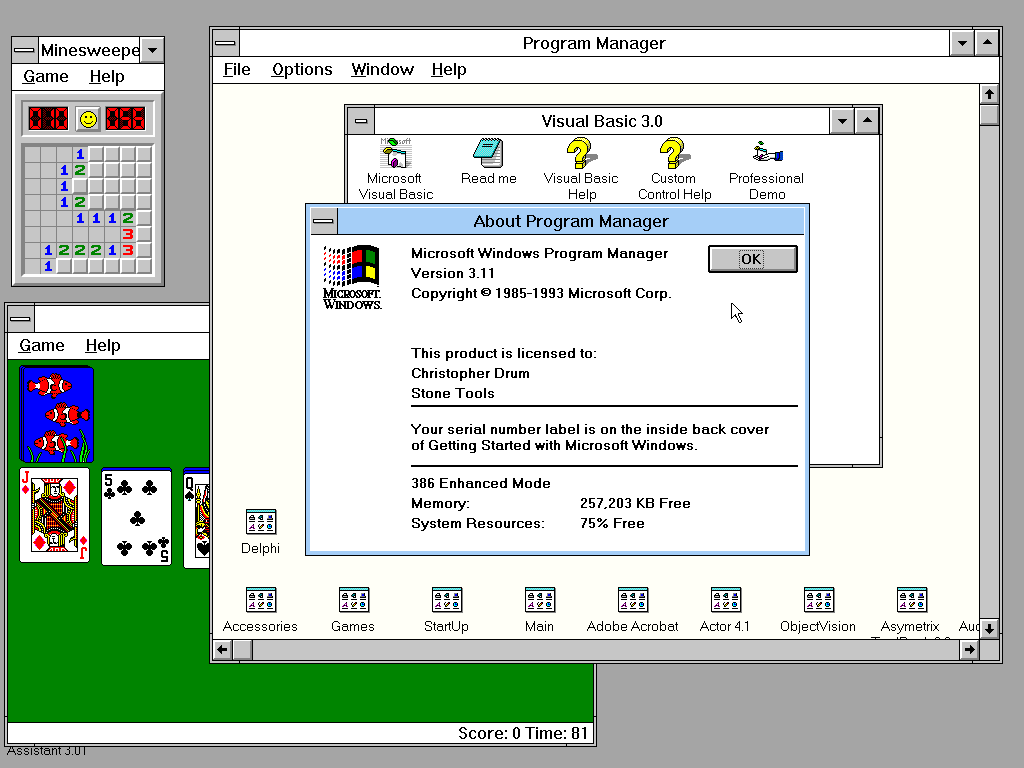
It's handsome if perhaps uninspired, the result of a collaboration between Microsoft and IBM for OS/2's Presentation Manager (which predates Windows 2.0). Their "Joint Development Agreement" gave pretty broad latitude to both companies to use, without licensing fees, code shared between the two companies. I'm not even tangentially familiar with law, but it does read, in part:
This Agreement shall in no way preclude either party from independently developing or acquiring materials and programs which are competitive, irrespective of their similarities, with the Code and Documentation or from making similar arrangements with others.
That gave Windows 2 and 3 a nice glow-up after the flop of Windows 1.0. Initially, even Microsoft had trouble getting their own developers to build Windows applications. I imagine it must have been a huge relief for Gates to have a tool that not only made it easy to build Windows applications, but that could even be an enjoyable experience.
Jumping into Visual Basic, the first impression is, "I can do this."
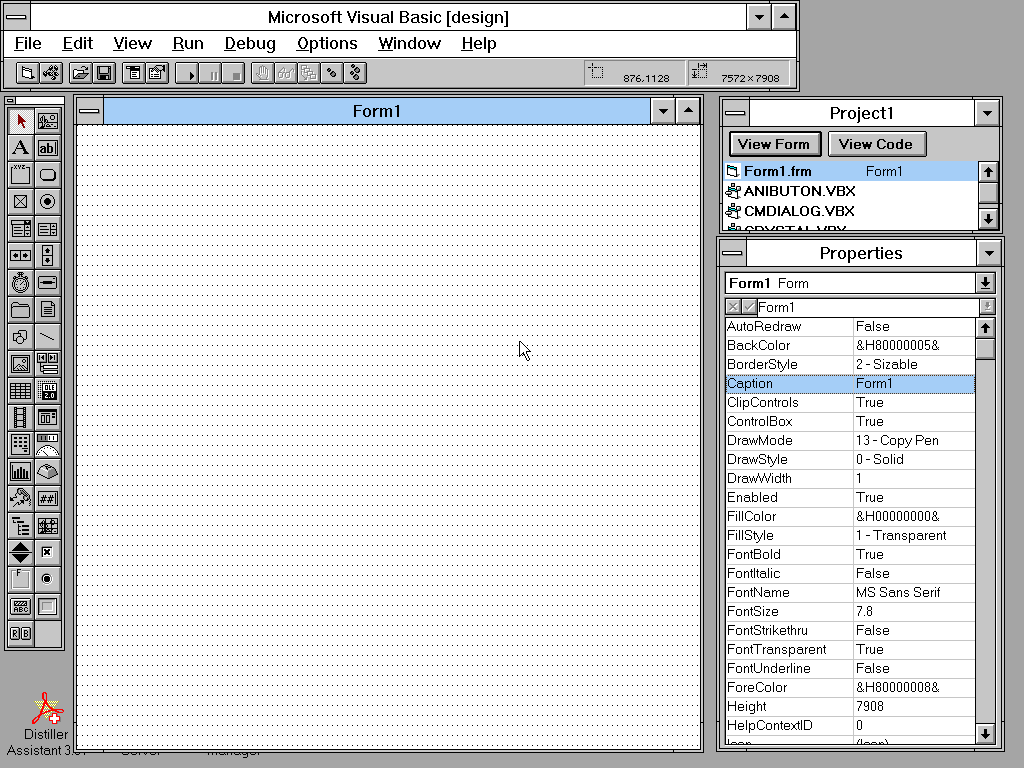
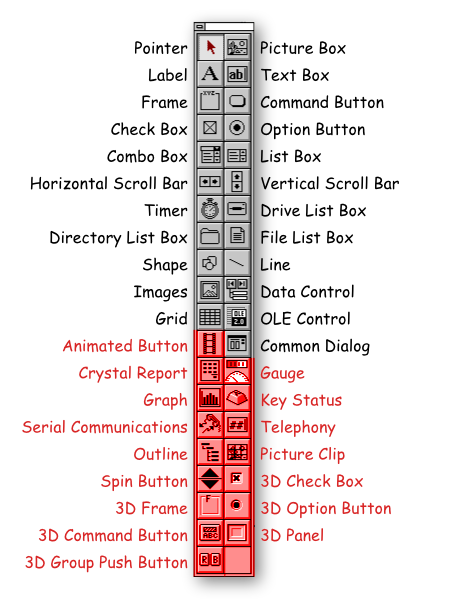
It looks approachable. I can't explain what every button in the toolbar does, but some of the basic stuff is as easy to identify as in HyperCard. Adding a control, like a text field, is a double-click away. The "Properties" panel makes intuitive sense, for tweaking the characteristics of a selected control, something HyperCard lacks. Appending code to a control is as simple as double-clicking its instance in the window.
"Properties" is context aware, only showing what can be tweaked on the selected object. For the large part, the industry abandoned this contextual approach. I wonder why? PageMaker was leaning that way with its control panel, and InDesign promptly threw that away in favor of persistent controls for things that aren't even in the current document context. Why do we need text kerning tools on screen when there's not even a text box in the current document, in Affinity for example? Tools like Figma, Apple's Pages seem to have kept the contextual flame alive, which is nice to see. "Pros want every tool on-screen at all times," a UX consultant once said with a straight face, I guess.
The toolbar could stand to be better organized and starts gesturing in the direction of that meme image about Microsoft's love of buttons. They certainly did lean heavily on this UI metaphor crutch, as a catch-all way of cramming in as many features as possible. It's confusing at times (why a "picture box" and also "images?"), but with this version of the program, on this operating system, things haven't gotten completely out of hand yet.
Day 2
We're getting up to speed on the controls and how to interface with them today. Let's consider some nice things about Visual Basic's approach.
I am rapidly growing to appreciate the keyboard shortcuts for UI elements, like buttons and sliders. Visual Basic makes it super simple to add a keyboard hook to an on-screen control. Simply label a button with & in the confusingly named "caption" property and the following character will become the keyboard shortcut, via Alt + character. So, an "Exit" button with the "caption" &Exit will read _E_xit and Alt + E will function identically to a mouse click on that button.
When I say "identically" I do mean identically. The button's built-in click() method will be triggered, the same as if a mouse had done it. We don't have to worry about bifurcating control logic between keyboard and mouse for such interactions.
"The process of outputting and inputting information is called the user interface aspect of the program."
- Teach Yourself Visual Basic 3.0 in 21 Days, pg. 38
We're then treated to an amuse bouche of off-kilter things to come. Checkboxes and radio buttons both have an on/off state, where any number of checkboxes can be on/off, but only one radio button in a set can be on. When programming with these controls, checkboxes return a value of 0 or 1 to represent unchecked or checked. Radio buttons return a True or False boolean on each of the options. For now, we'll file this under "Things That Make Me Give a Skeptical Sideways Glance."

Day 3
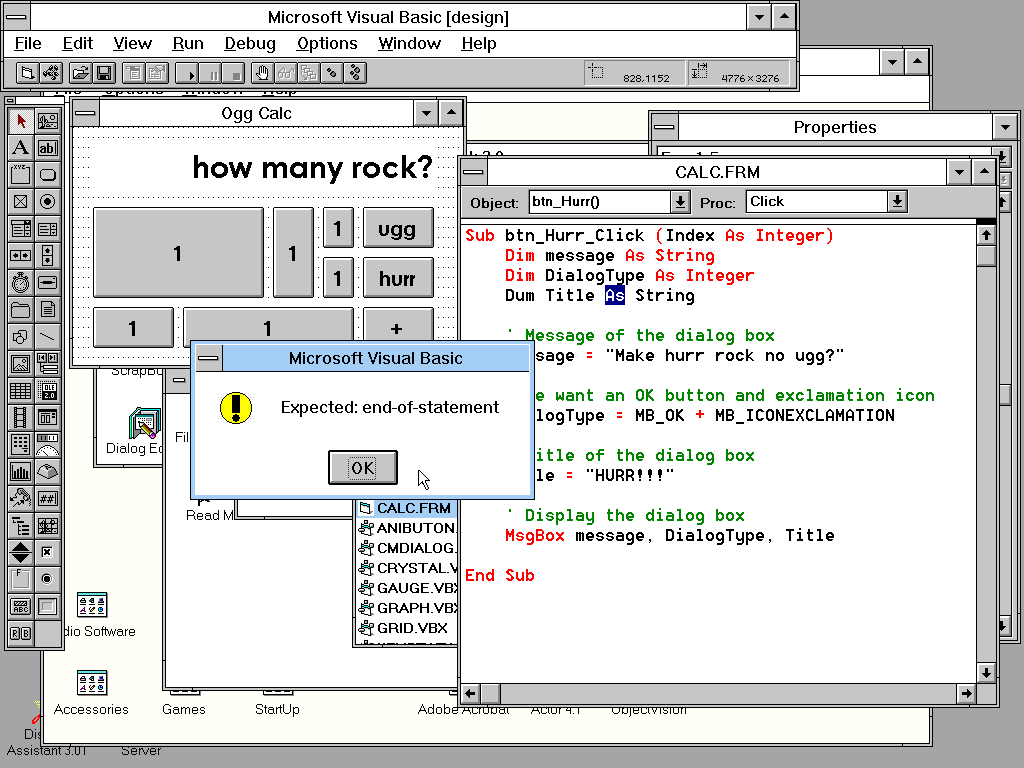
After spending a couple of days with it, the built-in text editor is driving me crazy, a "feature" Visual Basic shares with HyperCard; neither is good. I can excuse a lack of autocomplete, a tool that would debut with Visual Basic 5, as "Something Yet to be Invented." I cannot excuse the lack of indentation assistance and word-wraps, both already common features in word processors of the day. Microsoft has given us a smidge more than the absolute bare-minimum for a text editor.
Keeping code tidy and readable requires significant, diligent effort on my part; it's not coming easily to me. I appreciate the auto-capitalization (though Basic is case-insensitive) and coloring on language keywords, but syntax checking and formatting a line of text the instant I've repositioned the cursor is annoying.
Unfinished lines throw up modal dialogs warning me of interpreter troubles, triggered as easily as moving the cursor up or down for a moment. It's unwieldy to sketch out a code block to fill in the details later with those constant interruptions. It would be nice to be able to trigger the parser on-demand.
Day 4
We're learning about the mouse and how to handle mouse events. From a programmatic standpoint, this is pretty basic stuff. One of the nice things about the code editor is the pulldown in the top toolbar surfaces all possible functions for a selected UI element. We don't have to try to remember the exact name and spelling of a function; just pick the one you want to edit and get started.
A setting that is theoretically interesting is the default unit of measurement for elements. Until now, I'd never heard of "twips": a "twentieth of a point". Where a point is 72/inch, there are 1,440 twips/inch. Windows used this as a device-independent standardized unit of measure. For on-screen, a conversion to pixels was used, and for print a conversion to printer resolution was used. Any form you design in Visual Basic can be trivially sent to the printer with a simple Basic call, and it will print at the resolution of the printer, not your screen.
The coolest trick, though, is "edit and continue." Because the program is being constantly interpreted, not compiled, we can run the program, pause it, modify the code, and continue live execution. This is super handy for iterating solutions to annoying bugs. The Microsoft-faithful have really never known a world without this. The Apple-faithful have had this tantalizing fruit dangled before them a couple of times now, never quite delivering on the promise. I like it.
"(if you don't think you have the talent to draw pictures by yourself), you may purchase professional pictures from a variety of vendors. These third-party picture products are called "clip art."
- Teach Yourself Visual Basic 3.0 in 21 Days, pg. 263
Day 5
In building out WIMP applications, we need to fill out the "M" part of that acronym. Today we learn how to build menus using the "Menu Design Window." The tool is competent, if a bit inelegant.
Initially, it is easy to bang out a rough outline of an application's menu structure without taking one's hands off the keyboard; mouse-free is always a welcome option. Type a menu item, hit RETURN, type the next, hit RETURN, and the next, etc. Then, apply structure to the menu with the on-screen arrow tools for indentation/reordering elements. Alas, we cannot TAB indent at the time of menu item entry, that hierarchy must be set in a separate step later.
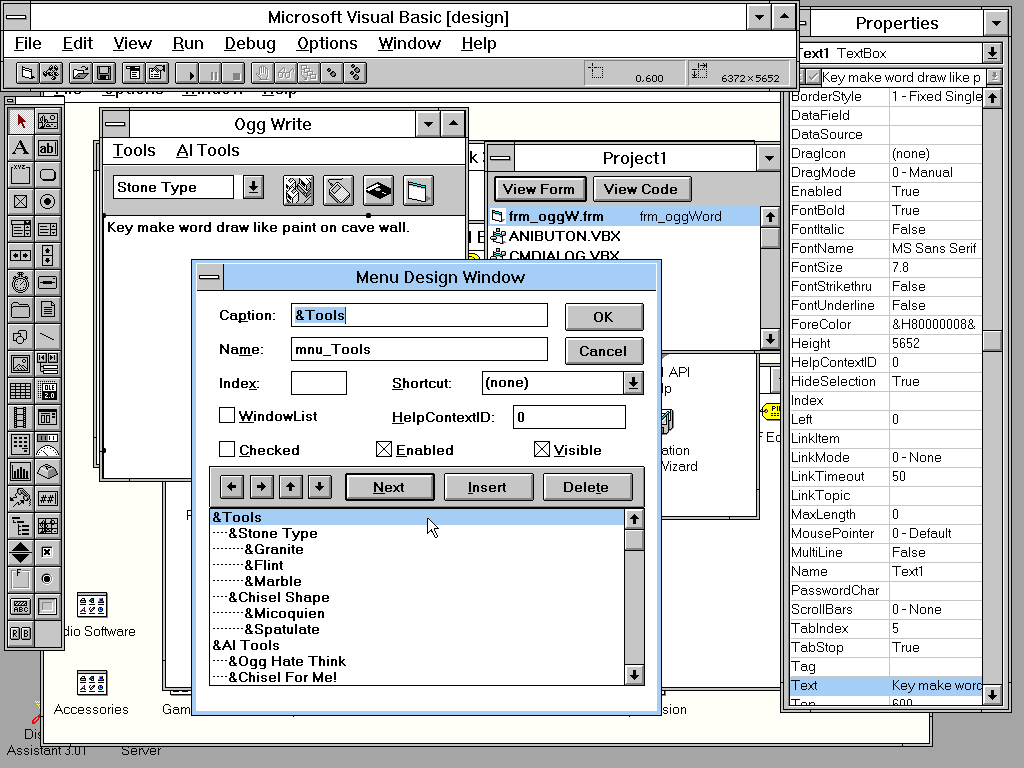
One disappointing absence is any kind of relationship between menu elements. Moving a menu item with "submenu" items will not move those submenu elements with it. No "outliner" style editing, ala ThinkTank, here. We also cannot multi-select items to edit them as a group, something we can do with form controls. Slow, patient, one-at-a-time editing of menu items is all we get. To be fair, menus can be programmatically generated, which may honestly be a better option in many ways. That pulls us away from the "Visual" in Visual Basic, though, don't it?
The design window also forces its vertical editing into a horizontal view, another "Things That Make Me Give a Skeptical Sideways Glance." The example in the screenshot shows a 3-level menu, and I'm nowhere close to filling that horizontal space. It's wasted screen real estate, made more aggravating by the fact that the menu design window cannot be resized. As I think many in the industry have internalized by now, an editor view should place its primary content front and center, with refining elements playing a supporting role. The menu item properties would be much better served filling the right-hand side of the window, giving the menu itself vertical breathing room on the left.
It's one of those things that probably gets better over the years, but is conspicuously half-baked for version 3 of the product. "It's OK, but I expected better by version 3," will be a running theme going forward.
First-party poopers
Now that I've been at this for a week, the angle of approach to visual programming HyperCard and Visual Basic each take has come into sharper focus. Initially, their superficial similarities led me to expect more direct parity between the two. Both provide a visual toolkit for designing interfaces. Both use a more simplistic language than the core language for each platform. Neither is truly "object oriented" (if that's important to you). Both were killed despite amassing a large, passionate following.
Even a simple inspection of their toolbars highlights the philosophical difference between the two approaches. Most of the HyperCard toolbox is devoted to drawing pictures, with the controls reduced to buttons and text fields. It is constantly surprising to me how much mileage is squeezed out of such a restricted set of UI controls.
Microsoft, on the other hand, offers a toolbar button for each and every thing you might want to add to an application. They take inverted approaches. Where I might add a generic button in HyperCard, then attach a script which invokes the system file browser, Visual Basic gives me a pre-built file browser control to drag into my app.
I prefer Visual Basic's approach of "drag out a rectangle to define a control," especially for buttons and text fields; it feels more modern in its UX. HyperCard makes us add controls strictly by pulldown menu, then we have to drag the corners of the button, with no visual indicators, into the new size. Surprisingly awkward.
Visual Basic also earns points in offering a grid to snap elements to position, making it much easier than HyperCard to align and scale elements precisely with one another. Gotta do a lot of eyeballin' on the HyperCard side of things; its grid only works in paint mode.
Consequently, laying out something like a calculator is much faster and easier in Visual Basic, at the expense (?) of looking exactly like any other Windows program ever made. (Although the demo calculator doesn't look anything like the actual Windows calculator?)
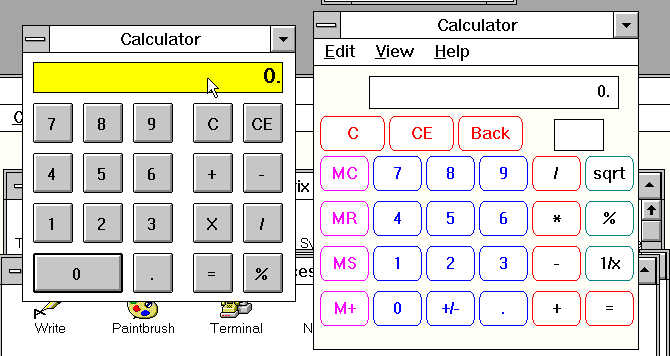
Don't get me wrong, conformance to corporate homogeneity may be exactly what you need at times and Visual Basic can generate something "professional looking" in a jiffy. It is, perhaps, devoid of character, but it also creates something a Windows user can look at and trust. Breaking free of those somewhat rigid constraints requires considered effort in Visual Basic, whereas HyperCard practically begs us to go hog wild.
Days 6 - 20
We're firmly in "learning Basic" land here; the application itself doesn't have a whole lot else to it. The panel for exporting our .exe files is about as barebones as one could imagine. There's a color palette, but I'm not entirely clear why; colors for controls can be set in the Properties palette via its own popup color palette.
I should also give a shout out to the built-in Help system. Though I wish it were context aware, there's an absurd amount of information available right there in Windows without having to crack open the 10 pound manual.
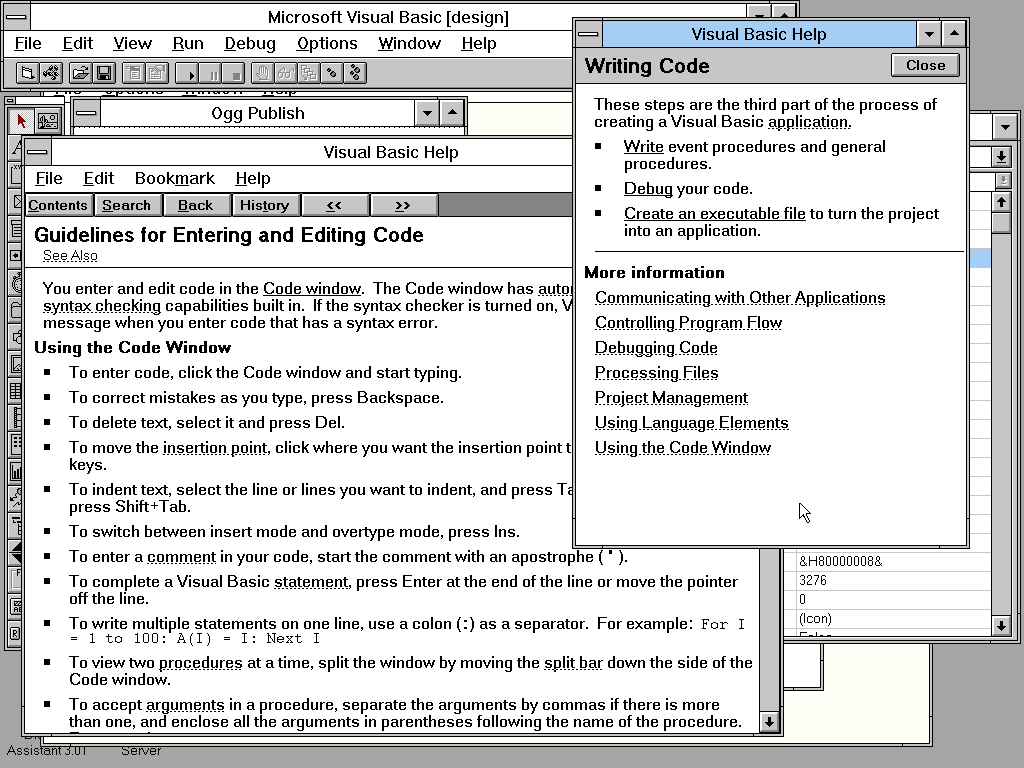
HyperCard has Balloon Help, which is nice and cute, but also anemic; we only get as much explanation as fits in a couple of sentences. Visual Basic's help system gives lengthy, detailed explanations of topics with code samples, is searchable, is bookmarkable (!), has tutorials for understanding the principles of the program, and more. It's quite good!
The last week of my training book gets intense with discussions on make files, database connectivity, MDI (multiple document interface), DDE (dynamic data exchange), interfacing with DLLs, and so on. We've only been building throw-away toy applications so far, and I honestly don't feel the book has mentally equipped me for these hairier discussions. It's a pretty significant cognitive leap from the simplicity I feel the product promised.
The long and the short of it is, I'm learning enough Basic to squeak by and get a sense of its tempo and grammar, but as a first-time user I find it more overwhelming than HyperTalk.
False cognates
HyperCard and Visual Basic each come with a 600+ page language reference guide. Microsoft also throws in three more manuals, another 2,400+ pages, for good measure. Its language guide would expand to 1,000+ pages in Visual Basic 4. Brevity is the very soul of cowards, I guess was their stance.
Though their language reference guides are similar length, Microsoft's is a far more dense, dry tome. Apple spends the first 150 pages talking about "What even is programming?" and the last 150 pages getting into topics outside the scope of HyperTalk; a slim 300 pages to describe the language.
Let's examine some concrete examples. Here's how to make the system beep thrice on the click of a button in HyperCard:
on mouseUp
  beep 3
end mouseUp
Here's how to (ostensibly) do that in Visual Basic 3:
Sub btn_BeepThree_Click ()
Dim I
  For I = 1 to 3
    Beep
  Next I
End Sub
Full disclosure: this didn't work, even though it is the example given in the "Programmer's Guide." Something is coalescing the three beeps into one. DOSBox-X issue?
Because scripts are kind of "embedded" into their respective HyperCard objects, we don't have to disambiguate subroutines with prefixes; any given script is scoped precisely to its associated GUI object. It's the La Croix of object orientation; just a whiff of a hint of that flavor.
HyperCard's approach lends itself better to casual tinkering around, but Visual Basic has an edge in surfacing all functions of our application in the code editor. In HyperCard we have to remember which object contains which code block, or hunt through all objects individually, searching for the code we want.
Visual Basic's approach requires unique names for all subroutines. This makes it fairly trivial to trigger events across objects. If we want a button to click another button by proxy, we would have to do something like this in HyperTalk:
on mouseUp
  send "mouseUp" to button "beepButton" of card "someCard"
end mouseUp
Sometimes I wish HyperTalk would allow dot-syntax for object specifier chains.
In Visual Basic, we simply call the uniquely-named function directly:
Sub btn_ProxyButton_Click()
  btn_BeepThree_Click()
End Sub
Where HyperTalk takes a gentle, English-like approach to its language, Visual Basic isn't afraid to be far more "programmery." HyperTalk developers can certainly get into their own weeds trying to figure out the precise incantation to sidestep the interpreter and achieve specific goals. Conversely, Visual Basic developers could quickly find themselves in a world of memory management, DLLs, batch files, and make files. Both developers feel some pain, but one is kind of orthogonal to the other. Your preference may depend on which breed of demon you enjoy slaying.
As clearly evidenced by the Voyager series of software and MYST, highly professional software was possible with HyperCard. That said, the upper boundary for Visual Basic feels much higher. As a simple example, with the Declare keyword we can reach in and directly call the Windows Kernel (or any existing) DLL; this of course being the killer feature that triggered Alan Cooper to develop the program in the first place.
Declare Function GetProfileString Lib "Kernel" (ByVal SName$,
  > ByVal KName$, ByVal Def$, ByVal Ret$, ByVal Size%) As Integer

... and later we use it like this
Success = GetProfileString(SName$, KName$, "", Ret$, Len(Ret$))
That's impossible to do out-of-the-box with HyperCard; it cannot access the Macintosh Toolbox so deftly. Likewise with database data, Visual Basic gives us flexibility in what kind of data to bring in, like dBASE or FoxPro. There may be specialized stacks or XCMDs (plugins) to HyperCard that can assist with these tasks, but nothing native to the program.
However, HyperCard provides its own built-in database free of charge, requiring no special effort on the developer's part to leverage it. Building something like an address book is simply a matter of adding some text fields to a card. Those will function like fields in a database by default, and actions like saving/loading user data will happen transparently. Adding search, or something similar, takes a few extra steps, but is conceptually simple through a HyperTalk command like
find string "Ogg"
Visual Basic provides a "Data Manager" module, which allows us to create simple Access databases for use as the backbone of the application. This is all explained in detail in the supplemental 300+ page "Visual Basic 3.0 Professional Features, Book 2." Once the database is built, interfacing with its records is straightforward using the "Data Control" tool.
When the database is linked in properly, controls like images and text fields can be wired up directly to their corresponding fields in the database schema, called "bound controls." The database widget itself provides buttons to step through records and corresponding data will auto-populate the bound layout elements.
If "browsing" is the extent of your database needs, you're in good shape. I imagine most will want to do more than that, perhaps adding fields, or doing search queries. You'll want to steel yourself, because it gets gnarly real quick.
I'll just say that the book is 300+ pages for a reason, with talk about complex subjects like Dynasets, Snapshots, Tables, the JET engine, SQL queries, and more. It's far more capable than HyperCard, as we can work with multiple databases in our VB application, access remote databases, and more. That power is paired with an equivalent learning curve, one which is thrust upon any developer who needs even a tiny bit more than the drag-and-drop controls provide.
Weaponized competence
Overall, it would be fair to call the IDE "competent." It contains the tools we need, arranged by palette, and makes certain actions (like adding a button) as easy as a double-click. What's not to like? I think what frustrates me about these tools is how they feel like somewhat careless design solutions to their respective problems.
Look at the "Properties" palette, for example. This looks, to my eyes, like a developer was told, "The properties for a selected object should be available for editing." The developer iterated them as a literal list, adding some basic editing niceties, like making a color chooser available when a color property is edited.
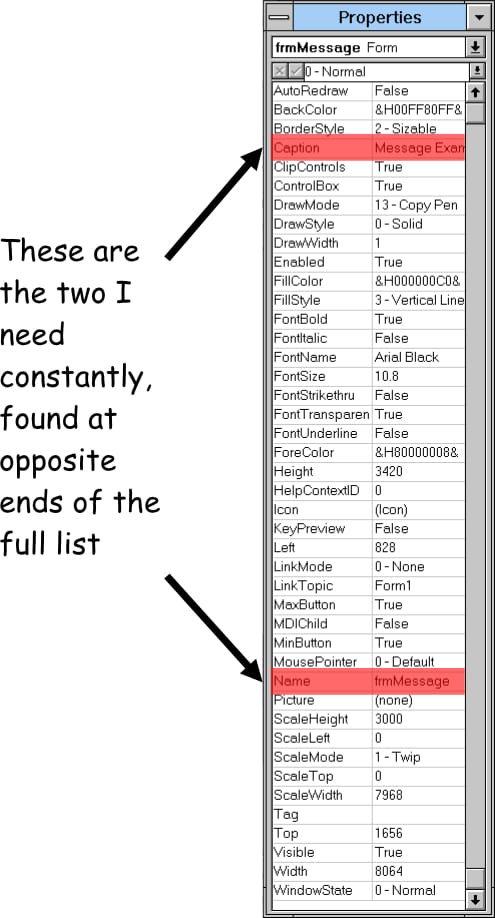
What I find in practice is that the vast majority of the properties go untouched, especially for something like a Form object, and the ones I actually need require scrolling through a long list to find and edit. Later properties in the list, even those which are common to all controls, shift around in position depending on how many properties a given control has. I'm constantly having to read through that list, scanning for the "Name" property, which is where we set the programmatic name for the control. It's arguably the most important property, and it's playing peek-a-boo.
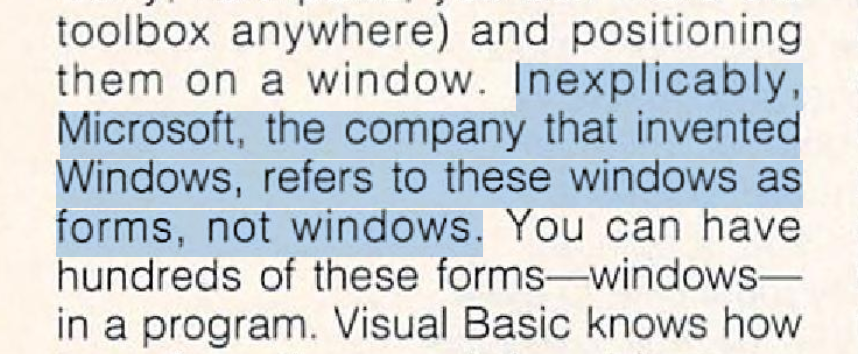
When I make a new form (a "form" is a window; I don't know why they call it a "form") I have a few things I need to set right off the bat: the size, the title, and the programming reference name. After that, sometimes I want to set the background color. We'll ignore the fact that property names don't make sense; naming conventions had perhaps not yet been firmly established in an era when the terms UI and UX had not yet become common vernacular.
From a pure, "What is the user most likely to need?" point of view, this simple alphabetical list is the laziest solution to the design challenge. For version 3 of this product, I frankly (perhaps unfairly) expect more considered effort from a first-party solution.
My frustration extends to the main toolbox as well. It's just a bunch of buttons with no organizational structure applied. Tooltips, similar to what we understand today, were introduced with Macintosh System 7 as "Balloon Help" the same year VB3 released, so I can't fault Microsoft for "failing to implement" them in this release. Still, icon-only is a lazy way to handle it, when the goal is to shove as many icons into the toolbar as possible.
Asymetrix Toolbook 3, a similar visual IDE for Windows development, provides more robust, logically arranged tools for the job. Here's the text editor and object properties panels.
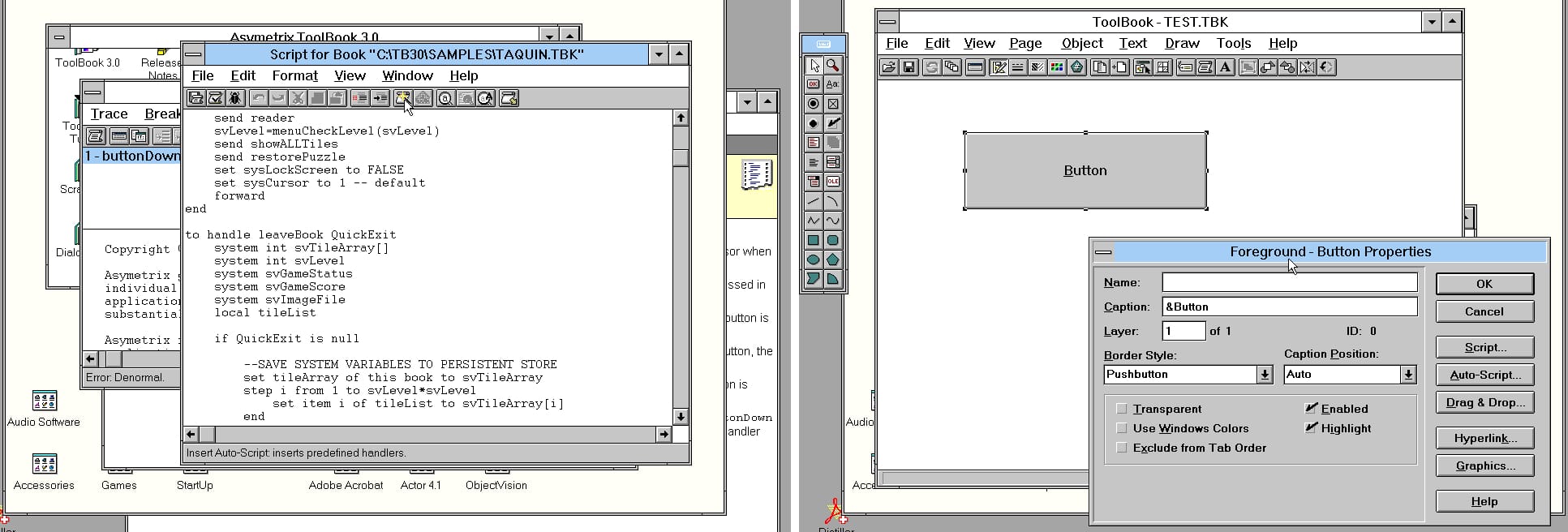
Note in particular a few things:
- In lieu of tooltips, at the bottom of the current window we have a contextual description of the current tool, much like Bank Street Writer and Lotus 1-2-3.
- The text editor includes indent/outdent tools, can set our editing font of choice, waits to check syntax until we ask it to, and even includes a simple "build a function" utility to wire up common tasks to common UI events.
- The properties panel is laid out hierarchically, keeping the most-needed stuff front and center, while demoting less-used options to secondary emphasis. I wish it weren't modal (HyperCard does the same), but its arrangement follows a nice 80/20 rule.
Visual Basic itself contains a similar contextual help in other parts of the application, like its "Crystal Reports" tool, making its absence in the main app even more frustrating. This kind of haphazard application of tools and controls feels sloppy, which reminds me of something I wanted to talk about.
Manual dejection
While going through the official manuals for Visual Basic, something kept bothering me. I couldn't put my finger on it at first, but once I saw it, my eyes were forever cursed. This is a small grievance, "petty" some would say, "a colossal waste of mental resources" others may scoff. But what's a tech blog without a certain level of pedantry?
I'm not above pedantry.
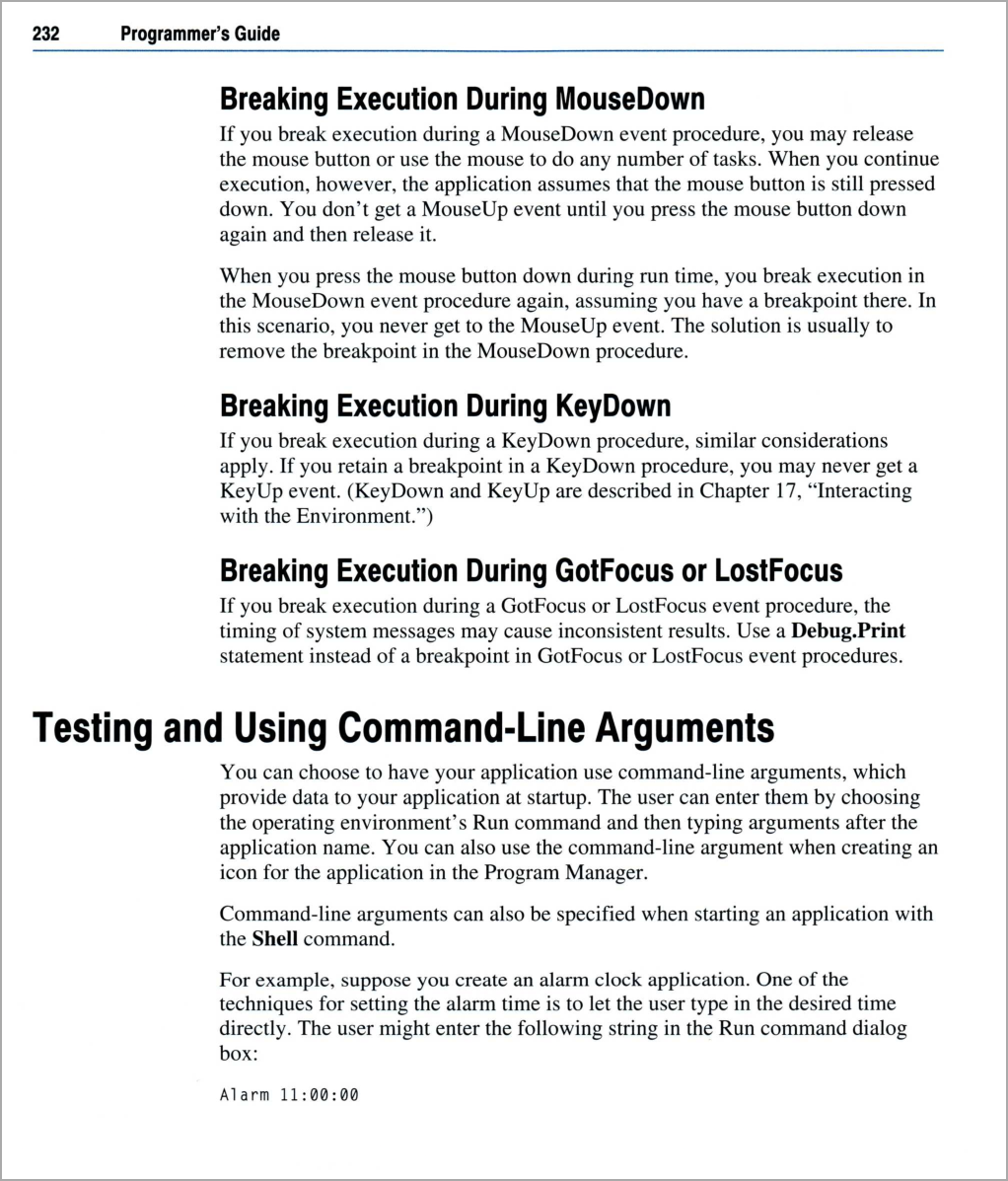
Here we see the Visual Basic 3 manual is laid out in Helvetica and Times. Man, I'm already bored. Anyway, beyond the utterly pedestrian font choices (in fairness, they did have to lay out 3,000+ pages of this stuff), something seems "off" about it. In particular, that Helvetica looks malformed, with sloppy kerning and unbalanced strokes. Let's take a closer look.
Helvetica Neue doesn't match, and Arial (my original suspect) is ruled out by the end caps on the capital "C". Helvetica Condensed is also not right. Wait, I see what's happening. It's the same issue I have with the user interface, manifested in the manual. This isn't Helvetica Condensed, it's Helvetica physically squashed into a fake condensed version. The richest man in the world couldn't afford to buy a proper condensed font for his company? "Or is this indicative of a deeper issue?" he asked, slipping back into his pop-psychology armchair.
It smacks of "good enough," never striving for "great."
That kind of sums up my feelings toward Windows and Windows applications of this period. The stuff worked, and had obvious success, but never seemed to be borne of thoughtful consideration. Did that inattention to detail come from cost-cutting measures, or perhaps some kind of cultural blindness? Were the deficiencies seen and ignored, or simply not seen at all?
And that reminds me of something else I wanted to talk about.
Tastelessness
In the PBS documentary series, Triumph of the Nerds, Steve Jobs famously said of Microsoft, "They have no taste."
"The only problem with Microsoft is they just have no taste. They have absolutely no taste. And what that means is, and I don't mean that in a small way, I mean that in a big way. In the sense that they don't think of original ideas and they don't bring much culture into their product. I have a problem with the fact that they just make really third-rate products."
- Steve Jobs, Triumph of the Nerds

I genuinely think Bill Gates could not understand the meaning of Jobs's accusation. Or rather, he couldn't fathom why "taste" should enter into his calculus whatsoever. Having no taste didn't stop him from becoming the richest man in the world. What does "taste" have to do with stockholder value?
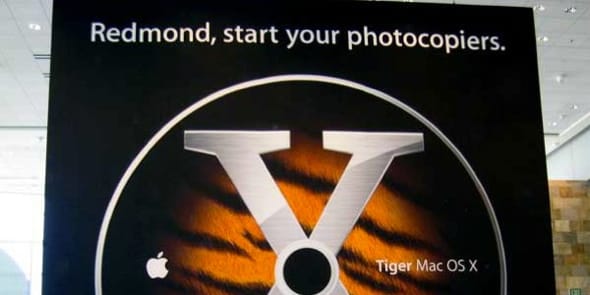
When Apple teased with a new release of OS X, "Redmond, start your photocopiers," I think Gates was thinking, "Of course we will. Thanks for the free R&D." He bristled at being publicly chastised for copying, but my read on that is he really wanted to say, "So what if we copy Apple? Why shouldn't we? Look at our success and tell me it hasn't been a good strategy." What Jobs saw as creative bankruptcy, Gates saw as business efficiency. Being asked to frame his success on Jobs's terms ruffled Gates's feathers.
Trust the process
Jobs said, and I agree, that innovation means saying "no" to 1000 things before saying "yes." "Process" is that very action.
"Process" is the pruning of the possibility space. It's the self-awareness to distinguish "good enough" from "great." It's when you step away from your work, give it the critical stink eye, and apply taste. That's an impossible task if one has no taste to begin with.
So what's a tasteless corporation to do? While Microsoft may have not cared too much about process, they had manufacturing down cold. Put in PenPoint OS, out pops Windows for Pen Computing. Put in OS X 10.3, out pops Windows Vista. Put in Java, out pops J++. Put in a Dreamcast, out pops an Xbox. Even today, similar "factory production" charges are levied against them. I'm not suggesting they "stole" ideas so much as they simply seemed content to let others do the hard work of saying "no" 1,000 times.
While they may have shortcut the creative process, they still had to learn how to manufacture products. In so doing, they accidentally picked up a little taste along the way, which would lead to pretty good stuff from time to time.
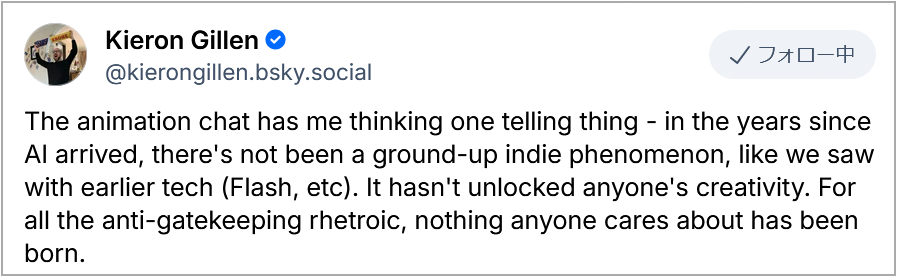
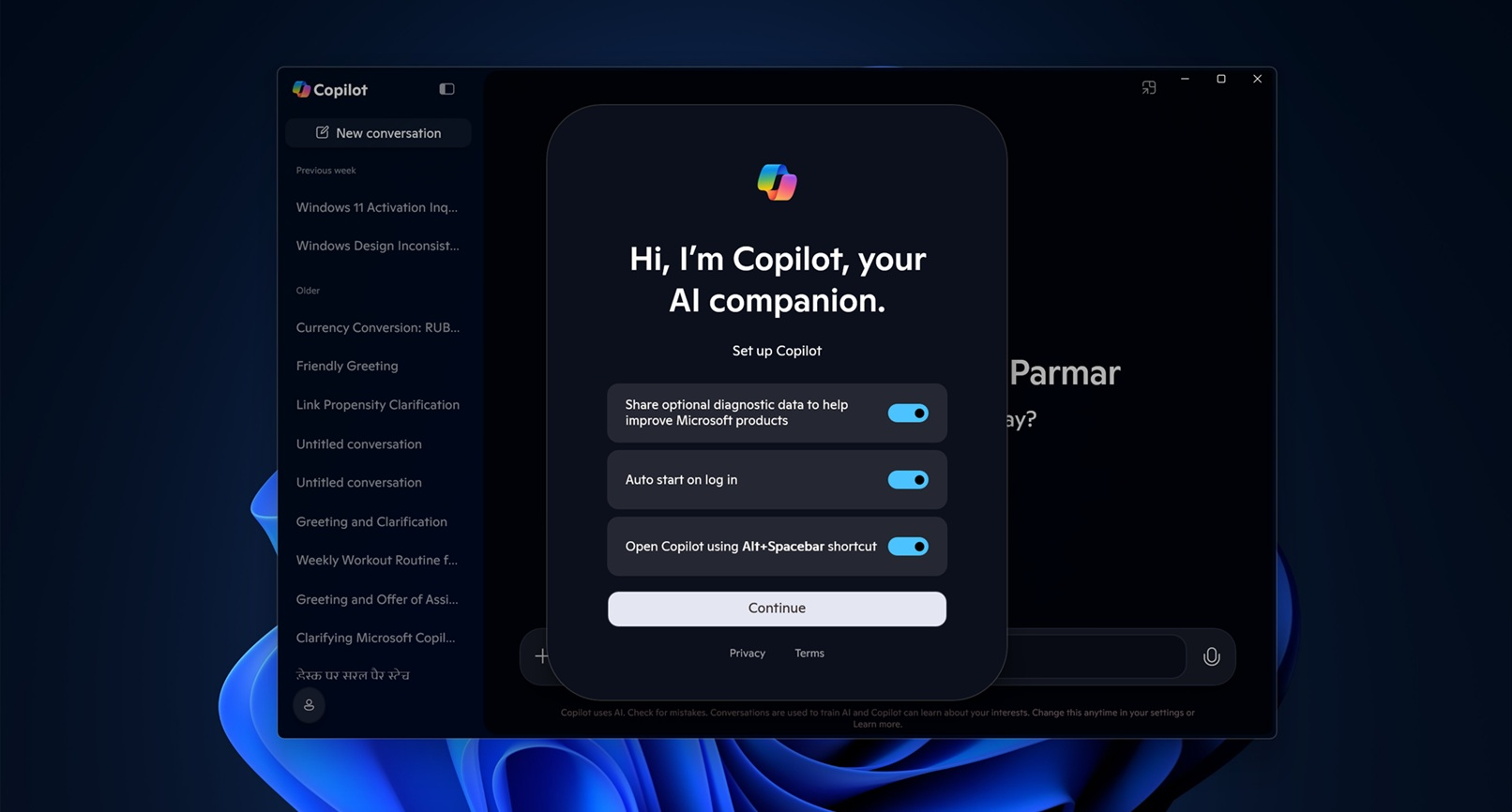
It's been part of the fabric of the industry for decades, and now the torch of manufacturing tasteless product from the creative work of others has been passed on to generative AI. To scale, no less. The ramifications weigh heavily on my mind, especially when someone publicly calls for the absorption of my work into the generative AI apparatus. I'm both flattered and appalled.
On average, how many times do you think I rewrite the introductions to these posts? How many thousands of words have I thrown away to reach something approaching what I wanted to actually say? I tend to rewrite intros 3 or 4 times, and I mean that truly; each rewrite is radically different from the others. In this post alone, I have thrown away some 5,000 words.
Some might think those 5,000 words are the cost of the process, but that's not right. They are the process. The unpublished words are the important ones. Those are the words that got me to these words. Knowing that, throw any creative work into the generative wood chipper and it should be obvious why what comes out cannot live up to the original.
It's lacking the 1,000 nos.
Day 21
I'm disappointed in the ending of this book. Day 21 comes and goes without even a hint of acknowledgement that we've made it through the gauntlet. At the end of it all, we also haven't built anything of value. Every chapter created little baby programs to illustrate specific concepts; no project built upon a previous project except for a few shallow, superficial glow-ups.
Contrast that with HyperCard, where we had a full-fledged address book, with database, search, custom art, and save/load. With Visual Basic, I never felt that same spark I did with HyperCard.
Visual Basic seems great for when you have a strong idea of what you want to build. However, its lack of drawing tools and "don't worry about it, I've got you covered" database curtail creative exploration far more than I would have predicted at the beginning of my studies. Not having to worry about those details opens up a wider world of "lemme try something real quick" experimentation and iteration.
In an ideal product, I'd combine the prototyping strengths of HyperCard with the professional-strength of Visual Basic. Then, later we could swap out the default database with Access, or export the placeholder drawings as image assets for a professional artist to clean up in another revision.
I cannot personally find a place for Visual Basic in my heart, but I can absolutely understand why it took off. It filled a major gap in the programming landscape, helping amateurs and pro-ams build tools for themselves, and even throwing a lifeline to a generation of COBOL engineers needing to transition ASAP. Like Apple with HyperCard, that gap was re-opened by the discontinuation of the product, abandoning a whole fleet of developers and, perhaps just as importantly, potential developers.
I suppose nothing lasts forever, but these companies are worth multi (choking on the word again) TRILLIONS of US dollars. At valuations like that, with the fealty they demand from us, I consider it a moral imperative for them to provide excellent tools which empower the widest possible breadth of users' skill levels. Not providing such tools is a choice.
Considered from another angle, I'll leave you with this open question. What software do Apple and Microsoft provide today that will be spoken of, with the same reverence as HyperCard and Visual Basic, 25 years from now?
Sharpening the Stone
Ways to improve the experience, notable deficiencies, workarounds, and notes about incorporating the software into modern workflows (if possible).
Emulator Improvements
- DOSBox-X ran everything smoothly and without issue. I did not install Windows on top of real DOS, though. I relied on DOSBox-X's implementation. This may account for a couple of strange issues, outlined below.
Troubleshooting
- I experienced one crash in Visual Basic 3, when accessing the Help system.
- Issuing a looped
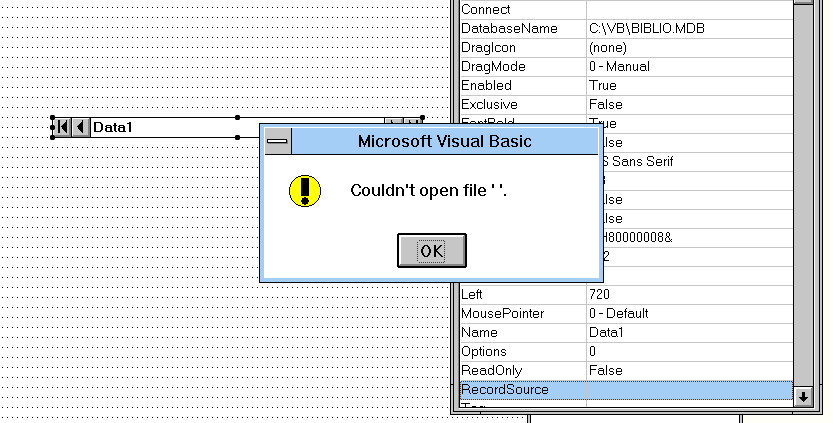
beepcommand resulted in only a single system beep. My guess is that something in the emulated environment is suppressing this. - I could never get databases to connect, even the ones that ship with Visual Basic, let alone any personal data carried over from previous database explorations. It may be the result of DOSBox-X using an emulated version of
SHARE.EXE. Strangely, I saw it work once and then it stopped working as suddenly as it started and never worked again. An installation of Windows on a proper installation of MS-DOS might fix this problem.
Interfacing with the Real World
With Visual Basic 3, 2, 1, and DOS 1.0, the applications you build are 16-bit only and are therefore relegated to running only in virtual environments on 64-bit Windows. If this fits your modus operandi, you're in good shape.
If you're hoping to keep it old-school, but still want the option of running your creation on modern hardware, then you'll want to get Visual Basic 6 up and running in Windows 2000? XP? I tried it in Windows 98SE and it wouldn't launch. VB6 builds 32-bit applications as standalone, compiled executables, can connect to the Internet, and produces builds which run on Windows 10/11.
Note that Windows 11 promises to run applications built with VB6, but does not promise to run VB6 itself. However, I gave it a shot and though there were issues with the install, and the IDE acts a little weird, and it complains on launch about missing OLE files, it did run and I was able to build an executable on Windows 11.
Fossil Record
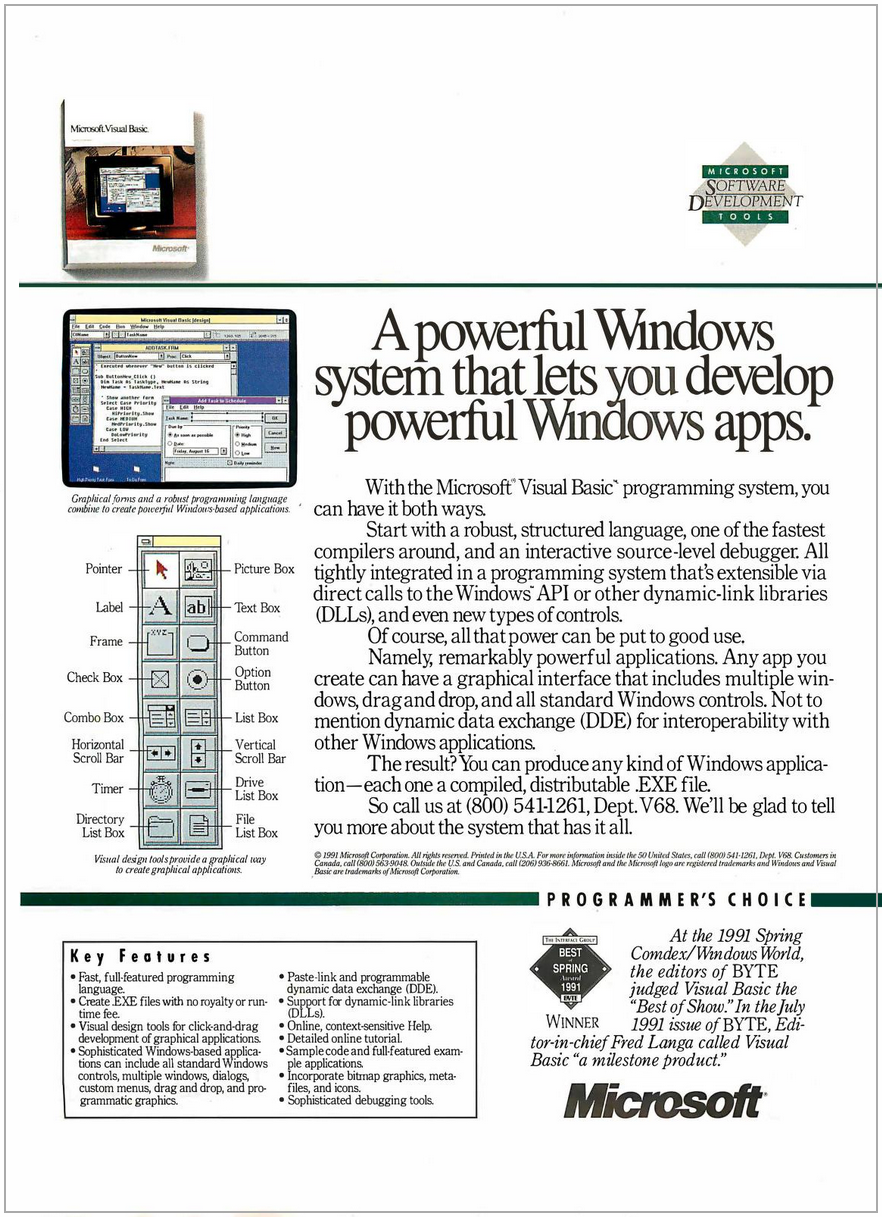
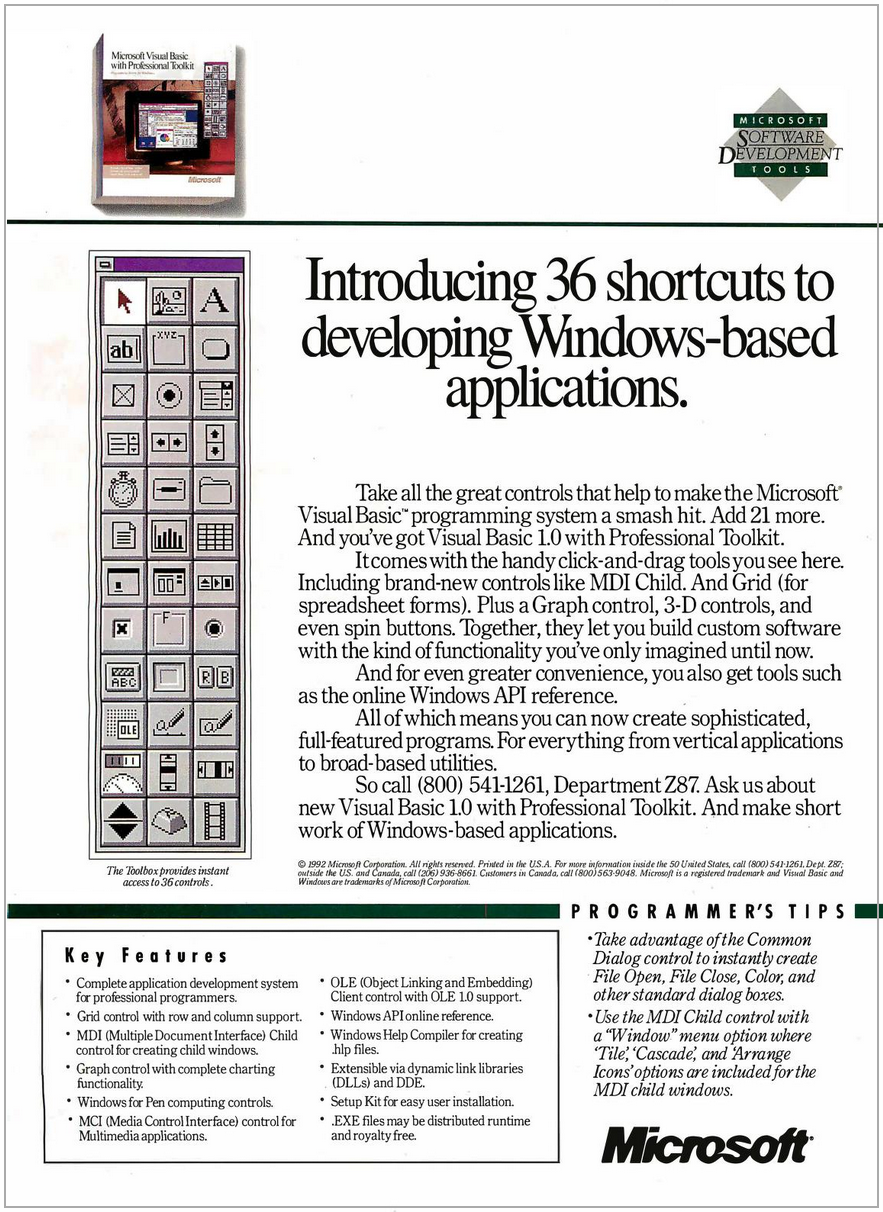
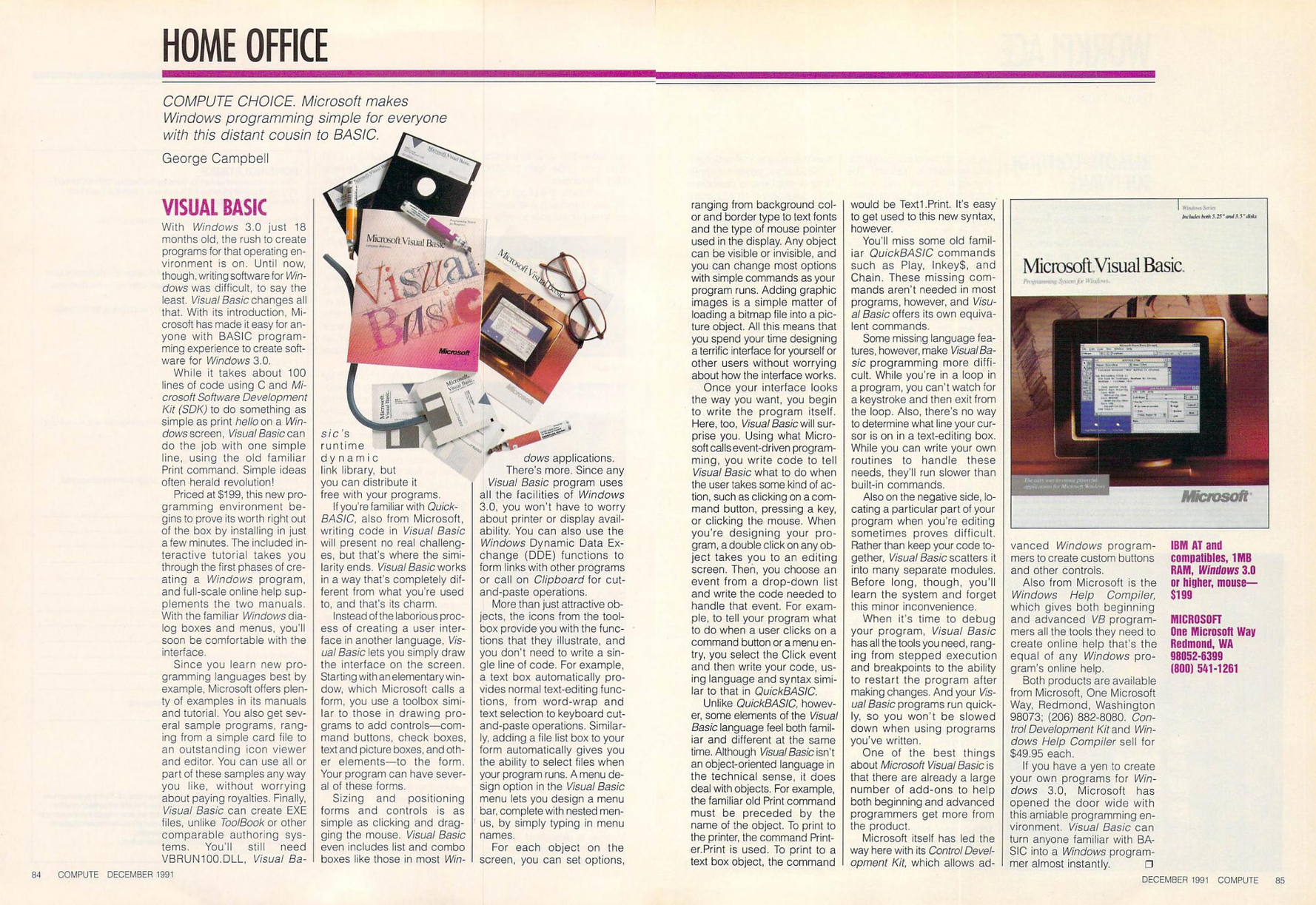
For funsies, here's Gates and Jobs demonstrating their respective visual programming environments.
Gates giving a subdued demo of the just-announced Visual Basic 1.0. His voice cracking at 0:33 is adorable.
Jobs had just returned to Apple after they bought NeXT, and here he's showing the technology Apple has bet its future on. We know it today as Xcode, but it started life as Interface Builder. The line he drew between components in the demo was called a "binding," something that has conceptually resurfaced in SwiftUI.